Adjusting effect parameters
1.
Turn – .
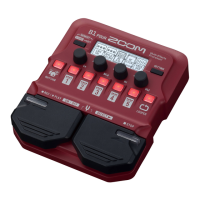
The parameters assigned to each knob depend on the effect. Refer to the names shown on the dis-
play.
If an effect has 5 or more parameters, use
to change the screen.
HINT
•
When AUTO SAVE is set to ON, parameter changes will be saved automatically. (
“Setting the AUTO
SAVE function” on page 28)
• When AUTO SAVE is set to OFF, a parameter saving screen will appear when you try to change patches.
• The AUTO SAVE function is on by default.
21


 To Next Page
