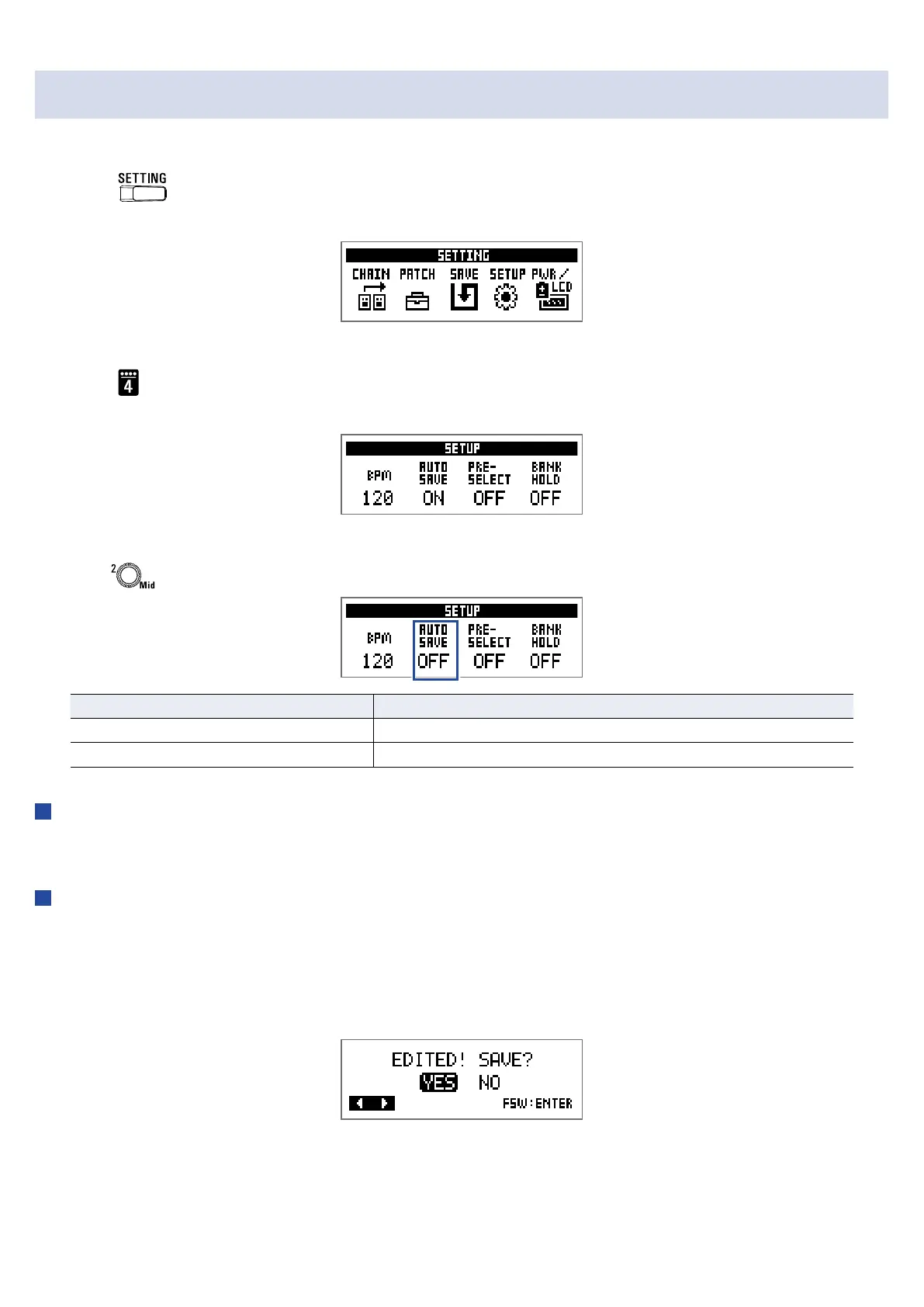
Setting the AUTO SAVE function
This function can be used automatically save changes to patch and effect settings when they are made.
1.
Press .
This opens the SETTING screen.
2.
Press .
This opens the SETUP screen.
3.
Turn .
Setting Explanation
ON Automatic saving is enabled.
OFF Automatic saving is disabled.
When AUTO SAVE is ON
Patch and effect setting changes will be saved automatically.
When AUTO SAVE is OFF
Patch changes can be saved with the following procedure.
1.
After editing a patch, switch to a different patch.
A message conrming that you want to save the changes will appear on the display.
28


 To Next Page