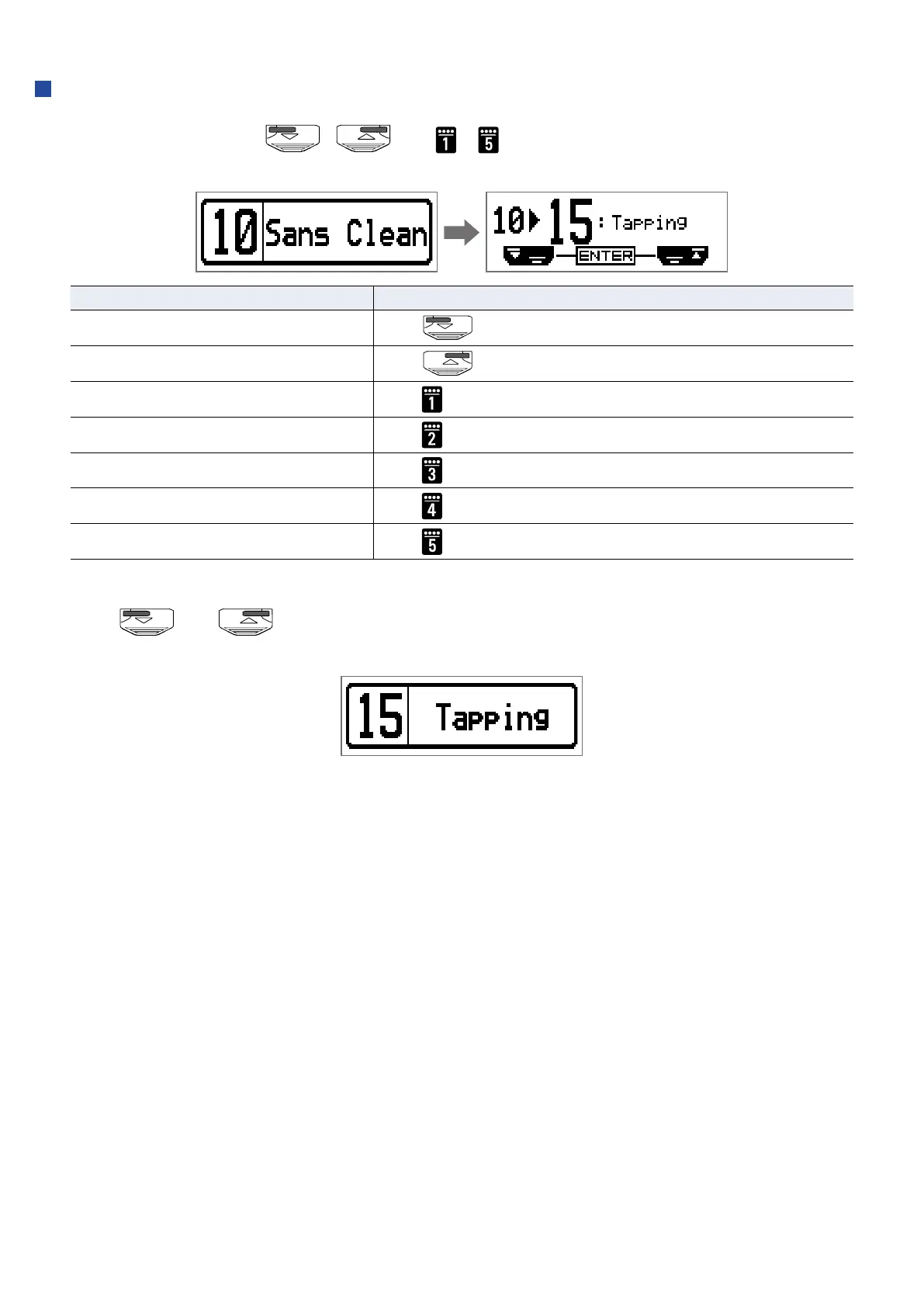
When PRESELECT is ON
1.
In MEMORY mode, use , and – .
This opens a screen for selecting the number of the preselect destination patch.
Function Operation
Switch to lower-numbered patch
Press
Switch to higher-numbered patch
Press
Switch to patch numbers 10 – 19
Press
Switch to patch numbers 20 – 29
Press
Switch to patch numbers 30 – 39
Press
Switch to patch numbers 40 – 49
Press
Switch to patch numbers 50 – 59
Press
2.
Press and at the same time.
This switches to the selected patch.
32


 To Next Page