Dialer Installation & User’s Guide 3
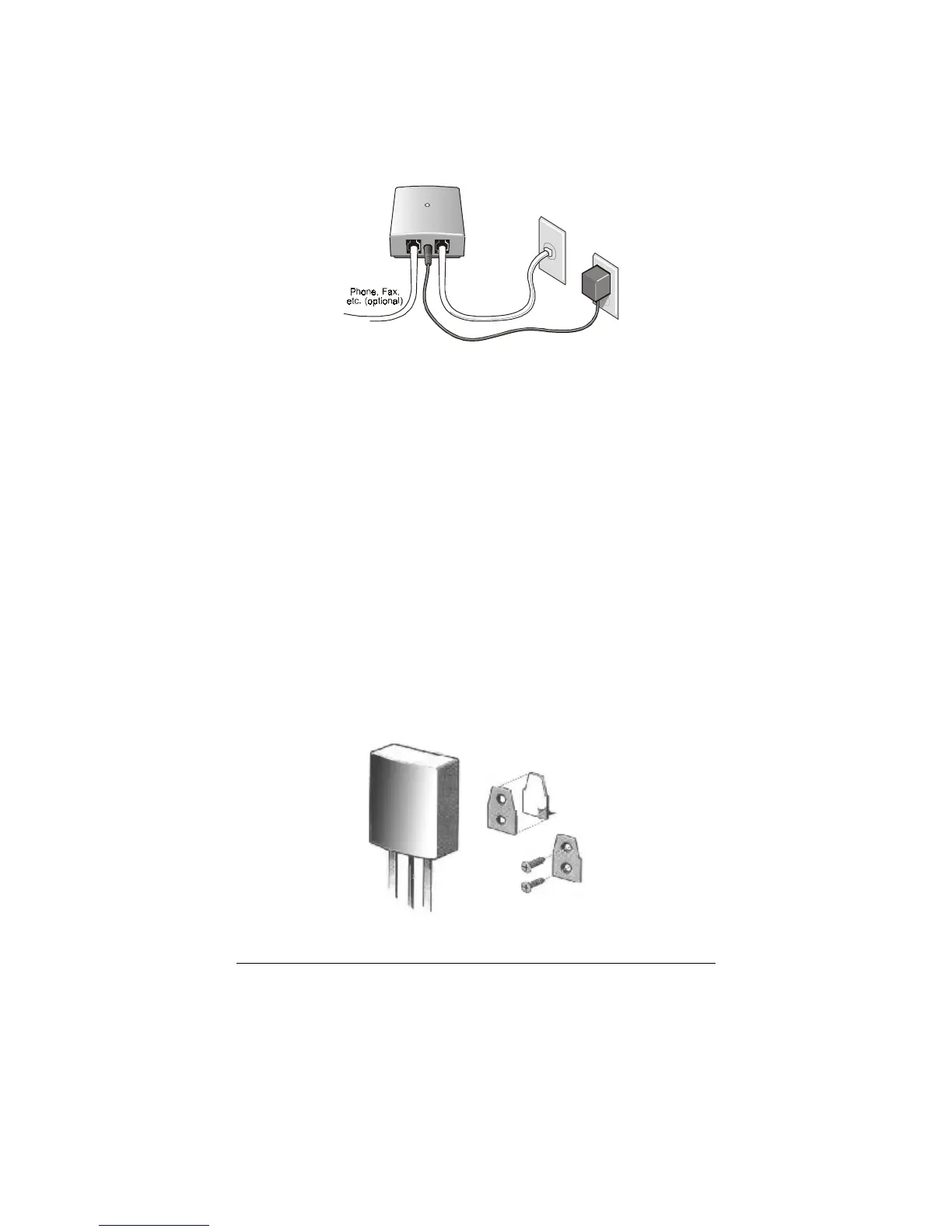
there's something plugged into the phone jack you've chosen,
unplug it and plug it into the dialer phone jack 1 as shown.
Now plug the short dialer phone cord into the dialer
phone jack 2, with the other end of the dialer cord going into
the wall jack you've chosen. The dialer's LED will blink ON
and OFF five times in five seconds, while the dialer analyzes
your line. After that time, the LED should blink slowly a
second and a half ON and a second and a half OFF, until the
dialer receives a download. If the LED instead stays ON
constantly, you should swap the cords plugged into the dialer,
so that the short cord goes into jack 1. Once you do this, the
LED should blink slowly ON and OFF, as described above.
If you'd like, you can mount the dialer on your wall using the
self-adhesive pad provided, or you can use screws if you
prefer. To use the self-adhesive pad, peel off the tape on both
sides of the pad, stick the pad to the bracket on the slightly
smaller side with holes, and then attach the bracket to the
wall. Instead of using the pad, you can attach the bracket
with two ¾" #6 flathead wood screws available in any
hardware store.
Power
Cube
Phone
Jack
Dialer Cord
(short)
Dialer
1
2


 To Next Page
 Loading...