EasyManua.ls Logo

Zoom Stryder - Operation; Display Screen

Zoom Stryder
17 pages
Print Icon
To Next Page IconTo Next Page
To Previous Page IconTo Previous Page
Loading...
Operation
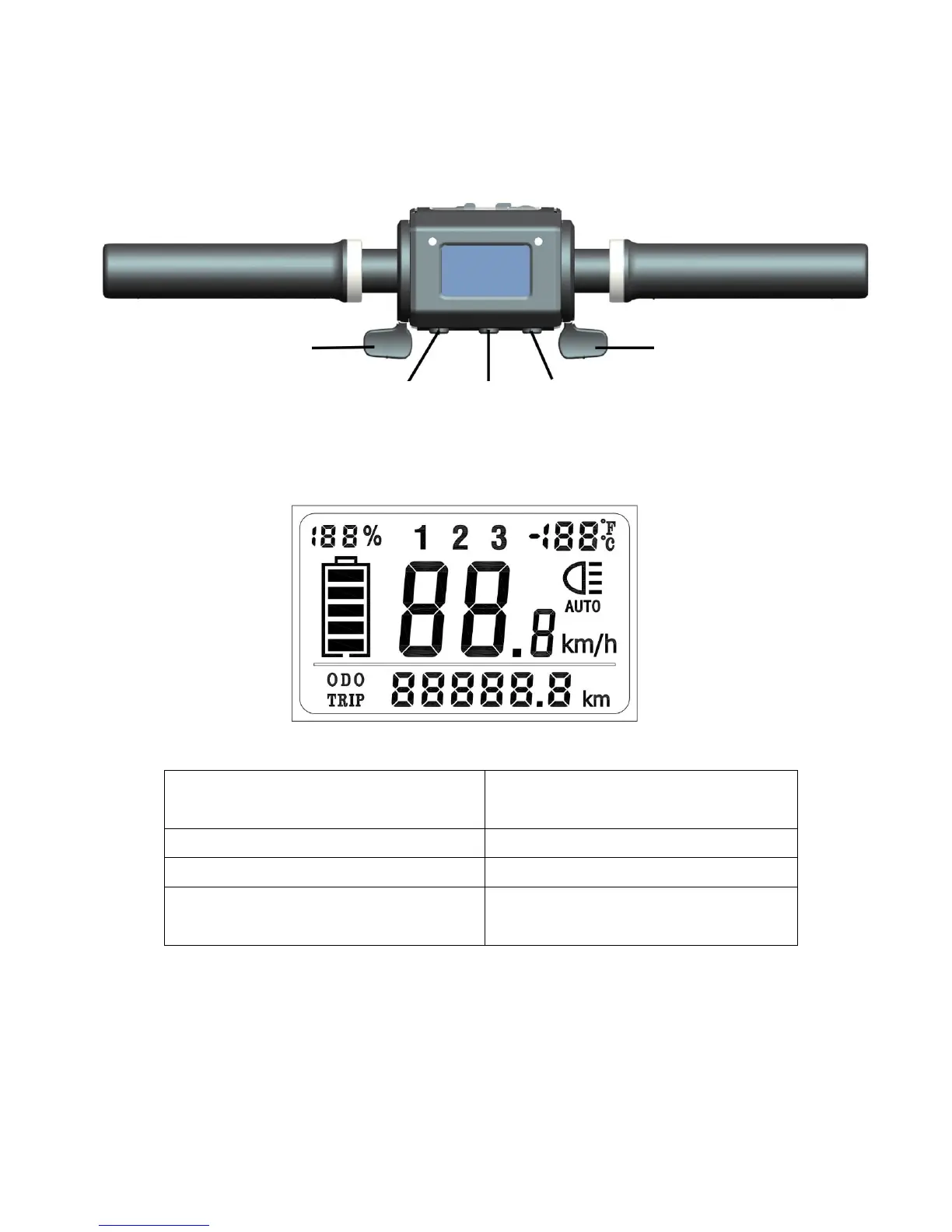
Display Screen
1. Battery Voltage (for 2s when
powered on)
2. Battery % and level
3. Temperature
4. LED Light Mode
(Normal/Manual)
Switch from kilometre (km) to miles (m):
1. Turn on your scooter. The default mode is in kilometres.
2. Press and hold both ① and to go into the setting mode.
3. The screen should show P00. Press once to change to P01. The
value at the bottom of screen should indicate 0. Press once to
change it to 1. After 4 seconds, the display should display in miles.

(3) Power On/Off
(2) Mode
(1) Light
Acceleration Throttle
Regenerative
Brake Throttle