6 7
Choosing a Power Source
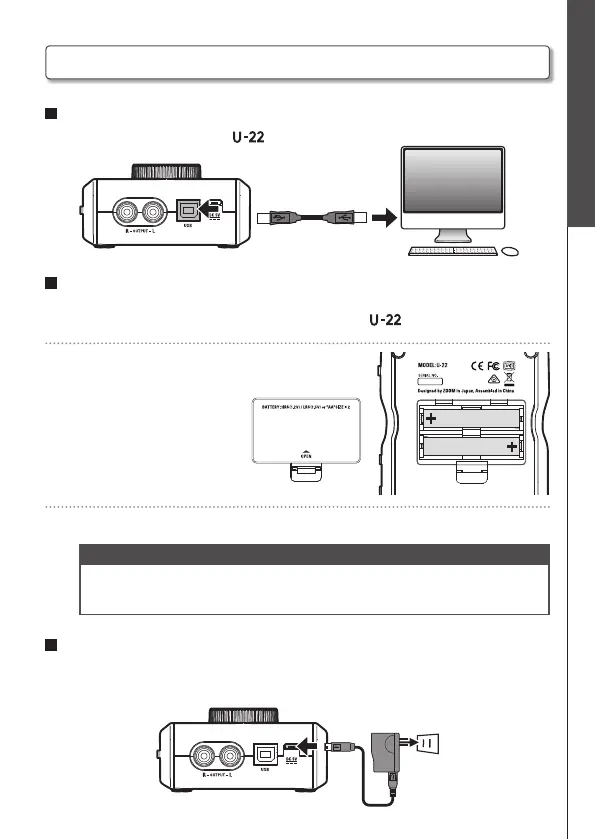
Connecting with a Computer/iPad
Using bus power
Use a USB cable to connect the to the computer.
<Back>
Using batteries
1. Open the battery cover on the underside of the .
2. Install the batteries.
3. Replace the battery cover.
NOTE
• Use only alkaline batteries or rechargeable NiMH batteries.
• The power indicator will blink when the battery charge becomes low. Turn the power
off immediately and install new batteries.
Using an external power supply
Connect either the optional AD-17 adapter, a commercially available USB power
adapter, or a mobile USB battery to the DC 5V connector.
<Back>
Choosing a Power Source


 To Next Page