
 Need help?
Do you have a question about the Zorlu Vestel MB135VS and is the answer not in the manual?
Overview of main board features, general characteristics, and block diagrams for system architecture.
Details of all input/output ports on the MB135VS, including wired and wireless connectivity options.
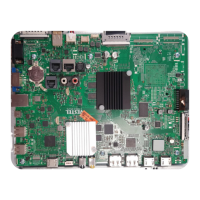
Visual representation of main board components and their interconnections for system understanding.
Step-by-step guide for initial setup, including language, country selection, and PIN configuration.
Overview of the main menu structure for accessing Picture, Sound, Network, and System settings.
Configuration options for picture quality, audio output, network connectivity, and system management.
Procedure for performing white balance calibration using the X-Rite tool for accurate color reproduction.
Guides for updating firmware, including full, core, Android, and specific component software.
Instructions and safety precautions for disassembling the device and replacing internal components.
Solutions for prevalent issues like no picture, LED blinking, USB errors, and audio problems.
Methods for controlling the display via external PC using RS-232 or LAN, including command tables.
Detailed protocol for HEX commands over RS232, including board types, settings, and error responses.
List of video, audio, and subtitle file formats compatible with USB playback for media content.
Guidelines for mounting the display on an indented wall, covering clearance, ventilation, and temperature.
 General
| Brand | Zorlu |
|---|---|
| Model | Vestel MB135VS |
| Category | Motherboard |
| Language | English |

 To Next Page