EasyManua.ls Logo

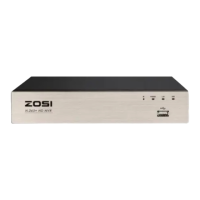
ZOSI NVR - User Manual

ZOSI NVR
19 pages
Print Icon
To Next Page IconTo Next Page
Loading...
Skip to content
Manuals+
User Manuals Simplified.
ZOSI Wireless NVR Monitor System User Guide
Home » Uncategorized » ZOSI Wireless NVR Monitor System User Guide
Contents [ hide
1 ZOSI Wireless NVR & Monitor System Quick Start
Guide
1.1 1. Connecting your system
1.2 2. View on Smartphone
1.3 3. View on PC Client Software
1.4 4. View on PC via IE
1.5 Add camera by matching code
1.6 6. Record video
1.7 7. Playback video
1.8 8. Video Detection
1.9 9. Time scheduled Record
1.10 10. Backup videos to USB storage
1.11 FAQ 1
1.12 File Downloads
1.13 References
1.14 Related Manuals
ZOSI Wireless NVR & Monitor System Quick Start Guide
Question and Answer IconNeed help?

Do you have a question about the ZOSI NVR and is the answer not in the manual?

Summary

ZOSI Wireless NVR Monitor System User Guide

Connecting your system

Step-by-step guide to connecting the ZOSI Wireless NVR and monitor system components for initial setup and operation.

View on Smartphone

Instructions on how to connect and view your ZOSI NVR system feeds remotely using a smartphone application.

View on PC Client Software

Guide to downloading, installing, and using the EseeCloud PC client software for system monitoring and management.

View on PC via IE

Steps to access and view the NVR system through Internet Explorer (IE) browser, both locally and remotely.

Add camera by matching code

Procedure for adding new cameras to the NVR system using the 'Match Code' function for wireless pairing.

Record video

Instructions on installing a hard drive and configuring the NVR system to record video footage from cameras.

Playback video

How to access and play back recorded video footage from the NVR system on the monitor or screen.

Video Detection

Configuring motion detection settings to trigger recording and alerts when movement is detected by the cameras.

Time scheduled Record

Setting up specific time periods for the NVR to automatically record video footage, allowing for customized schedules.

Backup videos to USB storage

Guide on how to back up recorded video files from the NVR system to a USB flash drive for safekeeping.

Summary

ZOSI Wireless NVR Monitor System User Guide

Connecting your system

Step-by-step guide to connecting the ZOSI Wireless NVR and monitor system components for initial setup and operation.

View on Smartphone

Instructions on how to connect and view your ZOSI NVR system feeds remotely using a smartphone application.

View on PC Client Software

Guide to downloading, installing, and using the EseeCloud PC client software for system monitoring and management.

View on PC via IE

Steps to access and view the NVR system through Internet Explorer (IE) browser, both locally and remotely.

Add camera by matching code

Procedure for adding new cameras to the NVR system using the 'Match Code' function for wireless pairing.

Record video

Instructions on installing a hard drive and configuring the NVR system to record video footage from cameras.

Playback video

How to access and play back recorded video footage from the NVR system on the monitor or screen.

Video Detection

Configuring motion detection settings to trigger recording and alerts when movement is detected by the cameras.

Time scheduled Record

Setting up specific time periods for the NVR to automatically record video footage, allowing for customized schedules.

Backup videos to USB storage

Guide on how to back up recorded video files from the NVR system to a USB flash drive for safekeeping.

ZOSI NVR Specifications

General IconGeneral
BrandZOSI
ModelNVR
CategoryMicrophone
LanguageEnglish

Related product manuals