EasyManua.ls Logo

ZOSI Smart - User Manual

ZOSI Smart
8 pages
Print Icon
To Next Page IconTo Next Page
Loading...
PROFESSIONAL SECURITY MADE EASY
VIDEO DOORBELL
Quick Start Guide
For more information of your new system, please refer to www.zositech.com
Question and Answer IconNeed help?

Do you have a question about the ZOSI Smart and is the answer not in the manual?

Summary

Quick Start Guide

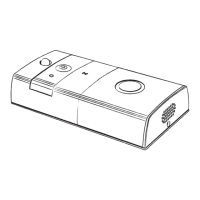
Product Drawing-Front

Front Panel Components Overview

Identifies key components like camera, microphone, sensors, LEDs, and speakers on the device's front.

Product Drawing-Back

Back Panel Components Overview

Details the back panel features including reset button, battery compartment, and power interfaces.

Product Drawing-Back Dimensions

Back Panel Dimensions and Mounting

Details the back panel dimensions and mounting points like screw holes and hooks.

Installation-Brack Installation

Mounting the Bracket to the Wall

Step-by-step guide for securely attaching the mounting bracket to the wall.

Power Supply Solution

Power Source Options

Explains using a hard wire power source or battery power for the doorbell.

App Download-ToSee

Mobile App Download Instructions

Guide on downloading and installing the 'ToSee' app from App Store or Google Play.

App User Interface

App Interface and Call Screens

Illustrates the app's main interface, incoming call screen, and notification.

Live View Interface

Live View Controls and Features

Details controls for volume, playback, screenshots, and talking to visitors.

Setting Menu

Device Settings Configuration

Explains settings for power saving, LEDs, video length, motion sensitivity, and storage.

Summary

Quick Start Guide

Product Drawing-Front

Front Panel Components Overview

Identifies key components like camera, microphone, sensors, LEDs, and speakers on the device's front.

Product Drawing-Back

Back Panel Components Overview

Details the back panel features including reset button, battery compartment, and power interfaces.

Product Drawing-Back Dimensions

Back Panel Dimensions and Mounting

Details the back panel dimensions and mounting points like screw holes and hooks.

Installation-Brack Installation

Mounting the Bracket to the Wall

Step-by-step guide for securely attaching the mounting bracket to the wall.

Power Supply Solution

Power Source Options

Explains using a hard wire power source or battery power for the doorbell.

App Download-ToSee

Mobile App Download Instructions

Guide on downloading and installing the 'ToSee' app from App Store or Google Play.

App User Interface

App Interface and Call Screens

Illustrates the app's main interface, incoming call screen, and notification.

Live View Interface

Live View Controls and Features

Details controls for volume, playback, screenshots, and talking to visitors.

Setting Menu

Device Settings Configuration

Explains settings for power saving, LEDs, video length, motion sensitivity, and storage.

ZOSI Smart Specifications

General IconGeneral
BrandZOSI
ModelSmart
CategoryAccessories
LanguageEnglish