EasyManua.ls Logo

Zounds Marshall STOCKWELL - User Manual

Zounds Marshall STOCKWELL
33 pages
Print Icon
To Next Page IconTo Next Page
Loading...
USER MANUAL
WWW.MARSHALLHEADPHONES.COM
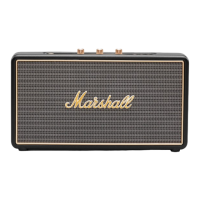
STOCKWELL - PORTABLE STEREO LOUDSPEAKER

Questions and Answers

  • M
    Margaret HensleyJul 28, 2025
    What to do if my Zounds Speakers Stockwell won't turn on?
    • E
      Erik LopezJul 28, 2025
      If your Zounds Speakers Stockwell won't turn on, it could be due to a discharged internal battery or the power cord not being properly connected. Try inserting the power cord into the 15V power socket and ensure the power adapter is correctly plugged into a working wall socket.
  • B
    Brandon RuizAug 3, 2025
    Why is there no sound coming from my Zounds Speakers Stockwell?
    • E
      Eric SmithAug 4, 2025
      If there is no sound from your Zounds Speakers Stockwell, several factors could be responsible. First, check that the 3.5mm cord/input cable/signal cable is properly connected to both the Stockwell and the music player. Unplug and re-plug these to ensure a secure connection. Also, verify that you've selected the correct input source by pushing the input button. Finally, make sure the volume isn't too low, both on the Stockwell itself (push the volume knob for it to pop up and turn up the volume) and on your music player.
  • A
    Allison DavisAug 11, 2025
    How to fix weak sound on Zounds Speakers Stockwell?
    • A
      Anna SullivanAug 11, 2025
      To fix weak sound on your Zounds Speakers Stockwell, start by checking the volume levels. Ensure the volume isn't set too low on either the Stockwell itself (push the volume knob for it to pop up and turn up the volume) or the music player. Also, verify that the 3.5mm cord/input cable/ signal cable is correctly connected to both the Stockwell and the music player. Unplug and re-plug the 3.5mm cord/input cable/ signal cable into both the STOCKWELL and the music player.
  • S
    Sabrina RyanAug 18, 2025
    What to do if Zounds Marshall STOCKWELL Speakers Stockwell sound is distorted?
    • E
      Ethan LopezAug 18, 2025
      If the sound from your Zounds Speakers Stockwell is distorted, there are a few potential causes. First, the original sound file (mp3) might be of poor quality, so try using a different file or music player. Excessive playback volume can also cause distortion; turn down the playback level using the volume button, or reduce the sound level on your music player. Finally, too much bass/treble boost could be the culprit; reduce the bass boost on the control panel or excessive bass boost/eq on the music player.

Summary

IMPORTANT SAFETY INSTRUCTIONS

COMPLIANCE AND CERTIFICATIONS

FCC Statement

Explains FCC rules regarding device operation and potential interference.

PRODUCT OVERVIEW

Box Contents

Lists all items included in the product packaging.

Device Layout

Identifies and labels all physical controls, ports, and indicators.

POWER AND CHARGING

Changing the Power Adapter Plug

Instructions for attaching region-specific power adapter plugs.

Plugging In and Charging

Detailed guide on connecting the power adapter and charging the internal battery.

BASIC OPERATION

Turning the Power On;Off

Steps for powering the speaker on and off using the power button.

CONNECTING DEVICES

Bluetooth Pairing and Connection

Guide to wirelessly connect Bluetooth-enabled devices and auto-reconnection.

Wired Audio Connection

Steps for connecting audio devices using a 3.5mm stereo plug and cable.

Choosing Your Audio Source

How to select the desired audio input source (Bluetooth or wired).

ADVANCED FEATURES

Speaker Phone Mode

Instructions for answering, ending, and declining phone calls via the speaker.

SOUND ADJUSTMENT

Adjusting Volume, Bass, and Treble

Details on using the control knobs to modify audio output to user preference.

MAINTENANCE AND ACCESSORIES

Replacing the Internal Battery

Step-by-step guide for safely replacing the internal battery pack.

Flip Cover Usage

Instructions for attaching, using, and removing the optional flip cover.

TECHNICAL INFORMATION

TROUBLE SHOOTING

Zounds Marshall STOCKWELL Specifications

General IconGeneral
BrandZounds
ModelMarshall STOCKWELL
CategorySpeakers
LanguageEnglish