Need help?
Do you have a question about the Zte Blade A7S and is the answer not in the manual?
Guide for inserting nano-SIM and microSDXC cards into the device tray.
Instructions on how to charge the phone's battery using approved chargers and power outlets.
Steps to turn the phone on, off, and restart it using the power key.
How to turn on the display and unlock the screen after sleep mode.
Important safety warnings and precautions for using the phone.
Information on radio frequency exposure limits and testing for compliance.
Details on FCC RF exposure, general regulations, and device operation rules.
Critical warnings for battery handling, charging, and proper device disposal.
Technical details including supported radio bands and maximum RF output power.
Statement of compliance with EU Directive 2014/53/EU for radio equipment.
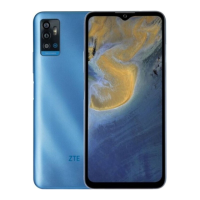
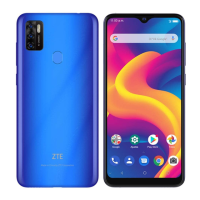
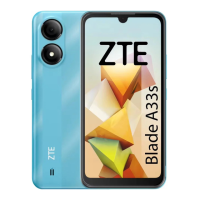
The ZTE Blade A7s is a smartphone designed for everyday use, offering a range of features for communication, media consumption, and basic productivity. Its design incorporates essential components for user interaction and connectivity.
The ZTE Blade A7s serves as a mobile communication device, enabling users to make and receive phone calls, send and receive text messages, and access mobile data networks for internet browsing, email, and various online applications. It supports dual SIM functionality, allowing users to manage two nano-SIM cards simultaneously, which can connect to 4G, 3G, or 2G networks, with either card capable of being used for mobile data. The device also includes a front camera for selfies and video calls, and a rear camera with flash for capturing photos and videos.
For media and entertainment, the phone features a touch screen display for interactive content, a speaker for audio playback, and a headset jack for private listening. It integrates GPS for location services and navigation. The device is powered by a non-removable rechargeable battery, designed to provide sufficient power for daily operations.
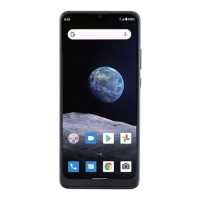
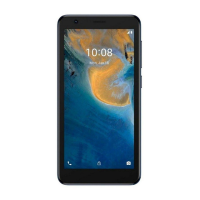
The phone's layout includes a clear front panel with an earpiece, proximity sensor, indicator light, and light sensor at the top, along with the front camera. The touch screen occupies the majority of the front surface for user input and display. On the side, volume keys allow for audio adjustment, and a power key controls the device's on/off state and screen lock.
Setting up the phone involves inserting nano-SIM cards into the designated card tray. The tray eject tool is provided to safely access the slots. Users can insert one or two nano-SIM cards, and an optional microSDXC card can be added for expanded storage. It's crucial to use standard nano-SIM cards to prevent damage to the phone.
Charging the device is straightforward: connect the provided adapter to the micro-USB jack and then to a standard AC power outlet. The phone should be fully charged as soon as possible after unboxing to ensure optimal performance. It's important to use only ZTE-approved chargers and USB cables to avoid damage or battery issues.
Powering on the phone involves pressing and holding the power key. To power off, the power key is held down to access an options menu, where the power off icon can be selected. If the screen becomes unresponsive, holding the power key for approximately 10 seconds can force a restart.
The phone automatically enters sleep mode after a period of inactivity to conserve power and lock the screen. To wake the phone, the power key is pressed to turn on the screen, followed by a swipe up gesture to unlock. For enhanced security, users can set up face verification, an unlock pattern, a PIN, or a password.
Proper maintenance of the ZTE Blade A7s involves adhering to several guidelines to ensure its longevity and safe operation. The battery is non-removable and should not be tampered with; any battery replacement or service should be performed by ZTE or an authorized service provider to prevent fire or explosion.
The device should be operated within recommended temperature ranges (0 °C to 35 °C) and stored within specified temperatures (-20 °C to +45 °C). Exposure to extreme temperatures, both hot and cold, can damage the device and reduce battery capacity and lifespan. It should be kept away from heating equipment, direct sunlight, and liquids.
Users are advised not to disassemble, squeeze, or puncture the device. If the battery shows signs of damage, swelling, or leakage, usage should cease immediately, and ZTE customer service should be contacted. Overcharging the battery should be avoided; the charger should be disconnected once the battery is fully charged to prolong its life. For long-term storage, the device should be charged to about half capacity and stored in a cool, dry place.
Regarding accessories, only approved accessories, such as chargers and USB cables, should be used. The USB port is designed for USB 2.0 connections. The antenna area should ideally not be touched during use.
For environmental responsibility, the device is marked with a crossed-out wheeled bin symbol, indicating that it should not be disposed of with municipal waste. Instead, it should be separated and disposed of through designated collection facilities to prevent negative environmental and health impacts. Recycling information is available by contacting ZTE via email.
Safety information emphasizes avoiding phone calls or texting while driving, maintaining a minimum distance of 5 mm from the body during calls, and being aware of loud sounds the phone can produce. To prevent hearing damage, listening at high volumes for extended periods should be avoided. The phone should be kept away from magnetic objects, pacemakers, and other electronic medical devices. It must be turned off in hospitals, medical facilities, aircraft, airports, and near explosive materials or liquids. Usage at gas stations is prohibited. The device should not be disposed of in fire.
The device's Specific Absorption Rate (SAR) compliance is based on international guidelines, with specific limits for head and body exposure. For body-worn operation, a separation distance of 15 mm from the body should be maintained, and accessories without metallic components are recommended.
FCC regulations state that the device complies with part 15 of the FCC Rules, meaning it should not cause harmful interference and must accept any interference received. If interference occurs, measures like reorienting the antenna or consulting a technician are suggested. Changes or modifications not approved by the manufacturer could void the user's authority to operate the equipment. The antenna(s) should not be co-located or operate in conjunction with any other antenna or transmitter.
 General
| Display Type | IPS LCD |
|---|---|
| Resolution | 720 x 1560 pixels |
| CPU | Octa-core 2.0 GHz Cortex-A53 |
| GPU | PowerVR GE8320 |
| Expandable Storage | microSDXC (dedicated slot) |
| Rear Camera Features | LED flash, HDR, panorama |
| SIM | Dual SIM (Nano-SIM, dual stand-by) |
| Processor | MediaTek Helio P22 |
| RAM | 3GB |
| Internal Storage | 64GB |
| Front Camera | 8 MP |
| Battery Type | Li-Ion |
| Colors | Black, Blue |

 To Next Page