Need help?
Do you have a question about the Zte Blade V40 and is the answer not in the manual?
This document serves as a Quick Start Guide for the ZTE 9045, also known as the ZTE Blade V40, a smart terminal device. It provides essential information for setting up, using, and maintaining the phone, along with important safety and regulatory details.
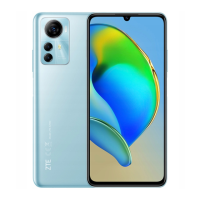
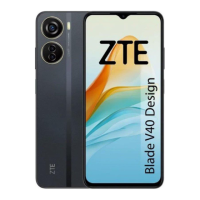
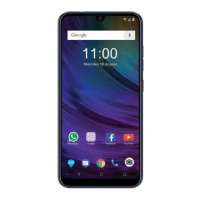
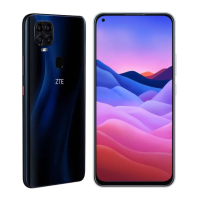
The ZTE 9045 is designed to be a user-friendly mobile phone, offering standard smartphone functionalities. It features a touch screen for interaction, a front camera for selfies and video calls, and a set of back cameras for photography. The device includes a proximity and light sensor, an earpiece for calls, and a speaker for audio output. Physical controls include a volume key and a power key, which also integrates a fingerprint sensor for secure access. For connectivity, it features a headset jack and a charging/USB Type-C jack. The phone supports nano-SIM cards for cellular network access and microSDXC cards for expandable storage.
The phone supports both 2.4 GHz and 5 GHz Wi-Fi for wireless internet connectivity.
To begin using the phone, users need to install a nano-SIM card. The device allows for the installation or removal of the nano-SIM card even when the phone is turned on. A tray eject tool, included in the box, is used to access the card tray. Users are cautioned against using any other type of SIM card or non-standard cut SIM cards to prevent damage. The nano-SIM card and an optional microSDXC card are placed on the tray, which is then carefully slid back into the phone.
Before initial use, the phone's battery should be fully charged. The guide emphasizes the use of only ZTE-approved chargers and USB Type-C cables to avoid damage to the phone or the risk of battery explosion. The charging process involves connecting the adapter to the charging jack on the phone and then plugging the charger into a standard AC power outlet. Once the battery is fully charged, the charger should be disconnected. A note advises that if the battery is extremely low, the phone might not power on immediately even when charging, suggesting a minimum of 20 minutes of charging before attempting to power on.
To power on the phone, users press and hold the Power key. To power off, the Power key is pressed and held to bring up an options menu, from which the power off option can be selected. In cases where the screen freezes or the phone becomes unresponsive, pressing and holding the Power key for over 10 seconds will restart the device.
The ZTE 9045 includes an FM Radio feature. To use it, a wired headset must be plugged into the headset jack, as it acts as the antenna.
The manual provides several guidelines that contribute to the maintenance and longevity of the device, primarily through safety precautions.
The guide outlines various safety instructions to ensure proper handling and maintenance of the phone:
These guidelines, while primarily safety-focused, inherently contribute to the proper maintenance and care of the device, preventing damage and ensuring its safe operation over time.
 General
| Display Type | IPS LCD |
|---|---|
| Processor | Unisoc T616 |
| RAM | 4 GB |
| Storage | 128 GB |
| Rear Camera | 50 MP + 2 MP + 2 MP |
| Front Camera | 8 MP |
| Battery | 5000 mAh |
| Operating System | Android 12 |

 To Next Page