EasyManua.ls Logo

ZyCast LCT-1631A - User Manual

ZyCast LCT-1631A
19 pages
Print Icon
To Next Page IconTo Next Page
Loading...
1
LCT-1631A
MPEG-2 HD Digital Modulator
User Guide and Installation Manual
ZyCast Technology, Inc.
No. 33, Lane 181, Chung Hwa Road
Section 4, Hsin Chu, Taiwan 30060
Tel: +886-3-5400-949 Fax: +886-3-5400-413
Australia/NZ contact +61448100429
www.zycast.com.tw
Question and Answer IconNeed help?

Do you have a question about the ZyCast LCT-1631A and is the answer not in the manual?

Summary

Safety Precautions

Package Contents

Lists the items included in the product package for initial setup.

Introduction

Features

Specifications

Video;Audio Input Specifications

Details on HDMI, Component, and Composite video and audio input types.

Video;Audio Encoding Profile

Specifies video codecs, bitrates, and resolution for encoding.

Output Specifications

Technical details of the RF output, including standard, connector, and level.

Modulator and General Specifications

Modulator STD (DVB-T COFDM) Details

RF mode, frequency range, constellation, FEC, and OFDM mode parameters.

General Device Specifications

Covers local monitoring, web GUI, power, consumption, temperature, and dimensions.

Installation and Connections

Unpacking and Inspection

Procedures for checking the unit for damage and completeness upon arrival.

Hardware Installations and Connections

Step-by-step guide for connecting video, audio, and RF cables to the unit.

Connecting to the GUI Interface

Initial steps to establish a connection to the device's web-based GUI.

Encoder Programming via GUI Interface

Step 1: Accessing the Web Interface

Instructions to enter the device's IP address into a web browser to access its interface.

Step 2: User Authentication

Details on logging in with default username and password credentials.

Step 3: Encoder Setup

Step 4: RF Output Setup

Step 5: Network Configuration

Step 6: Administration

Backup and Restore Configuration

Instructions for backing up and restoring device configuration files.

Firmware Upgrade and Password Management

Firmware Upgrade Process

Steps to update the device's firmware using a new image file.

Change Device Password

Procedure for modifying the device's login password.

Front Panel Control

LCD Password Entry

How to access the LCD menu by entering the default 4-digit password.

LCD Setup Menu Map Overview

Visual representation of the menu structure available on the front panel LCD.

Modulator Configuration via Front Panel LCD

Encoder Setup Menu via Front Panel

Network Setup via Front Panel

Change Password via Front Panel

Procedure to change the password using the device's front panel LCD interface.

Reset to Default via Front Panel

Steps to restore the device to its original factory default settings.
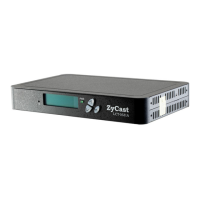
ZyCast LCT-1631A Specifications

General IconGeneral
BrandZyCast
ModelLCT-1631A
CategoryModulator
LanguageEnglish

Related product manuals