Need help?
Do you have a question about the ZZ2 ZZAIR-PRO and is the answer not in the manual?
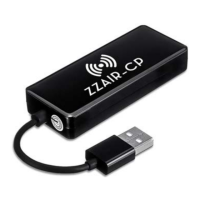
Details the ZZAIR-PRO device, its LED indicator, USB-C port, reset button, and SD card slot.
Lists the USB cable and instruction manual provided with the ZZAIR-PRO unit.
Step-by-step instructions for connecting the ZZAIR-PRO to your car's USB port.
Guide on how to access and connect to Wi-Fi networks using the device interface.
Instructions for playing music, photos, and videos from an SD card inserted into the device.
Detailed steps for establishing a wireless CarPlay connection with an iPhone.
Detailed steps for establishing a wireless Android Auto connection with an Android phone.
Instructions on how to update the ZZAIR-PRO firmware using an SD card.
Outlines the procedures for initiating warranty claims and product replacement.
 General
| Brand | ZZ2 |
|---|---|
| Model | ZZAIR-PRO |
| Category | Automobile Accessories |
| Language | English |

 To Next Page