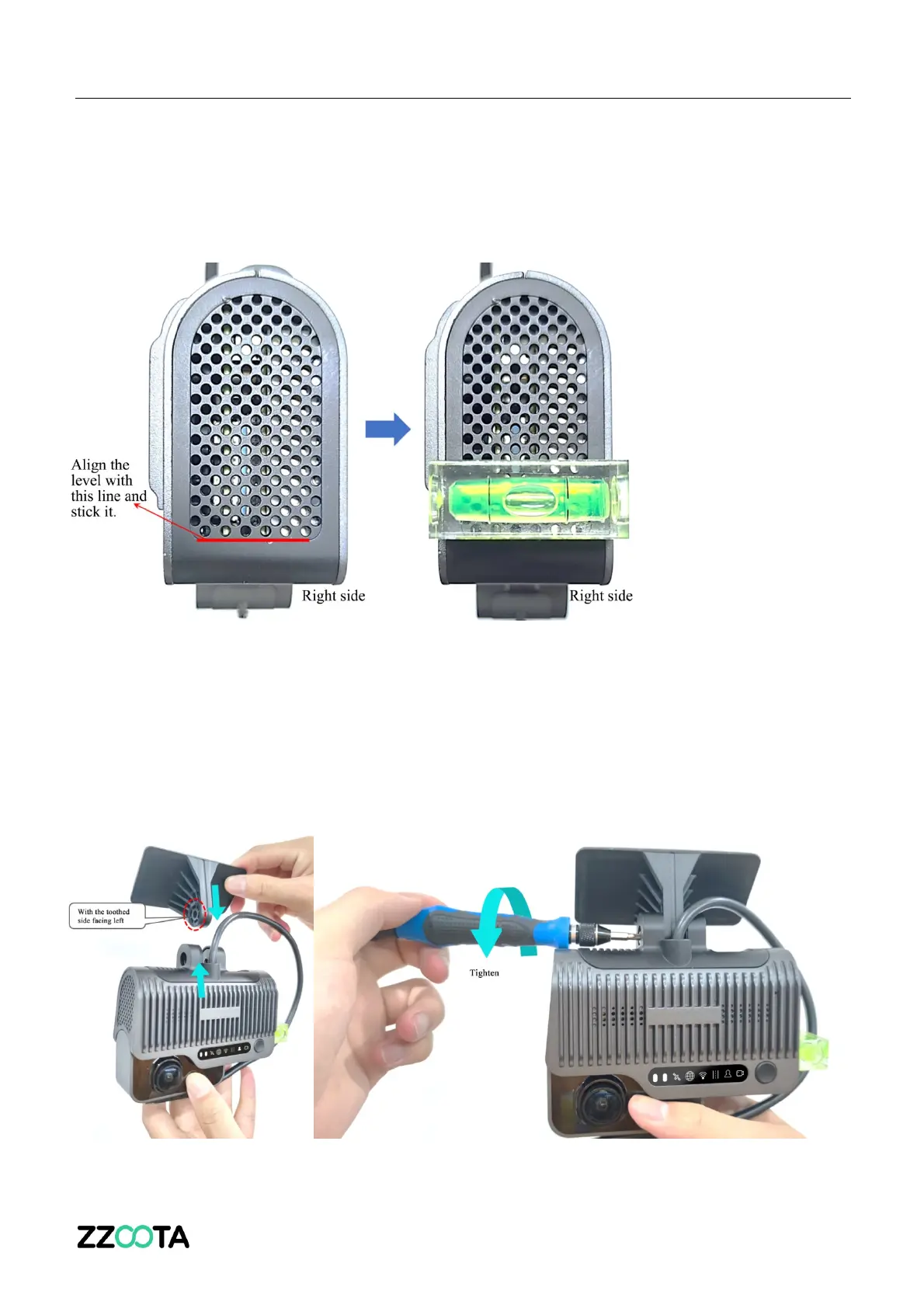
After fixing the bracket horizontally, remove the level and attach it to the right side of the main
unit as shown in the figure below:
Connect the ADAS camera to the bracket with the front side facing inward (with the teeth on the
left side of the bracket engaged with those on the left inner side of the ADAS camera).
Tighten the bracket stud clockwise with a PH2 cross screwdriver (before tightening, first adjust
the ADAS camera to be vertical).



 To Next Page