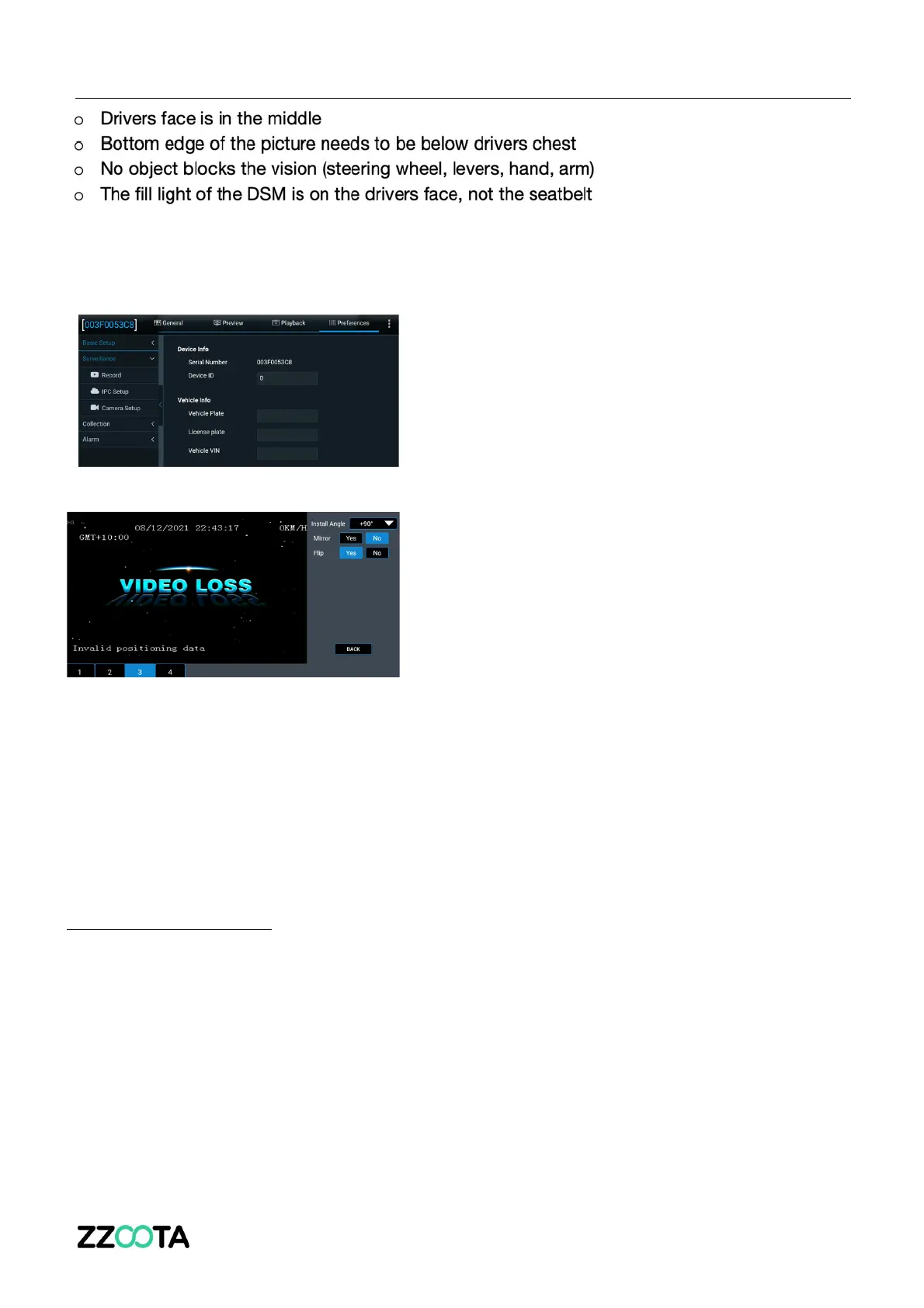
If the image is showing the wrong angle, please follow the next steps to correct:
Step 1. Select ‘Preferences’ (top right corner)
Step 2. Select ‘Camera Setup’
Step 3. Select channel 3 (bottom left) and then
edit ‘Install Angle’, ‘Mirror’, or ‘Flip’ to achieve
the correct setup
DSM CALIBRATION
To put the DSM into Calibration Mode, follow these steps



 To Next Page