EasyManua.ls Logo

1 BY ONE 471NA-0010 - User Manual

Default Icon
25 pages
Print Icon
To Next Page IconTo Next Page
Loading...
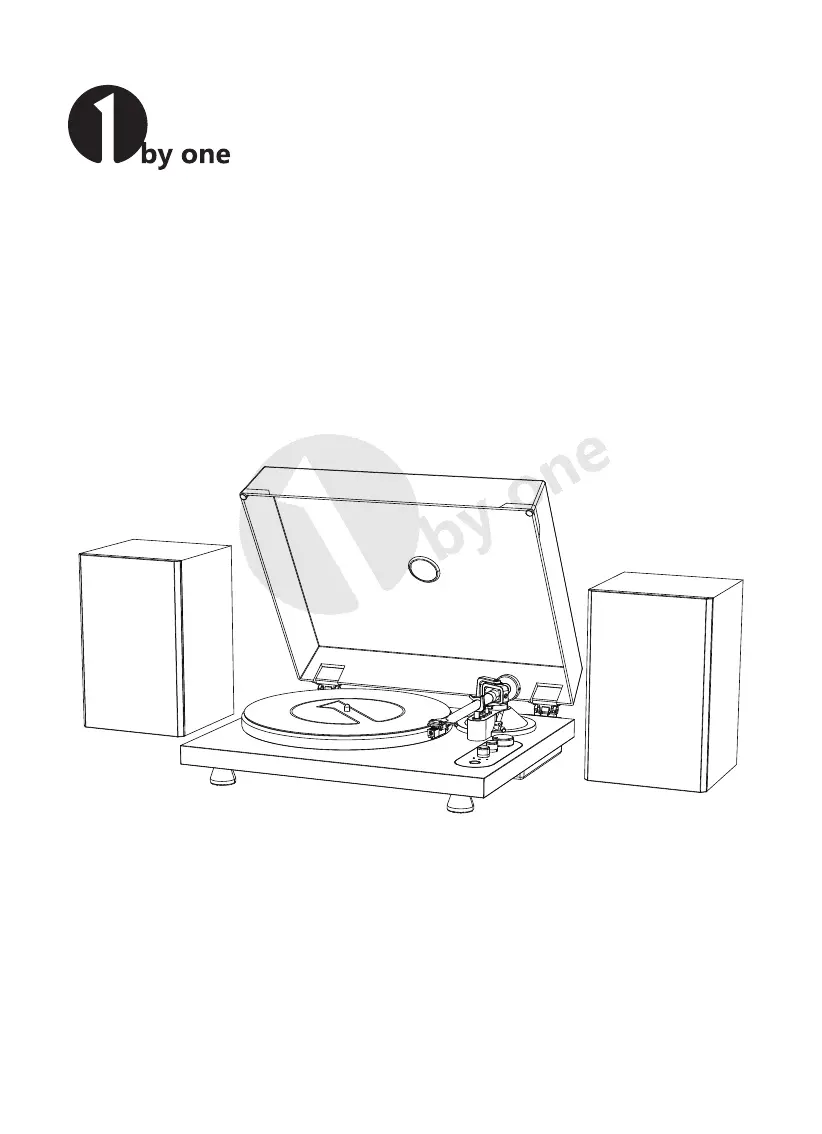
Turntable Hi-Fi System with Speakers
Instruction Manual

Questions and Answers

  • E
    Elizabeth RobertsAug 14, 2025
    How to fix a 1 BY ONE 471NA-0010 Turntable when the platter doesn't spin?
    • R
      Robert MoralesAug 14, 2025
      If the platter on your 1 BY ONE Turntable isn't spinning, here are a few things to check: 1. Make sure the AC adapter is connected to the outlet. 2. If the indicator light is off, follow the operation steps to start the turntable. 3. If the indicator light is on, rotate the function knob to the correct position based on your connection method (audio cable or Bluetooth). 4. Check if the belt has slipped from the platter and correctly place it back. 5. Ensure the belt is properly placed on the motor pulley (brass-colored). 6. If the belt is damaged, replace it with a new one.
  • J
    jennifermurphyAug 17, 2025
    What to do if 1 BY ONE Turntable playback speed slows down?
    • J
      James MillerAug 17, 2025
      If the playback speed on your 1 BY ONE Turntable slows down or the rotation is irregular, it could be due to a stretched belt. Replace it with a new one. It may also be due to abnormal motor speed. In this case, use the adjustment screws to carefully adjust the speed.
  • J
    jessicaharrisAug 20, 2025
    Why does my 1 BY ONE 471NA-0010 play records too fast or slow?
    • S
      Samantha Alvarado DDSAug 20, 2025
      If the sound is either too fast or too slow when playing a record on your 1 BY ONE Turntable, it means the speed settings are incorrect. Select the correct speed for the type of record you're playing.
  • P
    peter94Aug 25, 2025
    What to do if my 1 BY ONE Turntable has no sound?
    • M
      Michael BookerAug 25, 2025
      If your 1 BY ONE Turntable's platter spins but you're not getting any sound or the volume is too low, there are several things to check: * Ensure that the function settings and input for any connected equipment are correctly selected. * Inspect the stylus for damage and replace it if needed. * Verify that the stylus is correctly placed on the cartridge. * If connecting to speakers (not the ones from the pack) with an RCA audio cable, confirm that the pre-amplifier settings are correct. * Ensure the product isn't set to "PHONO" when connected to an amplifier’s AUX/LINE input, or set to "LINE" when connected to the PHONO input.
  • C
    Colin PatrickAug 27, 2025
    Why does the stylus skip on my 1 BY ONE 471NA-0010 Turntable?
    • K
      Karen SmithAug 27, 2025
      If your 1 BY ONE Turntable stylus skips, it might be due to a few reasons: * Check the record for warps or scratches. * Make sure the tracking force isn't set too light; adjust it accordingly.
  • A
    Alexander MontgomeryAug 30, 2025
    Why is my 1 BY ONE 471NA-0010 howling?
    • M
      Melissa KingAug 30, 2025
      If you're experiencing howling with your 1 BY ONE Turntable, it's likely due to excessive vibrations. Try decreasing the vibrations by mounting the product on a surface that isn't subject to vibrations. Also, check that the surface on which the turntable is mounted is stable and suitable.
  • D
    David DaltonSep 3, 2025
    How to reduce noise when playing records on my 1 BY ONE 471NA-0010?
    • J
      John MunozSep 3, 2025
      If you notice noise when playing a record on your 1 BY ONE Turntable, it might be due to dust on the cartridge’s stylus tip. Clean the stylus tip with a commercially sold brush.
  • J
    jacobcarsonSep 6, 2025
    How to adjust 1 BY ONE 471NA-0010 when needle doesn't touch record?
    • C
      Cheryl BrownSep 6, 2025
      If the needle on your 1 BY ONE Turntable isn't touching the record, the screw on the tonearm rest may have loosened during transport. Gently turn this screw clockwise to move the needle stylus closer to the record.
  • M
    Melissa RamirezSep 9, 2025
    What to do if 1 BY ONE Turntable needle scratches records?
    • W
      william45Sep 10, 2025
      To resolve the issue of the needle scratching the record's surface on your 1 BY ONE Turntable, gently turn the tonearm rest screw anticlockwise to move the needle stylus away from the turntable.

Summary

Product Introduction

Safety Instructions

FCC Compliance

Product Description Overview

Package Contents

Turntable Installation

Lid Installation

Platter and Belt Setup

Stylus Tracking Force Adjustment

Connecting to Speakers

Connect Included Speakers

Connect the provided Hi-Fi speakers using the included audio cable.

Connect External Speakers

Connect to external amplifiers or speakers using RCA audio cables.

Setting Pre-Amplifier Selector Switch

Connecting the Device

Power Connection

Playing a Record

Preparation for Playing Records

Prepare the turntable and record before starting playback, including removing the stylus protector.

Turntable Operation

Wireless Operation

Bluetooth TX Mode

Wirelessly transmit audio to a Bluetooth speaker or headphone.

Bluetooth RX Mode

Connect a media device to the turntable to play music.

Computer Vinyl Recording Setup

Audacity Software Installation

Download and install the Audacity software for recording vinyl.

Set Up Audacity for USB Recording

Audacity Device Configuration

Audacity Software Playthrough

Audacity Monitoring Setup

Audacity Recording Process

Audacity Editing and Exporting

Care

Turntable Body Care

Instructions for cleaning the turntable body using a soft, dry cloth.

Stylus Cleaning Tips

Guidance on cleaning the stylus tip using a brush or cleaner.

Replacing the Stylus

Stylus Removal

Steps to safely remove the stylus from the cartridge.

New Stylus Installation

Instructions for mounting a new stylus onto the cartridge.

Replacing the Belt

Cartridge Replacement

Moving the Turntable

Troubleshooting

Pitch Adjustment Screws Usage

Product Specifications

Customer Support

1 BY ONE 471NA-0010 Specifications

General IconGeneral
TypeBelt Drive Turntable
Drive TypeBelt Drive
Built-in SpeakersYes
USB OutputYes
Weight8.8 lbs
PlatterAluminum
BluetoothYes
USB RecordingYes
Speed Settings33 1/3, 45 RPM
ConnectivityBluetooth, RCA
OutputRCA
Power SupplyDC 12V
FeaturesAuto Stop
TonearmStatic balanced straight tonearm
CartridgeMoving Magnet (MM)

Related product manuals