Test Operation
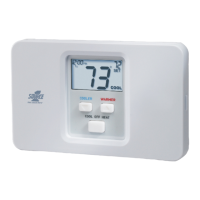
On the thermostat, slide the Mode Switch
to HEAT. Press the COOLER or WARMER
button until the set temperature is 10 degrees
above room temperature. The HVAC unit
should energize in the heating mode
(Page 6). Note: You may need to wait up to
five minutes for heating to energize due to the
compressor lockout feature.
On the thermostat, slide the Mode Switch
to COOL. Press the COOLER or WARMER
buttons until the set temperature is 10
degrees below room temperature. The
HVAC unit should energize in the cooling
mode (Page 6). Note: You may need to wait
up to five minutes for cooling to energize due
to the compressor lockout feature.
Turn on the power to the Heating/Air
Conditioning system.
On the thermostat, slide the Mode Switch to
OFF. Slide the Fan Switch to Fan On. The
fan should turn on and run continuously
(Page 6).
Page 22
OWNER'S MANUAL
S1-THEC11NS


 To Next Page