Page 6
Normal Operation
OWNER'S MANUAL
Operation
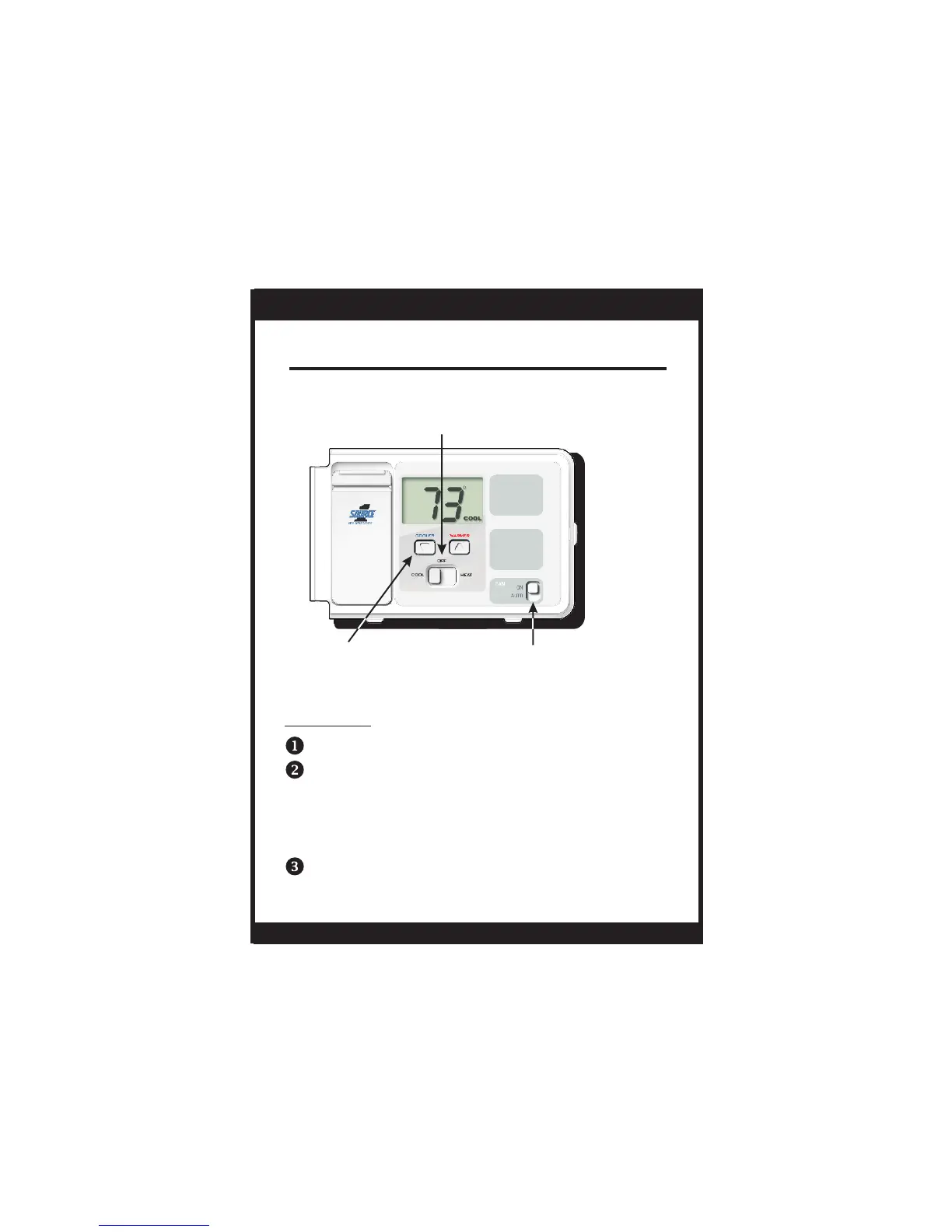
Select Cool or Heat with the Mode Switch.
Normally leave the fan switched to Auto.
In Fan Auto, the fan will turn on only with a heat
or cool demand. When Fan On is selected, the
fan will run continuously.
Adjust the desired set temperature with the
COOLER or WARMER buttons.
S1-THEC11NS
On or Auto
FAN SWITCH
MODE SWITCH
Cool, Off or Heat
COOLER & WARMER
BUTTONS


 To Next Page