23
1Control WHY user manual
2. Press the button on the original remote untill the red LED become xed and then release it.
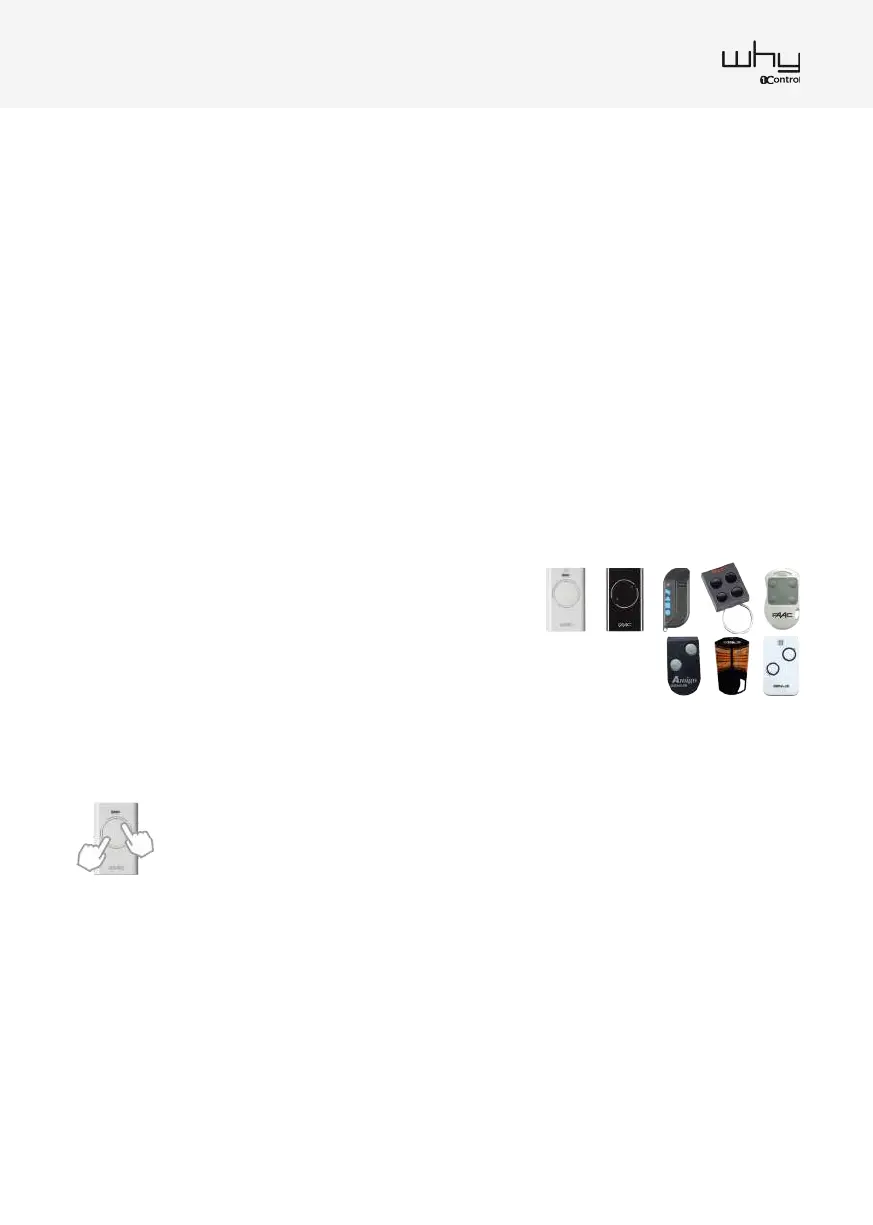
3. When the red LED ashes slowly two times, on the original remote control press at the same time the two
buttons in diagonal as show:
The LED will start ashing. While it’s ashing, press the button
of the original remote control that you want to copy.
4. When the green LED ashes quickly press the 1Control WHY’s button in which the remote control is to be
stored.
5. The copy is nished. Try opening the gate/garage, if it does not open, repeat the procedure from point 1. If
by repeating the procedure is still not working, probably the receiver is locked.
NB: In order to copy a FAAC/GENIUS remote control, it is necessary to have a MASTER (original) remote control.
To recognize a Master remote control, press any button on the remote control and check the LED flashing mode:
- if it flashes briefly one time before becaming fixed on, it is a MASTER remote control.
- if it becames fixed on immediately, it is a SLAVE remote control and cannot be copied.
FAAC or GENIUS remote copy procedure
TML 433SLH, DL 868 SLH, XT 868 SLH,
XT 433 SLH, T 868 SLH, T 433 SLH
AMIGOLD, AMIGO, KILO
1. Press and keep pressed the button 1 and at the same time
press 4 times the button 2 of 1Control WHY remote. The red
LED starts ashing. Releasethe buttons.
1. Press and keep pressed the button 1 and at the same time press 4 times the button 2 of 1Control WHY
remote. The red LED starts ashing. Release the buttons.
2. Press the button on the original remote for 3-4 seconds and then release it.
3. When the red LED ashes slowly twice, on the original remote control press the button again for 3-4
seconds and then release it.
4. When the green LED ashes quickly, press the 1Control WHY button on which the remote control is to be
stored.
5. V2 Near the gate/garage (within 5 meters) press for 10+ seconds the copied button of 1Control WHY, the
green LED will start ashing. Then wait for the LED to turn o.
AVIDSEN On the gate/garage control unit, press the programming button or follow the instructions on your
manual to enable programming mode. Then press the 1Control WHY copied button.
6. The copy is nished. Try opening the gate/garage, if it does not open, repeat the procedure from point 1. If
by repeating the procedure is still not working, probably the receiver is locked.


 To Next Page
 Loading...

