14
5
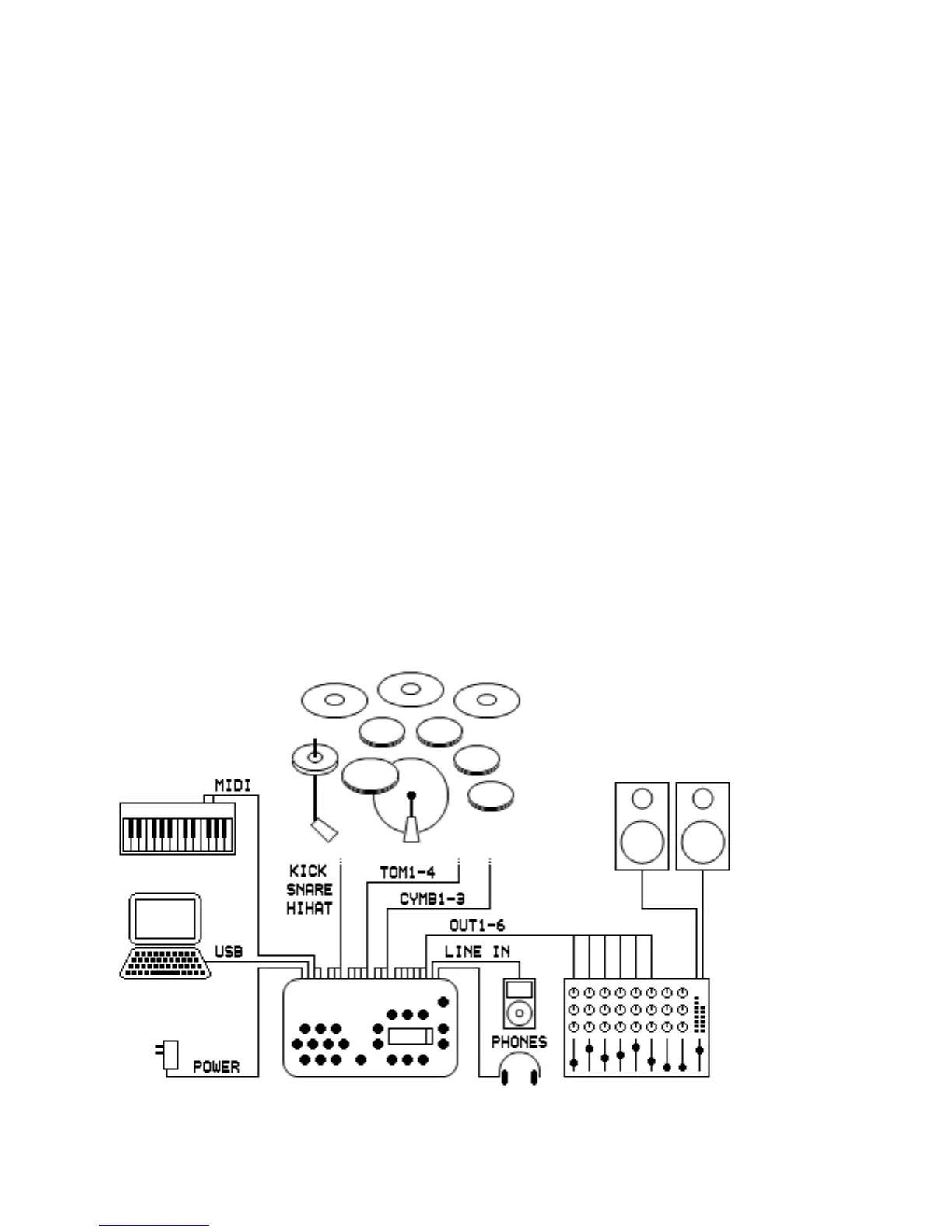
Connection Example
The picture below shows one possible way of connecting the DrumIt
Five. Of course many other configurations are possible. Some of the
inputs or outputs can be reconfigured to match other types of
connection (see the UNIT-TRIG and UNIT-OUT pages).
The snare and tom inputs can be split to connect 2 pads to each
input for a total of 15 independent triggers. The line in can be set to
accept mono or stereo signals. Output 1 and 2 can provide the mix,
submix or 1+2 bus. The phones can provide the mix, submix, 1+2,
3+4, 5+6, or 7+8 bus.
To allow 8 separate outputs to be connected to an external mixer or
recorder, the headphones output can be used as 2 additional line
outputs. First assign each drum channel to a specific bus on the
UNIT-INTF page. Then go to the UNIT-OUT page and set the OUT1.2
parameter to 1+2! and the the PHONS parameter to 7+8!. In this
case, the mixer settings on the UNIT-MIX page are not relevant
anymore, since the mix is disconnected from the output.



 To Next Page