33
8
Unit-Output
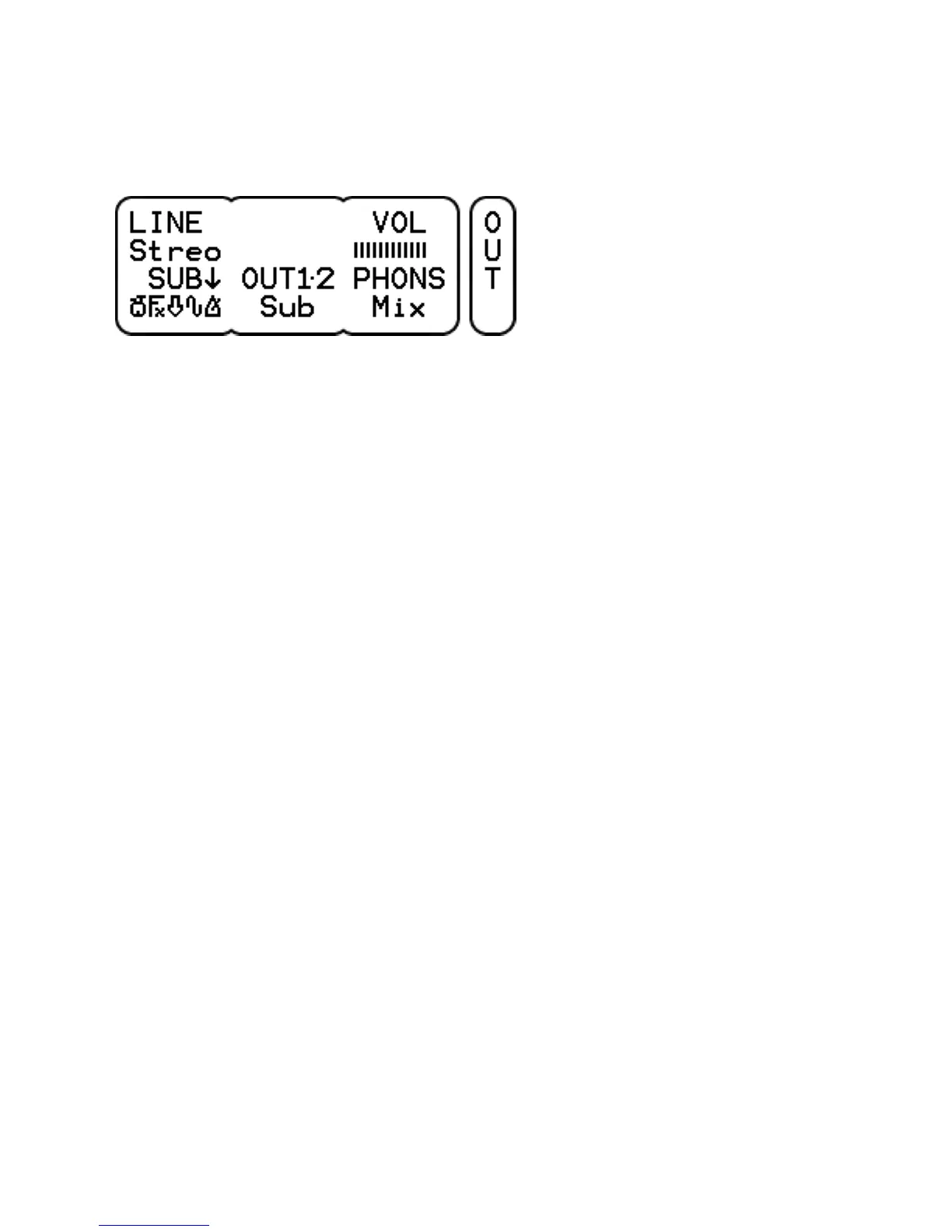
LINE can be Mono or Stereo. When mono, only the tip signal on the
line input is used for both left and right. When stereo, the tip signal
is left and the ring signal is right.
VOL shows the volume of the LEVEL knob.
SUB selects a combination of the mix channels for the submix bus.
Turn to select a source and click to switch it in or out of the submix.
There are 5 different sources.
- Drums: kick, snare, hihat, toms, cymbals and percussion.
- Fx: effect.
- Line: line input.
- Wave: accompaniment wave file.
- Metr: accompaniment metronome.
This allows for example to make a mix for recording or PA with just
the drums and effect while still having all channels to the phones.
The channel volumes of the submix are the same as those for the
mix and are set on the UNIT-MIX page.
OUT1.2 selects which audio bus is routed to output 1 and 2. Either
the Mix, Mix!, Sub, Sub! or 1+2! bus. Mix and Sub are controlled by
the LEVEL knob, the other ones are at a fixed level.
PHONS selects which audio bus is routed to the headphones output.
This can be the Mix, Sub, 1+2, 3+4, 5+6, 7+8 or 7+8! bus. The
level is controlled by the LEVEL knob, except for the 7+8! bus
selection which has a fixed level equal to the other line outputs.
Bus selections with an exclamation mark have a fixed output level,
so be careful with the volume setting of the connected device.



 To Next Page