4 ©2013 2GIG Technologies Inc. All Rights Reserved.
2 OntheTS1pressthePairwithPanelbutton.
TheControlPaneldisplaysthemessage:
PairwithTS1.Initiatinglearningprocess.
Whenlearningiscomplete,boththeTS1andControlPaneldisplay
themessage:
Thelearnoperationsucceeded.
2a TheControlPaneldisplaysthemessage:
Type:TS1WirelessKeypadID#:X
(whereXistheRFKeypadnumberconfiguredfortheTS1).
2b TheTS1displays“NetworkID:xxxx”wherexxxxisaunique
hexadecimalnumberandakeypadID.Thehexadecimalnumber
isauniquenumberassociatedwiththeControlPanelthatyou
areusing.ThekeypadIDindicatesthekeypadthatyouare
learningintotheControlPanel.
2c Tocompletethelearningprocess,presstheOKbuttononboth
theControlPanelandtheTS1.
3 AftersuccessfullylearningtheTS1intotheControlPanel,pressthe
↓arrowtoexitthelearningmenu.
TheTS1displaysamessageindicatingthatthesecuritysystemis
temporarilyinoperable.TheTS1remainsinthisstatewhilethe
ControlPanelisinsystemconfiguration(programming)mode.
Repeatthestepsabovetolear
nina
dditionalTS1s.
4 Toexitprogramming,clickskipthenendandexit.Uponexit,the
ControlPaneltakesaseveralsecondstoreboot.
REMOVING A TS1 FROM A CONTROL PANEL
(UNLEARNING THE TS1)
ToremoveaTS1fromaControlPanel’ sconfigurationdothefollowing:
1 FromtheControlPanel,gotoInstallerToolbox/System
Configuration.
2 SelecttheGoTobuttonandenter04.TheControlPaneldisplays
Q4:selectRFkeypad#(1to4).SelecttheconfiguredTS1youwishto
removeandpressthe↓arrow.
3 MarktheRFKeypadnumberselectedas“unused”bypressingthe→
arrow.Thisactiontogglesthesettingonthefirstquestionbetween
“used”and“unused.”Pressthe↓arrowtoadvancetothenext
option.
4 Toexitprogramming,clickskipthenendandexit.Uponexit,the
paneltake sseveralsecondstoreboot.
RESETTING A TS1 TO FACTORY DEFAULTS
ToresettheTS1todefaultssothatitmaybeusedagainonanother
ControlPanel,dothefollowing:
1 Holdboththe (Emergency)andthe (Home)buttonsdown
simultaneouslyuntiltheylightup(approximately20seconds).When
bothbuttonslightup,theTS1hassuccessfullybeenresettoall
defaultsettings.
TheTS1displaysthemessage:
ThisDeviceisNotPairedwithaControlPanel.
SECRET DURESS BUTTON
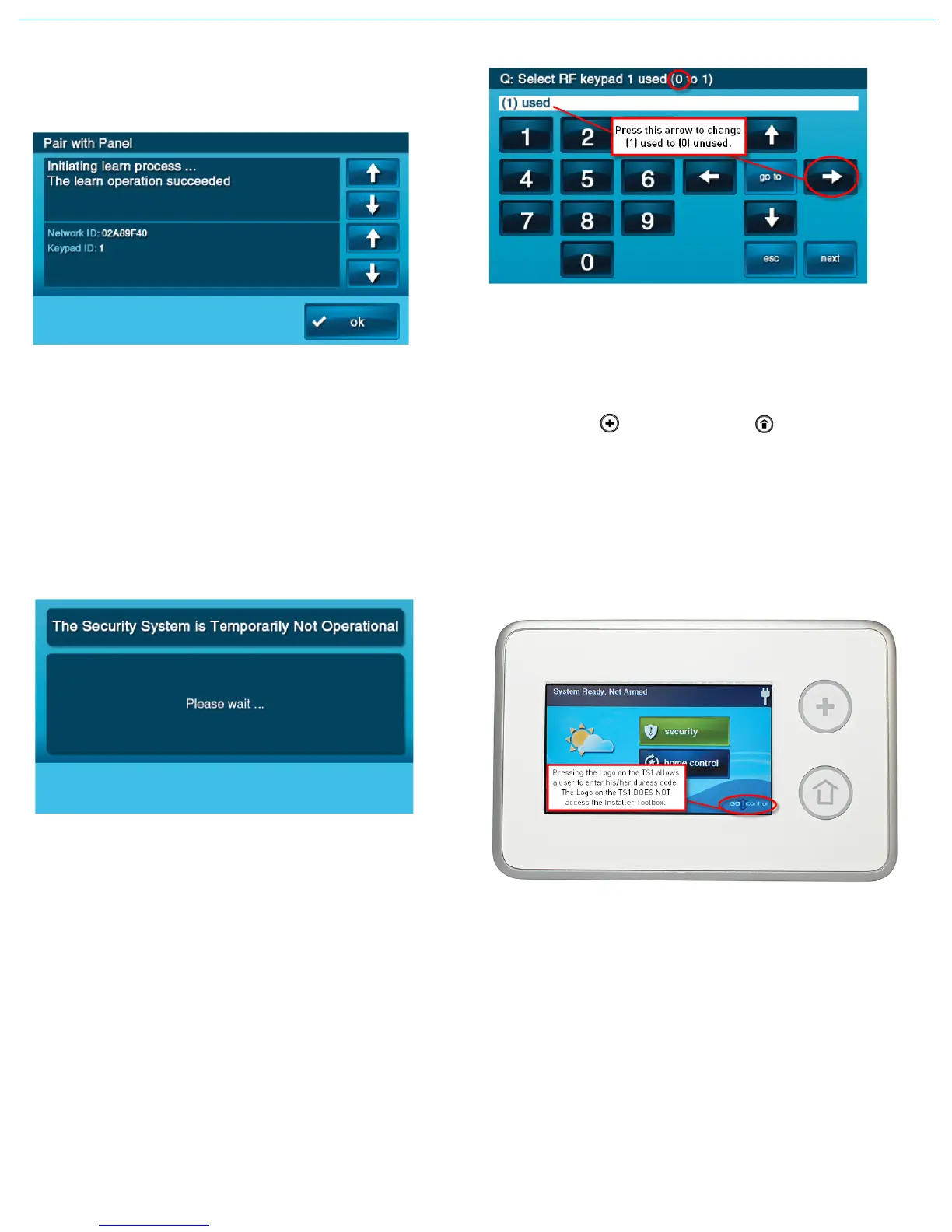
TIP: ThelogoonthebottomcorneroftheHomeScreendoesnot
accesstheInstallerToolboxontheTS1.
IfauserpressesthelogoonthebottomcorneroftheTS1HomeScreen,
theusercanentertheduresscodeonly.Installersmustrememberthat
theInstallerToolboxcanonlybeacce
ssedfr
omtheControlPanel.The
TS1cannotaccesstheInstallerToolbox.
TIP: Althoughthereisadefaultmastercode:1111,thereisno
defaultduresscode.



 To Next Page
 Loading...