EasyManua.ls Logo

3Bays GSA PUTT - Starting and Swinging; Data Transmission

Default Icon
21 pages
Print Icon
To Next Page IconTo Next Page
To Previous Page IconTo Previous Page
Loading...
How to record your Putting motions
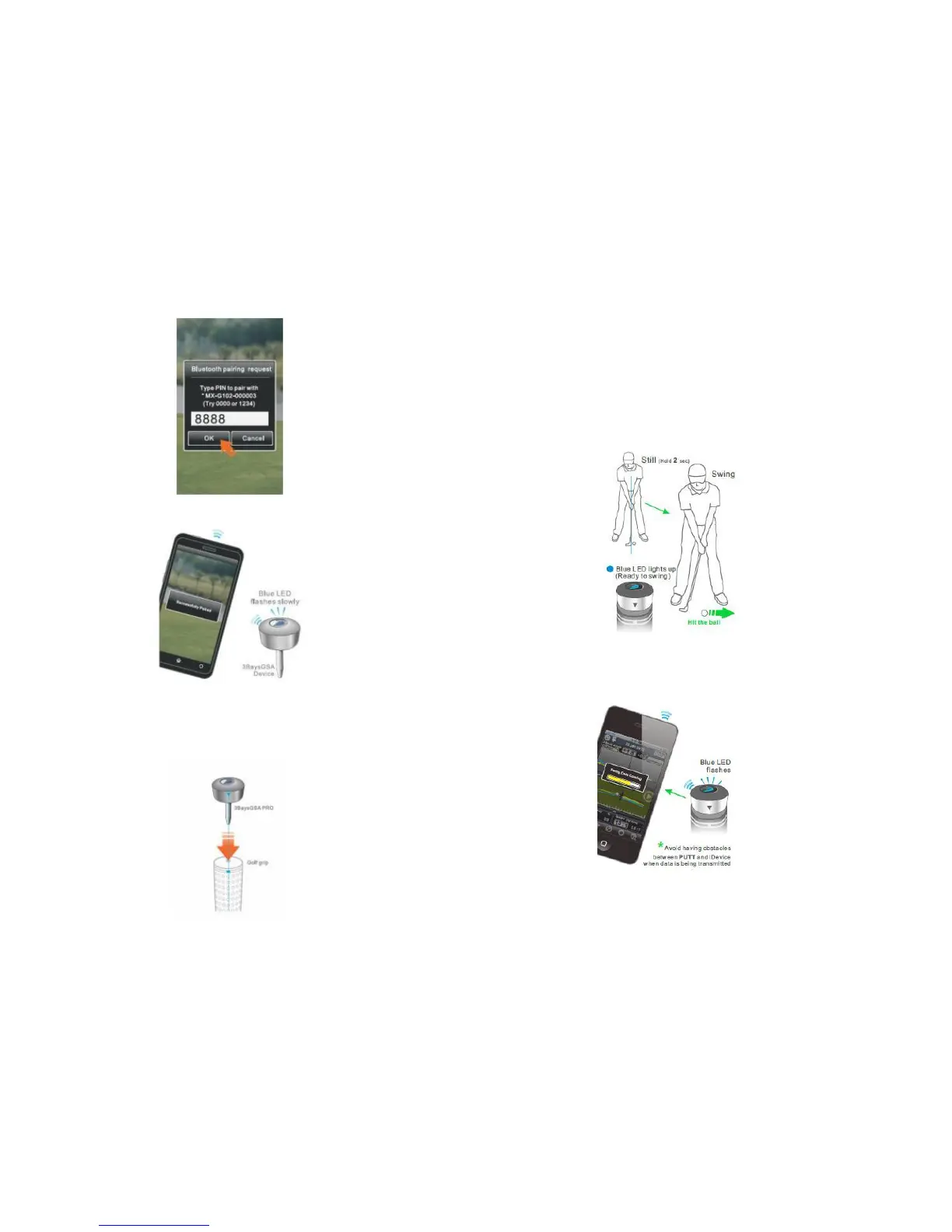
1. Start your Putting.
1.1 Keep your GSA PUTT app running.
1.2 Set up and stand still, Blue LED lights up when
your club in a squared position.
1.3 When the Blue light is on, start your Putting.
2.5 Blue LED flashes slowly if pairing succeed.
3. Install the device on your golf club
3.1 Plug 3BaysGSA into the hole of the grip.
3.2 Adjust the arrow of 3BaysGSA to align with the
mark on your club.

2.
Putting records transmission.
2.1
After your Putting, blue light is flashing quickly when
Putting data is transmitting to mobile phone.
2.2
Press “View it now” to view your new Putting record
8
when data is received.

Other manuals for 3Bays GSA PUTT