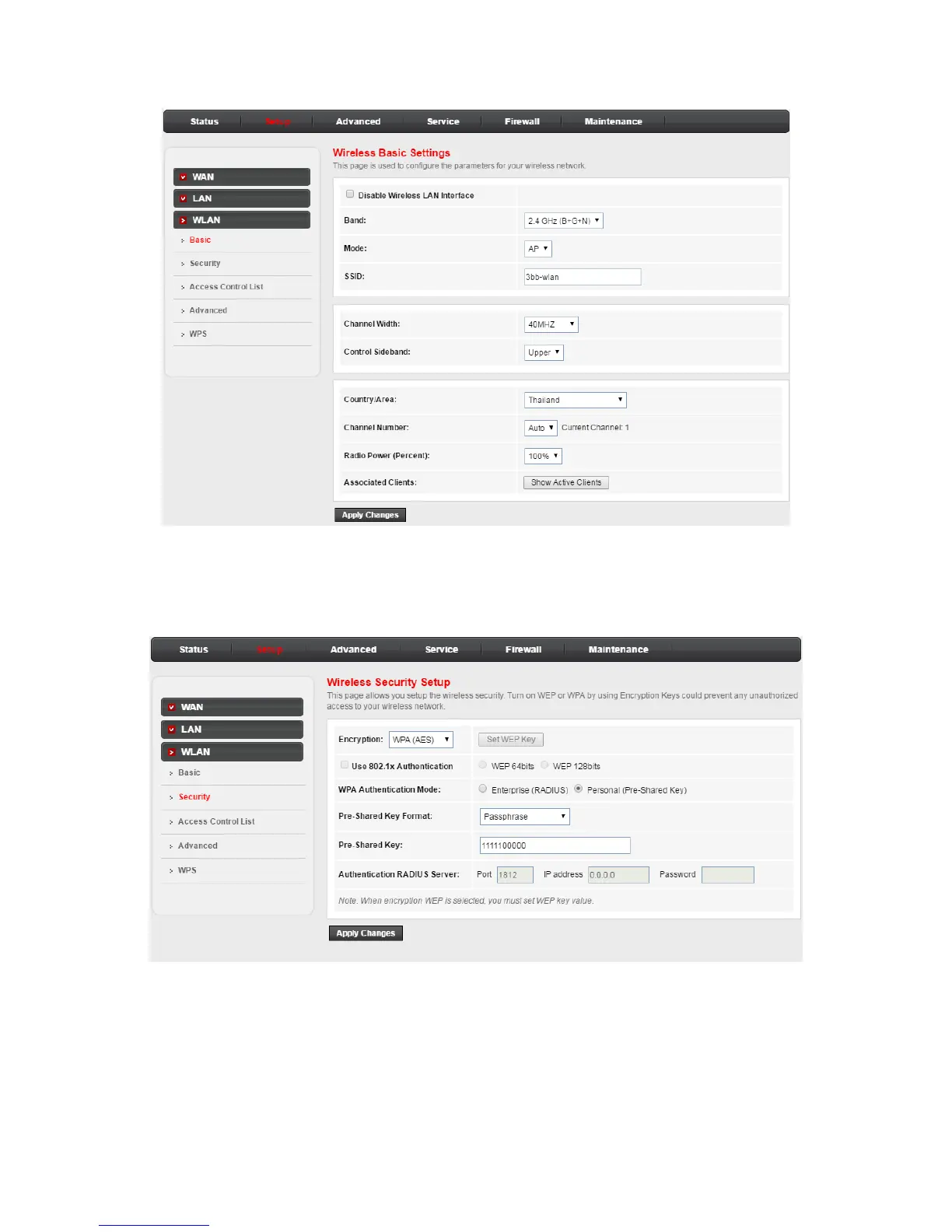
Step3: Choose Setup > WLAN, In the Wireless Basic Settings, The default SSID is 3bb-wlan. You may modify
the SSID (service set identification) that is a unique name to identify the router in the wireless LAN.
Step 4: After finishing, click Apply Changes to apply the wireless settings.
Step 5: Choose Setup > WLAN > Security, In the Wireless Security Setup, The default Pre-Shared Key is
1111100000. You may modify the Pre-Shared Key that is a security key.
Step 6: After finishing, click Apply Changes to apply the wireless settings.


 To Previous Page