EasyManua.ls Logo

3BB NT3BB-4PWN-134 - User Manual

3BB NT3BB-4PWN-134
5 pages
Print Icon
To Next Page IconTo Next Page
Loading...
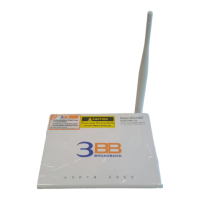
NT3BB-4PWN-134 (ADSL2 + 4 Port Wi-Fi) (Eng ver.)
Quick Installation Guide
1. Packing List
The following table lists the items in the product package.
Note: If you find anything missing or damaged, contract the service provider.
Question and Answer IconNeed help?

Do you have a question about the 3BB NT3BB-4PWN-134 and is the answer not in the manual?

Summary

Quick Installation Guide

Packing List

Lists the items included in the product package.

Hardware Installation

Web Configuration

Configuring IP Address of Network Card

Configure network card TCP/IP properties to obtain an IP address automatically from the modem.

Internet Settings

Detailed description for setting up internet connection for the first time.

Wireless Settings

Steps to configure wireless network basic and security settings.

Summary

Quick Installation Guide

Packing List

Lists the items included in the product package.

Hardware Installation

Web Configuration

Configuring IP Address of Network Card

Configure network card TCP/IP properties to obtain an IP address automatically from the modem.

Internet Settings

Detailed description for setting up internet connection for the first time.

Wireless Settings

Steps to configure wireless network basic and security settings.

3BB NT3BB-4PWN-134 Specifications

General IconGeneral
ModelNT3BB-4PWN-134
CategoryNetwork Router
TypeWireless Router
Wireless Standards802.11b/g/n
Frequency Band2.4 GHz
Wireless Speed300 Mbps
Ethernet Ports4 x 10/100 Mbps
WAN Ports1 x 10/100 Mbps
Antennas2 x External
Security FeaturesWPA/WPA2, Firewall

Related product manuals