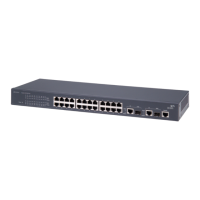
Switch 4400 — Rear View Detail
17
Switch 4400 — Rear
View Detail
Figure 4 Switch 4400 / 4400 SE — rear view 1
Green rotating When a software upgrade is in progress, the Unit LEDs of the
unit that is being upgraded flash on and off in the following
sequence —
1,2,4,6,8,7,5,3 (24-port)
1,2,3,4,8,7,6,5 (48-port)
Green flashing The Switch physically forms a stack with other Switch 4400
units, but cannot be managed as part of that stack until all
units have been upgraded to software version 2.0 or later.
Off A fault has occurred.
Power/Self Test LED
Green The Switch is powered-up and operating normally.
Green flashing The Switch is either downloading software or is initializing
(which includes running a Power On Self Test).
Yellow The Switch has failed its Power On Self Test.
Off The Switch is not receiving power or there is a fault with the
Power Supply Unit.
LED Color Indicates
DUA1720-3AAA03_online.book Page 17 Monday, March 25, 2002 10:48 AM


 To Next Page