System Tools 75
SNMP Trap
You can configure your router to send status messages to the SNMP
management agent if a problem occurs on the network. To configure
traps:
1 In the IP Address field, enter the IP address of the PC to which you want
your router to send status messages.
2 In the Community field, enter the name of the SNMP communication
channel to which you want your router to send status messages.
3 Set the Version field to match the version of trap messaging that your
SNMP management agent supports. The router supports V1 and V2c trap
messaging.
System Tools These pages lets you manage different parameters of the router and
perform certain administrative functions.
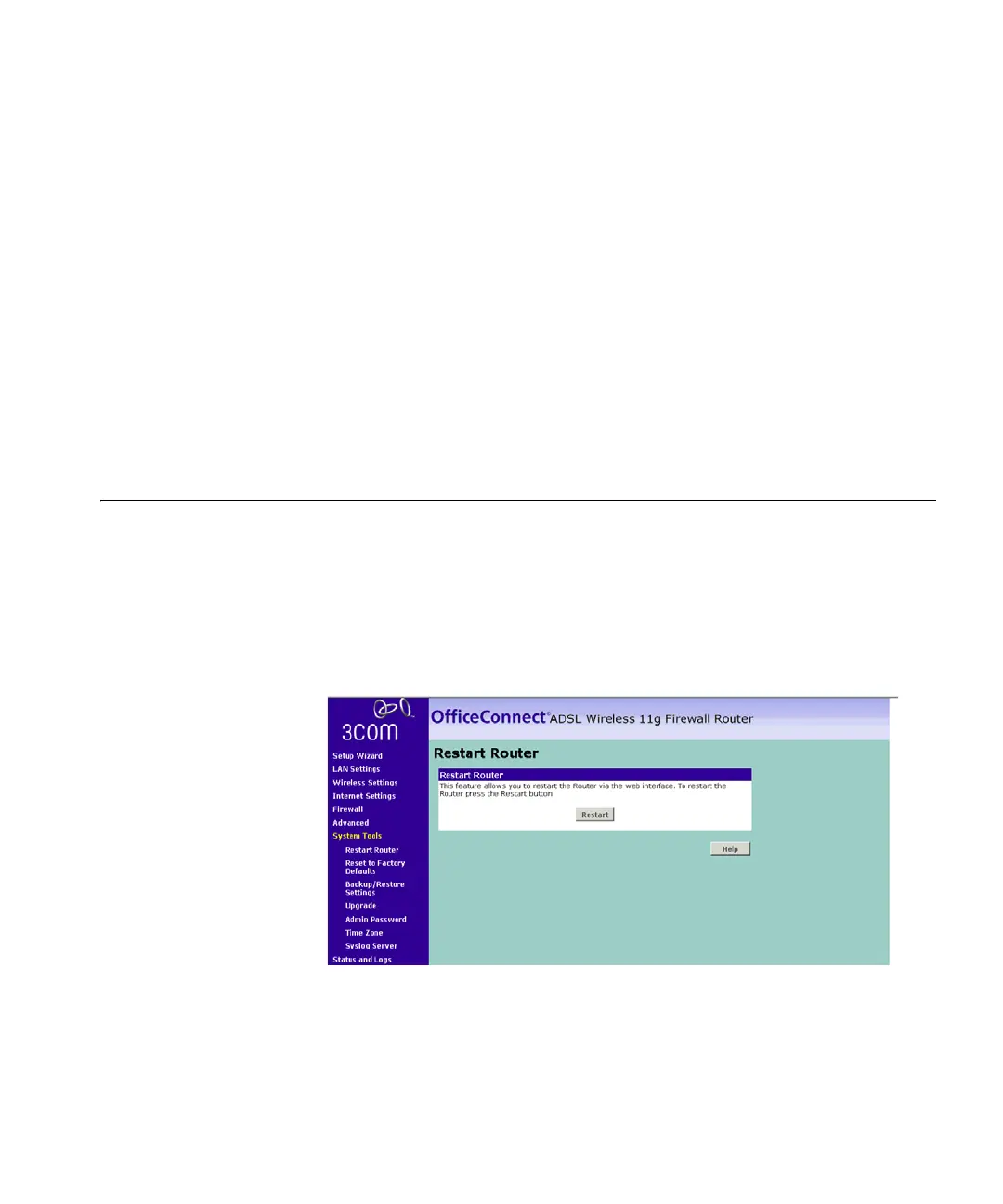
Restart Router Sometimes it may be necessary to restart (or reboot) the Router.
Restarting the Router will not delete any of your configuration settings.
Figure 63 Restart Router Screen
Click Restart to restart the Router.






 To Next Page