Displaying the State and Information of the System 317
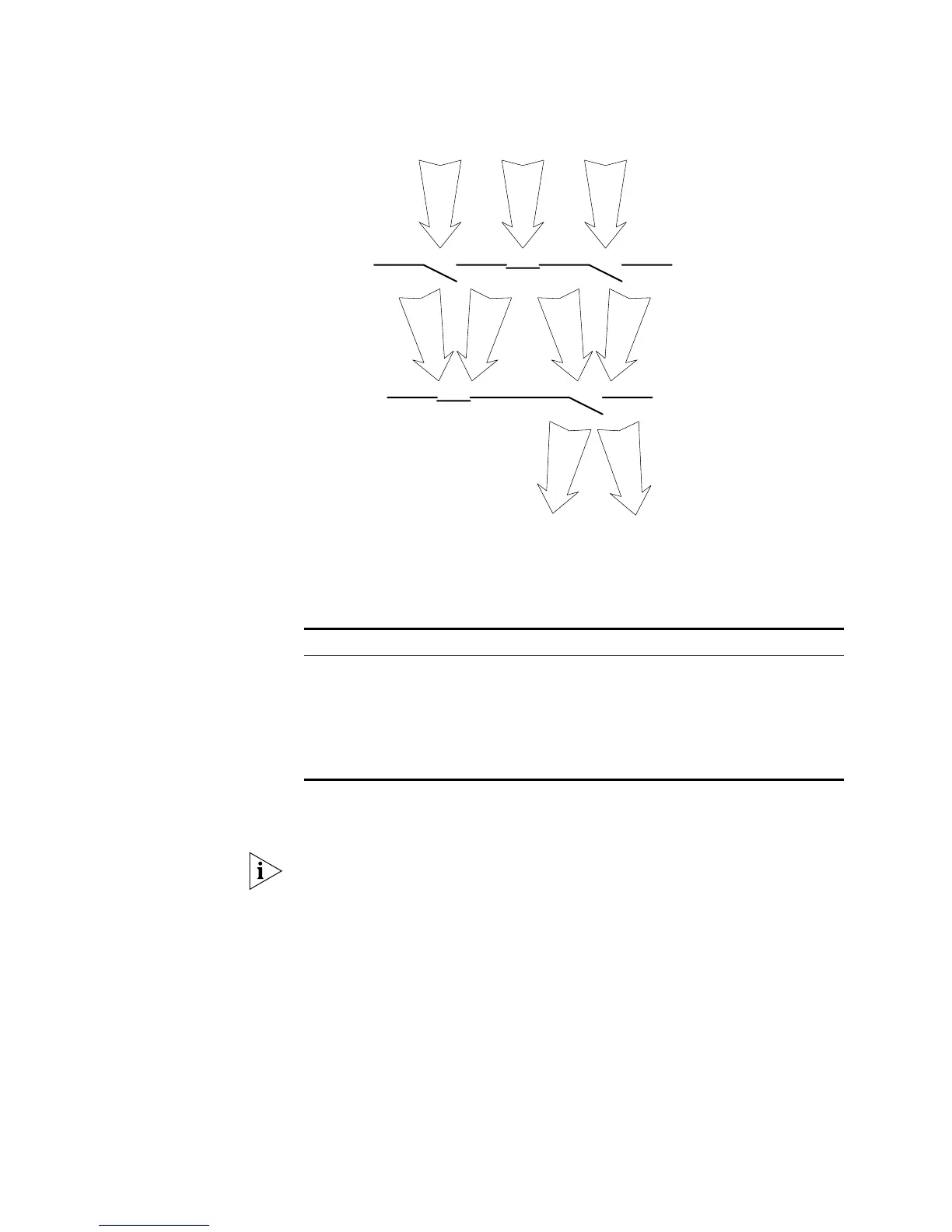
Figure 80 Debug Output
You can use the following commands to control the above-mentioned debugging.
Perform the following operations in User View.
Tab le 366 Enable/Disable the Debugging
For more about the usage and format of the debugging commands, refer to the
relevant chapters.
Since the debugging output will affect the system operating efficiency, do not
enable the debugging without necessity. When the debugging is over, disable all
the debugging.
By default, if multiple devices form a fabric, the debugging information of the
master is broadcasted within the fabric and the debugging information of the
slave is only displayed on the slave device. You can view the debugging
information including that of the master and the device in which the login port
resides.
You can enable the logging, debugging and trap information switches within the
fabric by executing the
info-center switch-on all command. Synchronization
is a process that each switch sends its own information to the other switches in
the fabric, and meantime receives information from others to update local
information, ensuring the consistency of logging, debugging and trap information
in a fabric.
Operation Command
Enable the protocol debugging debugging
module-name
[
debugging-option
]
Disable the protocol debugging undo debugging { all | {
protocol-name
|
function-name
} [
debugging-option
] }
Enable the terminal debugging terminal debugging
Disable the terminal debugging undo terminal debugging
1
2
3
Protocol debugging
switch
ON ONOFF
ONOFF
1
3
1
3
Screen output switch
1
3
Debugging
information













 To Next Page