Setting Up A RADIUS Server 405
Follow these steps to set up auto VLAN and QoS for use by Microsoft IAS:
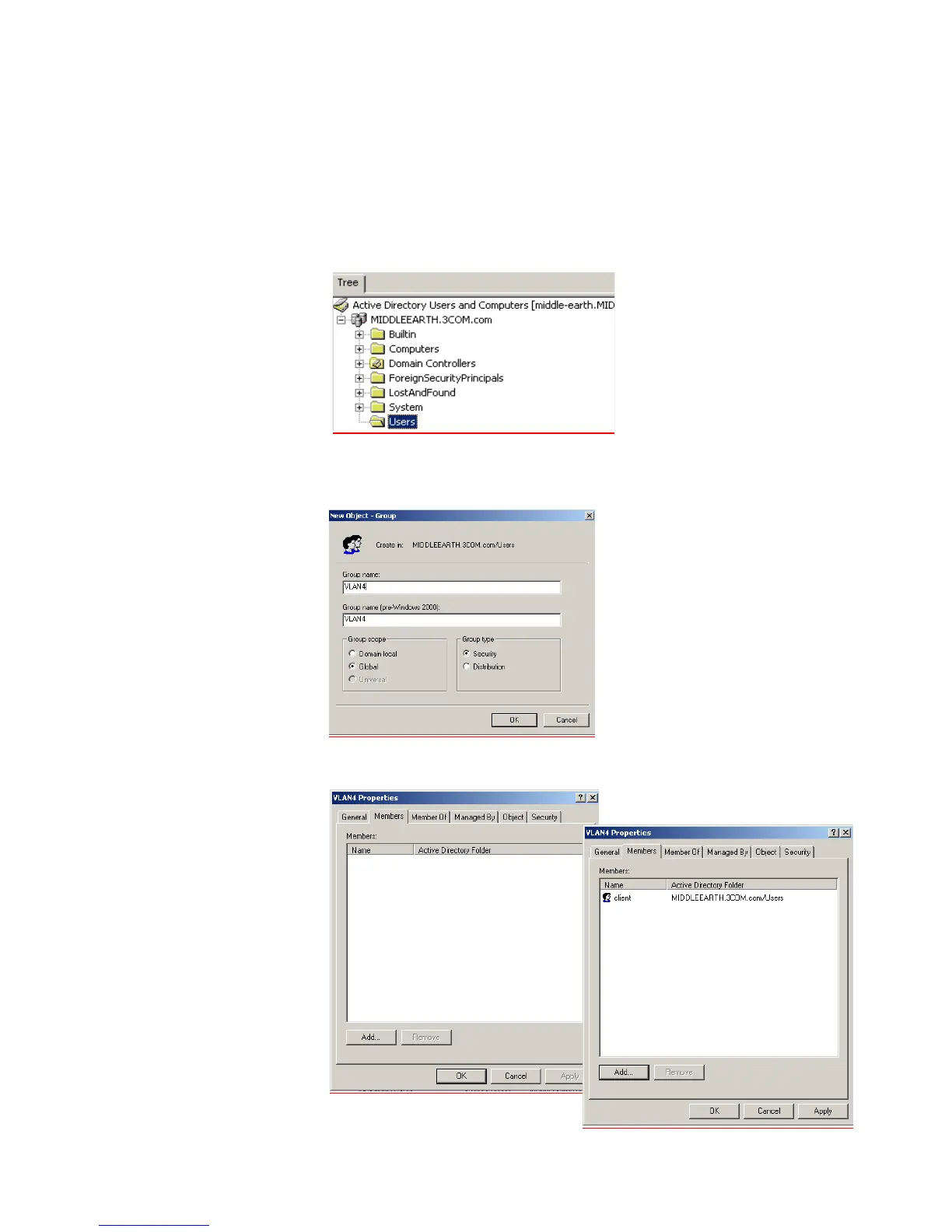
1 Define the VLAN Groups on the Active Directory server and assign the user
accounts to each VLAN Group. Go to Programs > Administrative Tools > Active
Directory Users and Computers
a For example, to create one group that will represent VLAN 4 select the Users
folder from the domain (see below),
b Name the VLAN Group with a descriptive name that describes the function of
the VLAN Groupn, for example VLAN4. Check Global in the Group Scope box
and Security in the Group Type box, click OK.
.
c Select the group, right click and select Properties. Select the Members tab, add
the users that have received the certificate and will use the VLAN functionality.













 To Next Page