406 CHAPTER B: RADIUS SERVER AND RADIUS CLIENT SETUP
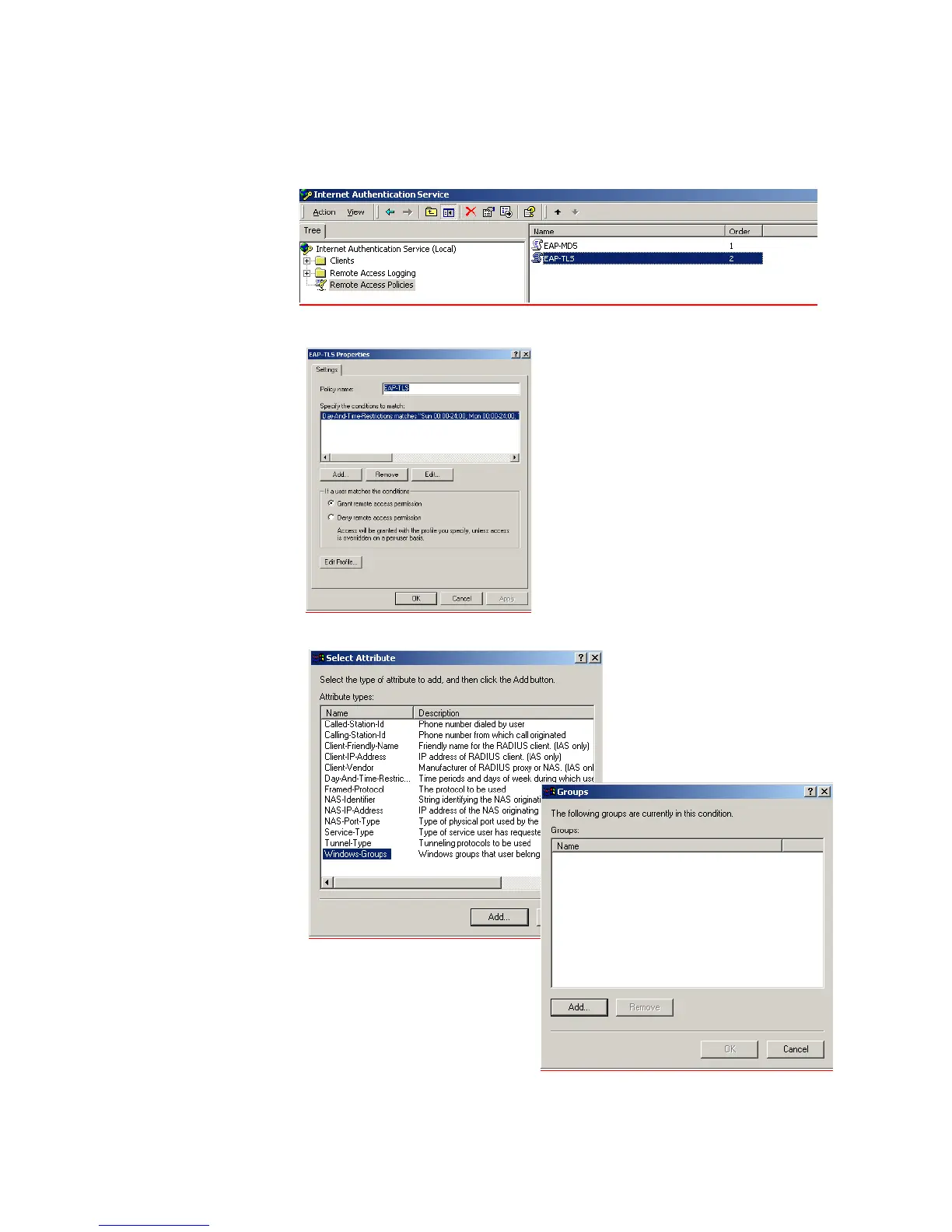
d Go to Programs > Administrative Tools > Internet Authentication Service. and
select Remote Access Policies. Select the policy that you configured earlier,
right-click and select Properties.
e Click Add to add policy membership.
f Select the Windows-Groups attribute type, and select Add and Add again













 To Next Page