414 CHAPTER B: RADIUS SERVER AND RADIUS CLIENT SETUP
Configuring auto VLAN and QoS for Funk RADIUS
To set up auto VLAN and QoS using Funk RADIUS, follow these steps:
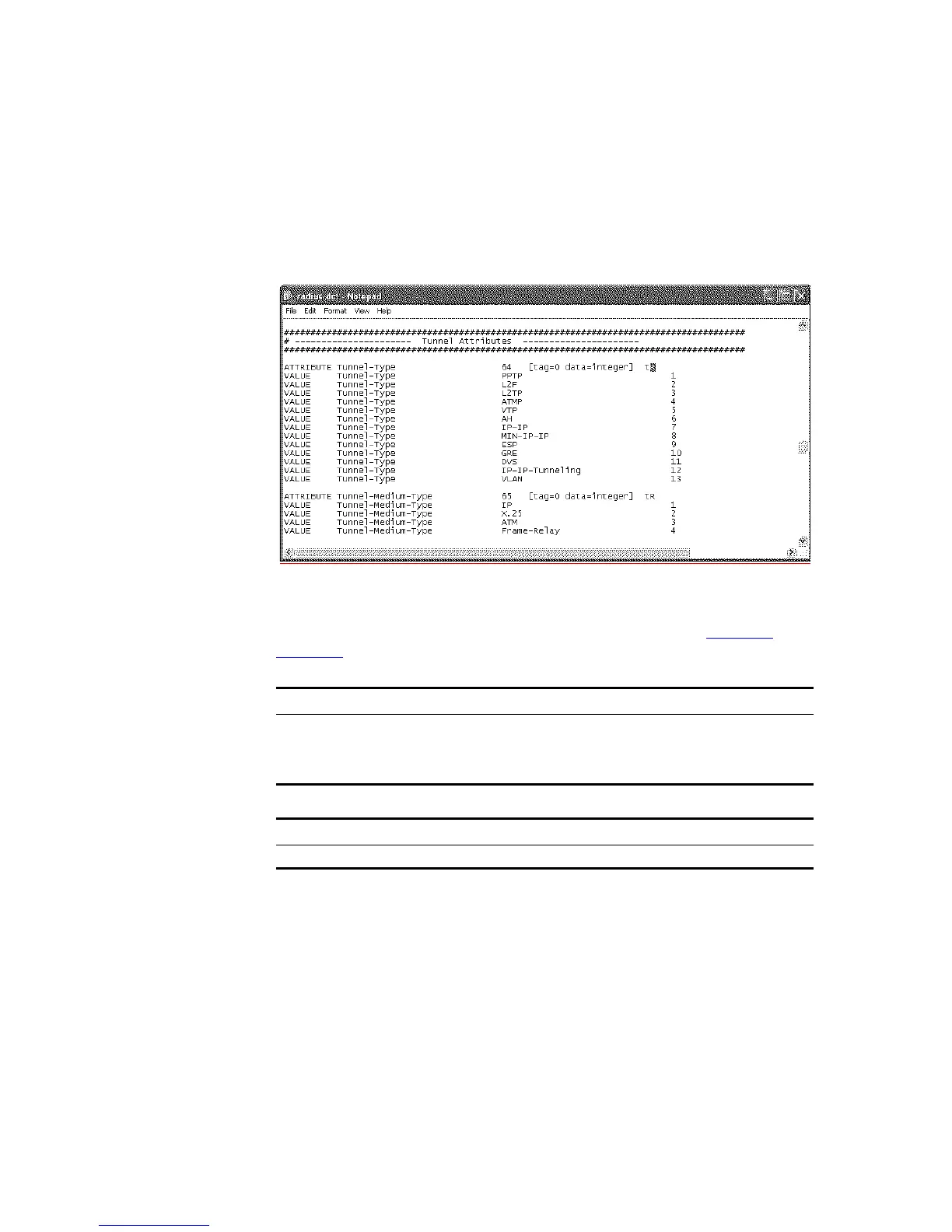
1 Edit the dictionary file radius.dct so that Return list attributes from the Funk
RADIUS server are returned to the Switch 5500G-EI. The changes to make are:
a Add an R at the end of the correct attributes in the file, see example below.
The attributes will now appear as potential Return list attributes for every user.
2 After saving the edited radius.dct file, stop and restart the Funk RADIUS service.
3 To use these return list attributes, they need to be assigned to a user or group.
Create a new user and add the return list attributes shown in
Tabl e 461.and
Tabl e 462
Table 461 Summary of auto VLAN attributes
Table 462 Summary of QoS attributes
For Auto VLAN Return String Comment
Tunnel-Medium-type 802
Tunnel-Private-Group-ID 2 VLAN value
Tunnel-Type VLAN
For Auto QoS Return String Comment
Filter-id profile=student QoS Profile name













 To Next Page