96 CHAPTER 5: NETWORK PROTOCOL OPERATION
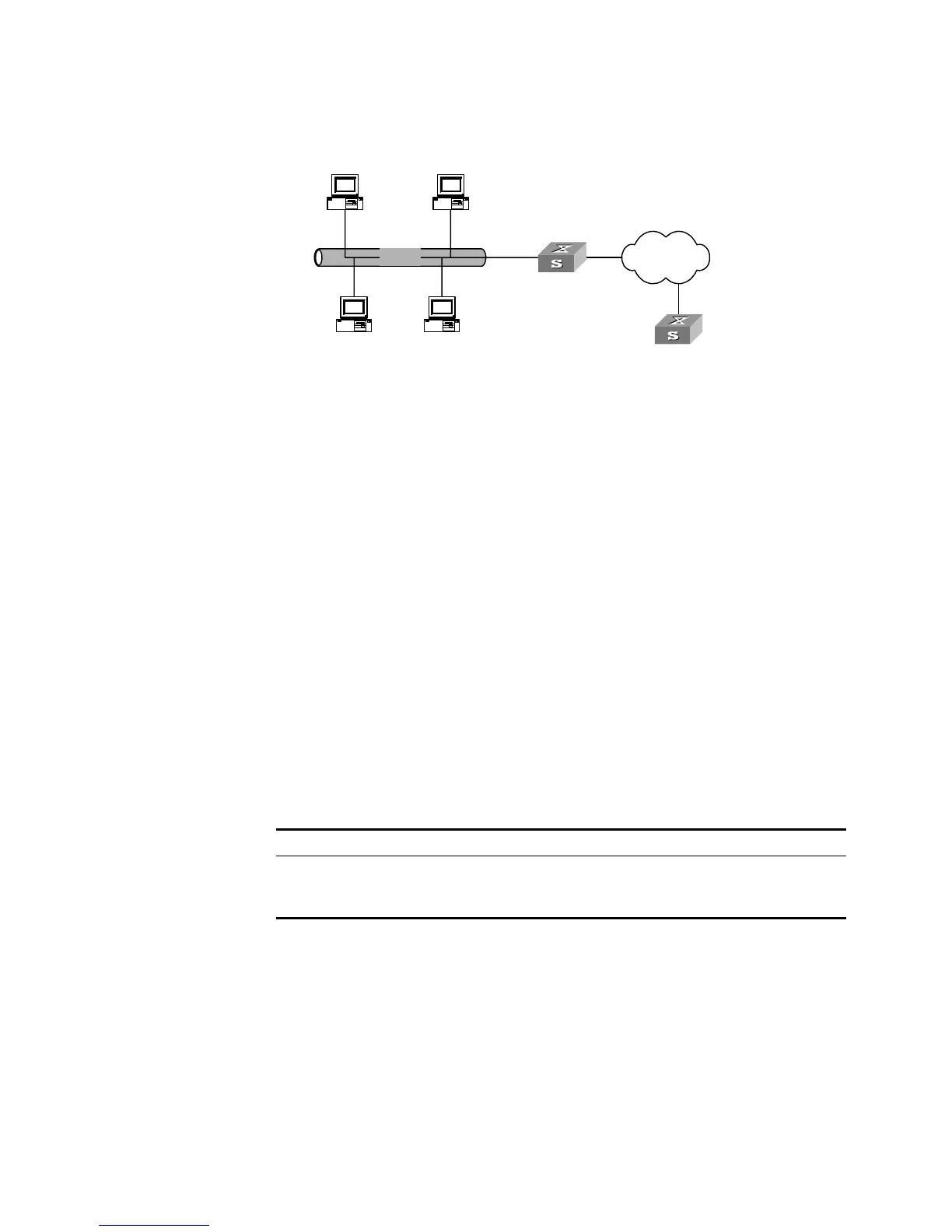
Figure 23 Typical DHCP Relay Application
DHCP Relay works on the following principle:
■ When the DHCP client starts and initializes DHCP, it broadcasts the request
message to the local network.
■ If there is a DHCP server on the local network, it can begin DHCP configuration
without requiring a DHCP relay function. If not, the local network device
configured for DHCP relay, upon receiving the broadcast message, will forward
the message to the DHCP server on the specified network.
■ The DHCP server determines a correct configuration based on the information
from the client and returns the configuration information back to the client
through DHCP relay.
In fact, several such interactions may be needed to complete a DHCP relay
configuration.
DHCP Client
Configuration
DHCP client configuration is described in the following section.
Configuring a VLAN Interface to Obtain an IP Address Using DHCP
Perform the following configuration in VLAN Interface View.
By default, the VLAN interface does not obtain an IP address using DHCP.
If you are attempting to stop the Switch from transmitting packets, you need to
disable all features which may generate packets. By default these are:
■ DHCP
■ Resilient ARP
■ Spanning Tree
Ethernet Internet
DHCP client
DHCP clientDHCP client
DHCP client
Switch ( DHCP Relay)
DHCP Server
Table 89 Configuring a VLAN Interface to Obtain an IP Address Using DHCP
Operation Command
Configure VLAN interface to obtain IP address using
DHCP
ip address dhcp-alloc
Remove the configuration undo ip address dhcp-alloc













 To Next Page