3DP Moving and Folding the Gantry
Approved By: Date: <6/14/2016> Page 4 of 11
WI XXXX-xxxxxx– 3DP Moving the Printer
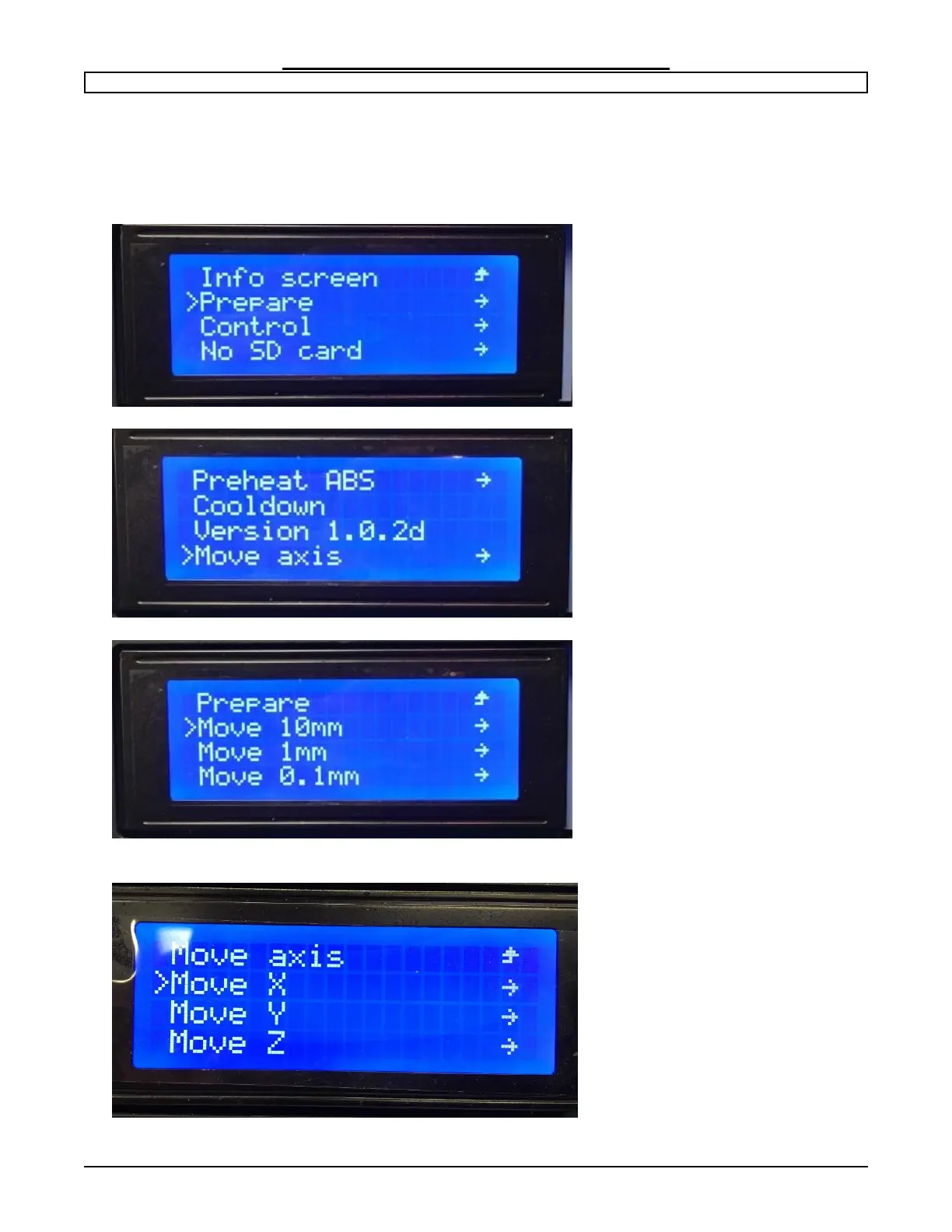
Step 3: Adjust Extruder head to 100 mm.
This will allow the extruder head to clear the emergency stop. To do this, navigate to
Prepare > Move Axis > 10 mm > Move X > +100.0


 To Next Page