EasyManua.ls Logo

3M 1700 Series - User Manual

3M 1700 Series
8 pages
Print Icon
To Next Page IconTo Next Page
Loading...
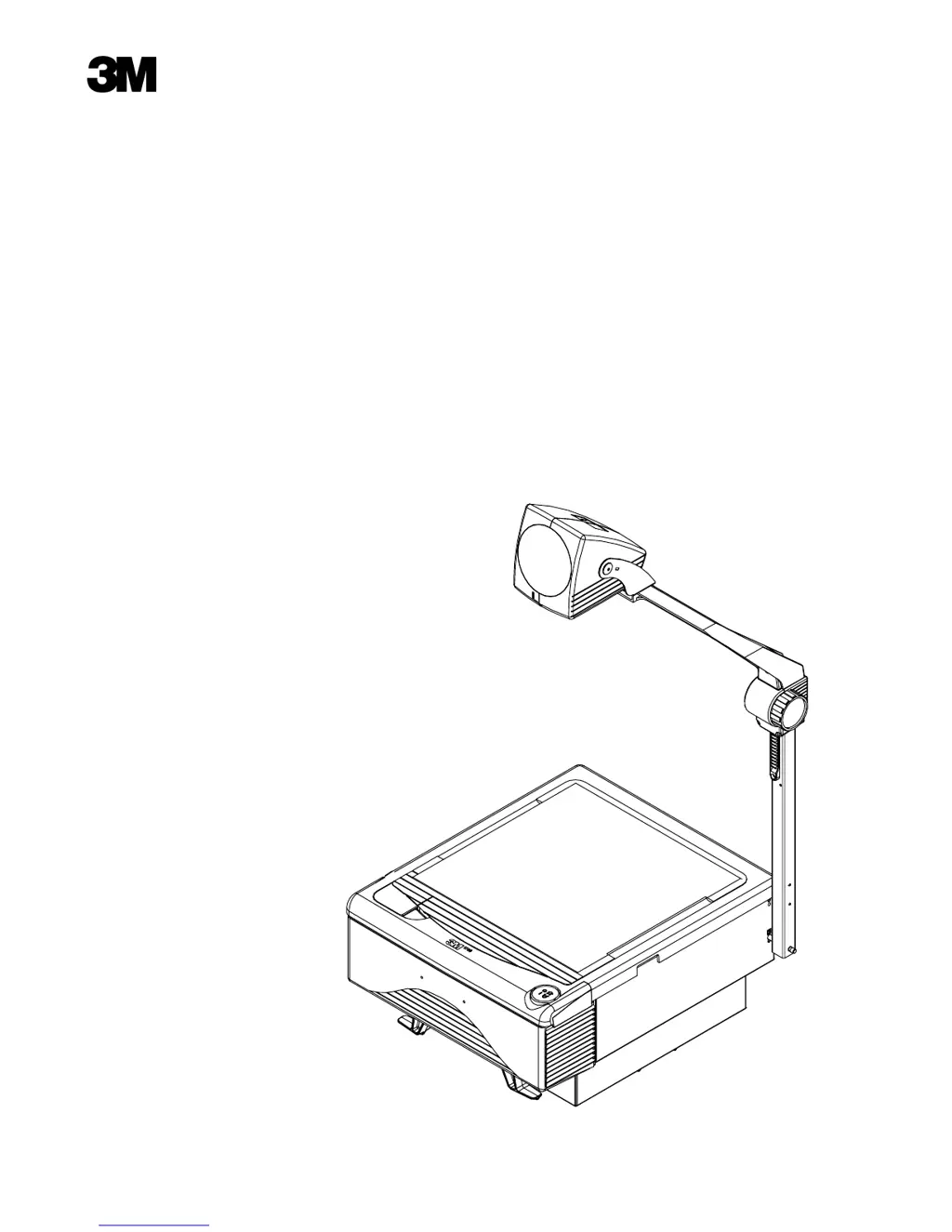
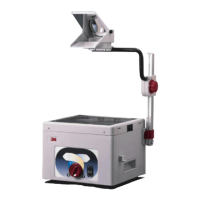
1700 Series
Overhead Projector
Operators Guide
Série 1700
Rétroprojecteur
Guide de l’utilisateur
Serie 1700
Retroproyector
Manual del Operador

Questions and Answers

  • S
    Sheila MaloneJul 27, 2025
    Why is the projected image from my 3M 1700 dim?
    • T
      Tracey JamesJul 27, 2025
      If the projected image from your 3M Projector is dim, it might be due to dirty stage glass, lenses, or optical surfaces. To resolve this, follow the cleaning instructions to remove any surface dirt.
  • S
    smithstephenAug 2, 2025
    Why doesn't the lamp in my 3M 1700 Projector illuminate?
    • T
      Terrance LeeAug 2, 2025
      If the lamp in your 3M Projector does not illuminate but the fan motor runs, the lamp may not be seated properly in the socket or it may be burned out. Try seating the lamp fully and squarely into the lamp socket. If the lamp still does not illuminate, replace it.
  • E
    Emily PalmerAug 7, 2025
    What to do if a new lamp fails in my 3M 1700 Projector?
    • M
      Miguel PetersAug 7, 2025
      If, after replacing a burned-out lamp in your 3M Projector, the new lamp also fails, it's possible that a defective lamp was installed or there may be an electrical issue. Replace the lamp again. If the second lamp fails immediately, it is possible that you have an electrical problem.
  • D
    David DennisAug 14, 2025
    How to fix a distorted image on my 3M 1700 Projector?
    • M
      Michael HolderAug 14, 2025
      If the projected image from your 3M Projector is wider at the top or on one side of the screen, it's likely that the screen surface is not perpendicular to the projected image. To fix this, tilt the projection screen until it is perpendicular (90°) to the projected image.
  • M
    Michael StoneAug 20, 2025
    Why do the lamps in my 3M Projector have a short life?
    • K
      kevin36Aug 20, 2025
      If your 3M Projector lamps seem to fail before their expected lifespan of 130 hours, it could be due to a defective lamp or high line voltage. Monitor the actual lamp life with a daily log.

Summary

Intended Use

Important Safeguards

General Usage Precautions

Covers general handling, supervision, cord placement, and immersion risks.

Electrical and Component Safety

Addresses shock hazards, damaged cords, power, accessories, and servicing.

Environmental and Operational Warnings

Warns against direct sunlight exposure and obstructed ventilation openings.

Setup Instructions

Assembly and Securing

Details on removing bolts, aligning posts, and tightening securely.

Product Description and Machine Characteristics

Part Identification List

Lists and illustrates all external components and electrical specifications.

Cleaning

Daily Cleaning

Instructions for routine cleaning of the stage and base areas with a soft cloth.

Stage Glass and Lenses

Guidance on cleaning stage glass and projector lens using a specific cleaner.

Cleaning Precautions

Warns against cleaning underside of stage glass/Fresnel lens to avoid optic damage.

Operating Instructions

Projector Positioning and Image Adjustment

Steps for positioning, power, projection angle, and focus for optimal image display.

Powering Off

Instructions for turning off the projector and unplugging when not in use.

Lamp Light Caution

LCD Panel Note

Lamp Changer

Lamp Changer Operation

Steps to operate the lamp changer to select an alternate lamp when the primary fails.

Lamp Changer Door Requirement

Ensures the lamp will not illuminate unless the control panel door is completely closed.

Color Tuning Dial

Color Adjustment

Instructions for rotating the dial to eliminate color casts or blue/yellow corners.

Lamp Replacement

Lamp Replacement Procedure

Step-by-step guide for safely replacing the projector lamp, including cooling.

Lamp Replacement Safety Cautions

Critical safety warnings for handling hot parts, glass, sharp edges, and cover tipping.

Troubleshooting

No Power or Lamp Illumination

Addresses issues where the projector has no power or the lamp does not illuminate.

Lamp Failure and Life Issues

Troubleshooting short lamp life and immediate post-replacement lamp failure.

Motor and Image Quality Problems

Resolves issues related to fan motor, projected image width, brightness, and color/focus.

Service Information

Accessories

3M 1700 Series Specifications

General IconGeneral
Brand3M
Model1700 Series
CategoryProjector
LanguageEnglish

Related product manuals