EasyManua.ls Logo

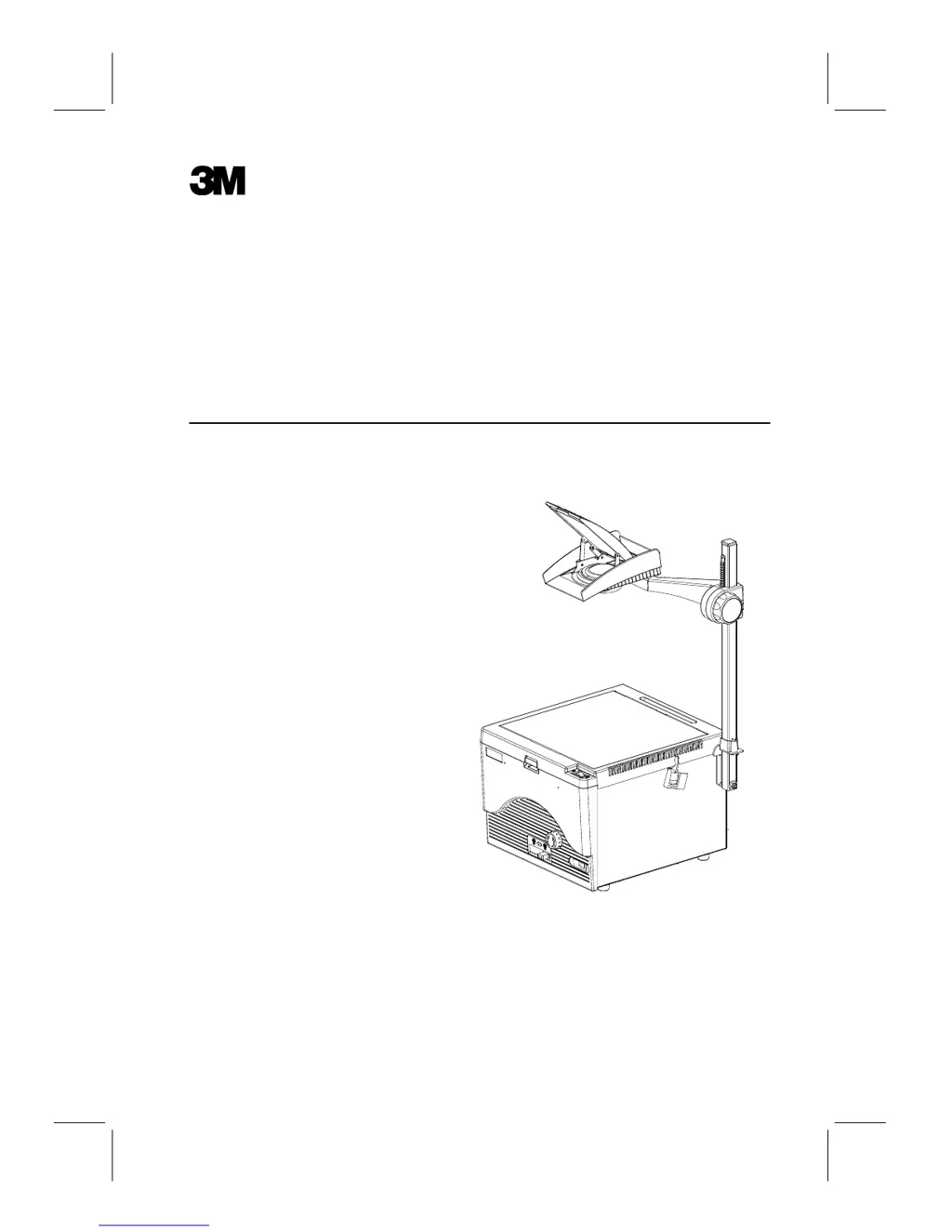
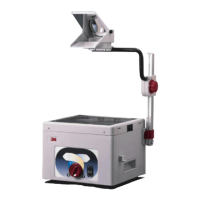
3M 1700 - User Manual

3M 1700
9 pages
Print Icon
To Next Page IconTo Next Page
Loading...
Rétroprojecteur
Manuel de lopérateur
Tageslichtprojektor
Bedienungsanleitung
Retroproyector
Manual del operador
Lavagna Luminosa
Manuale dUso
Overheadprojektor
Bruksanvisning
Overheadprojector
Handleiding
Retroprojetor
Manual do usrio
Overhead Projector
Operating Instructions
1700

Questions and Answers

  • J
    James HarveyAug 14, 2025
    Why is the projected image dim on my 3M Projector?
    • C
      Christopher ColemanAug 14, 2025
      A dim projected image on your 3M Projector may be due to several reasons. First, the stage glass, lenses, or mirrors might be dirty, so try removing any surface dirt. Second, the condenser lens bracket may be open or the retaining clip might not be engaged; close and secure the lens bracket with the retaining clip. Finally, the high/low lamp control setting might be incorrect; set the control to high for the brightest image.
  • S
    Steven CrawfordAug 18, 2025
    What to do if neither the lamp nor the fan energize on my 3M Projector?
    • J
      James WeberAug 18, 2025
      If neither the lamp nor the fan energize on your 3M Projector, there are a few things to check. First, ensure the projector is plugged into an outlet. Second, make sure the stage cover is completely closed to engage the safety interlock. Finally, verify that the wall outlet has power.
  • D
    Derek BrownAug 21, 2025
    What to do if the lamp does not illuminate but the fan motor runs on my 3M Projector?
    • K
      Kathy SalazarAug 21, 2025
      If the lamp on your 3M Projector doesn't illuminate but the fan motor runs, there are several possible causes. First, the lamp changer control might not be engaged; fully slide the lamp changer control until it stops. Second, the lamp may not be seated properly; seat the lamp squarely in the socket. Third, the lamp may be burned out; replace the lamp.
  • D
    Douglas DennisAug 25, 2025
    What to do if the projected image is wider at the top than bottom (Vertical Keystoning) on my 3M Projector?
    • T
      Thomas JensenAug 25, 2025
      If the projected image is wider at the top than the bottom on your 3M Projector, it means that the screen is not aligned at a 90° angle to the projected light beam. To fix this, tilt the projection screen toward the projector until the image width is equal at the top and bottom.
  • J
    Joseph RobinsonAug 28, 2025
    What to do if the projected image is higher on one side (Horizontal Keystoning) on my 3M Projector?
    • R
      Ronald MartinezAug 28, 2025
      If the projected image is higher on one side on your 3M Projector, it indicates that the projector is not aligned at a 90° angle to the screen. Rotate the projector until the image height is equal on both sides to correct this.
  • J
    jeremiah19Aug 31, 2025
    Why do lamps fail before the expected life span on my 3M Projector?
    • T
      terri35Aug 31, 2025
      Short lamp life on your 3M Projector may be caused by defective lamps. Document the actual lamp life, then contact the Lamp Supplier or 3M Service Center. It could also be due to high line voltage; have the electrical line checked by an electrician.
  • A
    Amber OchoaSep 3, 2025
    What should I do if a new lamp fails after replacing a burned-out lamp in my 3M Projector?
    • C
      Cody HarrellSep 3, 2025
      If a new lamp fails immediately after replacing a burned-out lamp in your 3M Projector, it could be due to a defective lamp. Replace the lamp. If the new lamp fails immediately again, you may have an electrical problem. Contact service for assistance.
  • P
    Patricia JohnsonSep 7, 2025
    How to fix non-uniform brightness in the projected image of my 3M Projector?
    • J
      Jeremy KrauseSep 7, 2025
      If the projected image does not have uniform brightness on your 3M Projector, the lamp may not be aligned properly. Properly seat the lamp in the socket and fully slide the lamp changer into position 1 or 2.
  • D
    Debbie DavisSep 12, 2025
    What causes yellow/orange to brown or blue colors to appear in the corners of the image on my 3M Projector?
    • J
      Jamie MartinSep 12, 2025
      If yellow/orange to brown or blue colors appear in the corners of the image on your 3M Projector, the lamp may not be at the best location for the projector to screen distance. Rotate the color tuning dial to remove the colors in the corners.

Summary

Important Safeguards

Part Identification List

Setup and Operation

Set Up Projector

Instructions for assembling the projector components before use.

Operating The Projector

Guidance on how to use the projector for presentations.

Fold Down Projector

Steps for safely disassembling and storing the projector.

Lamp Features and Replacement

Lamp Changer

Controls selection between dual lamps for operation.

High;Low Lamp Control

Adjusts lamp brightness to optimize image quality or lamp life.

Optical Adjustment

Fine-tunes image by adjusting color tuning for clarity.

Lamp Replacement

Procedure for safely removing and installing a new projector lamp.

Troubleshooting and Cleaning

Troubleshooting Guide

Common issues and their solutions for projector operation.

Cleaning Procedures

Instructions for maintaining projector components for optimal performance.

Electrical Safety and Wiring

Safety Points to Note

General safety advice for using the overhead projector.

Power Cord Connection

Instructions for correctly connecting the power cord to the plug.

3M 1700 Specifications

General IconGeneral
Brand3M
Model1700
CategoryProjector
LanguageEnglish

Related product manuals