6
Programming the Headsets for Cross-Lane Operation
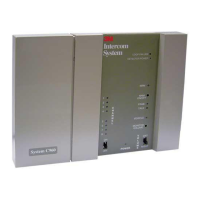
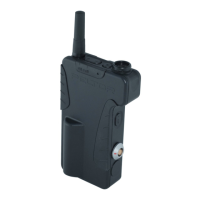
Follow the steps below to program the C960 headsets for Cross-Lane operation, and disable the Talk-Lock
function. It does not matter which base station is used to program the headsets. By pressing T1, the
headset will always communicate with the lane 1 base station; by pressing T2, the headset will always
communicate with the lane 2 base station.
1. Disable the Talk Lock function.
Talk-Lock is a toggle function that must be checked first to see if it is enabled or disabled. If the Talk LED
lights when the L button is pressed, Talk-Lock is enabled.
To disable Talk-Lock, turn the headset OFF, press and hold the L button while pressing
ON for 5 seconds. You will hear an acknowledging beep.
Recheck the Talk-Lock function by pressing the L button. The Talk LED on the base
station should not light.
2. Program the Headsets for Cross-Lane Operation
With the headset OFF, press and hold T1 and
T2 while pressing ON for 5 seconds. You will hear an
acknowledging beep.
Verify that the headsets are properly programmed for Cross-Lane operation:
Press T1 and verify that the Talk LED lights on the lane 1 base station and does not light on the lane 2 base
station.
Press T2 and verify that the Talk LED lights on the lane 2 base station and does not light on the lane 1 base
station.
To remove the Cross-Lane function and return the headsets to the normal operating mode, first turn the headset
OFF, and then hold down T1 while pressing ON for 5 seconds. You will hear an acknowledging beep.
Reprogram the headsets from the Lane 2 base station if you desire to communicate with lane 2.
Operation
Cross-Lane Module OFF
Vehicle detector alerts
The operator will only hear the vehicle detector alert from the menu sign with which he or she last
talked. Vehicles at menu sign 1 will be heard as a single repeating alert. Vehicles at menu sign 2
will be heard as a double repeating alert.
Answering customers
Pressing T1 will only allow communication with the lane 1 customer. Pressing T2 will only allow
communication with the lane 2 customer.
Paging function
Pressing Page will communicate via the base station last communicated with (via T1 or T2) and to
the headsets programmed to it.
Cross-Lane Module ON
Vehicle detector alerts
The operator will always hear both vehicle detector alerts. Vehicles at menu sign 1 will be heard as
a single repeating alert. Vehicles at menu sign 2 will be heard as a double repeating alert.


 To Next Page