3
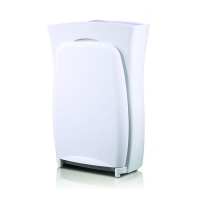
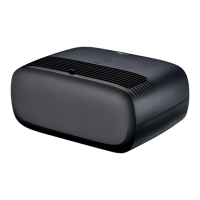
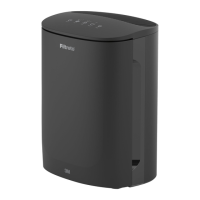
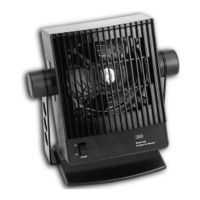
This Air Purier from 3M comes complete with the latest advances in air ltration
technology in a stylish and trend setting design.
Filtration:
Filtrete
™
lters use proprietary technology to provide high ltration efciency and
low airow resistance - the end result is a highly efcient room Air Purier that
operates quietly. This Filtrete lter has electostatically-charged bres that can
capture particles as small as 0.1 micron. The electrostatically charged bres are
most effective when your lter is new and clean. As particles build up on the lter,
they begin to cover up the charged bres. This will reduce the effectiveness of the
lter at capturing additional particles and can occur early in your lter’s life. The
time frame and extent of the reduction will depend upon the actual use conditions
in the room in your home. To maximize the air cleaning in the room that contains
the Air Purier, we recommend that you clean and seal, as much as possible, the
room in which the Air Purier operates; continue to dust surfaces and vacuum on
a normal schedule; and close all windows and doors during operation.
Filter Change Indicator:
The Air Purier is equipped with a state-of-the-art lter life analyzer. Unlike timers
and other conventional lter change indicators, the analyzer recognizes gradual
changes in the lter condition over time and displays a warning signal when it
is time to change the lter. If the Air Purier is used in an environment with high
particle concentrations, such as a room with new carpeting, woodworking, etc.,
the analyzer will detect excessive particle collection and provide a warning to
the user to change the lter. To ensure that the air purier continues to provide
effective air cleaning, the lter should be changed after no more than 90 days of
continuous use. For this purpose, another change indicator is installed to monitor
how long the Air Purier has operated, not just how many days since the lter
was installed. The lter change indicator has been set to indicate lter change
for typical household conditions. A yellow caution light will come on when the
lter is about 80% used, and a red warning light will come on indicating the lter
needs to be changed.
Fe a t u r e s a n d Fu n C t i o n s :
Cleaning:
• Turn the Air Purier off and unplug it before cleaning.
• The outside of the Air Purier can be cleaned with a soft, clean dampened
cloth.
• The ltered air outlet on the top of the unit can be cleaned of dust with a
small, soft brush.
• If you wish to clean the inside of the unit, please only use a dry, soft cloth to
wipe it down.
Resetting the Filter Timer (For FAP01 see instructions included
with the timer):
• To remind users to change the lter every 90 days, a countdown timer is ins-
talled.
• The reset button is located behind the lter.
• When the lter is about 80% used, a yellow light will illuminate as a reminder to
purchase a replacement lter.
• When the lter needs to be changed, the yellow light will turn red. Replace
the lter immediately by following the instructions in the Filter Replacement
section.
• To reset the lter timer, hold down the FILTER CHANGE button for three se-
conds. A red light comes on. Before it disappears, the light will start ashing
quickly as you ontinue to hold the button. The timer is now reset.
Cl e a n i n g a n d re s e t t i n g t h e Fi l t e r ti m e r
Warning
• Read and understand the operating manual before using the Air Purier
Turning the Air Purifier On/Off:
• Be sure the Air Purier is properly plugged into a 240 V AC wall socket.
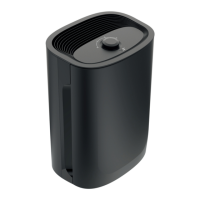
• A green light will be illuminated with variable intensity on the control knob.The
device does not lter air in this position.
Adjusting the Fan Speed:
• Once the unit is turned on, the fan speed can be adjusted to one of three
settings.
• From the OFF position, turn the control knob clockwise (CW) to the next posi-
tion. On FAP02 and FAP03 a single green light will be circulating in the center of
the knob. The device will be operating at Low Speed.
• The second turn CW is Medium Speed. On FAP02 and FAP03 two opposing
green lights will be circulating.
• The next position is High Speed. On FAP02 and FAP03 three green lights will be
circulating in the center of the knob.
Filter Life Diagnostics (For FAP02 & FAP03):
• At High Speed, the Filter Life Analyzer will perform diagnostics automatically.
Yellow, green, and red lights in the center of the control knob will light in alter-
nating order for 10 seconds. After lter life diagnostics are completed, only one
light will remain on.
• A green light means that the lter is functioning properly and does not need to
be replaced. A yellow light indicates about 80% of the lter has been used, a
red light indicates the lter needs replacement.
• After 30 seconds of illumination, the green light will disappear, while a yellow or
red light may stay lit depending on the lter condition.
• If the device is operating on a speed other than High, you must change the fan
speed to High to conduct the lter life diagonostics.
ai r Pu r i F i e r us e


 To Next Page
 Loading...