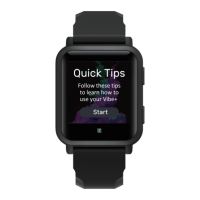
Open the Spotify app on your phone and play a song or podcast. On the Vibe+, swipe left or right until
you see the music app. You can pause/play, skip, rewind, and adjust the volume from the Vibe+.
Can personal music be stored on the Vibe+?
No, music cannot be stored on the Vibe+.
What is the band size for the Vibe+?
The Vibe+ uses 22mm bands
Why are notifications delayed or missing on the Vibe+?
Notifications may skip or stop occasionally for several reasons. Your phone must be within 30 feet of
your Vibe+ to receive notifications. You won’t see text notifications if you have the conversation open
on your phone. The Vibe+ shows new, unread texts. You won’t see notifications if you turned on
settings such as do not disturb mode, quiet hours, or driving mode on your phone. You also won’t see
notifications on the Vibe+ if you turned on do not disturb mode or sleep mode on the watch. If you’re
using multiple Bluetooth devices, you may have trouble using more than one at a time. Make sure the
3+ app is allowed to run in the background on your phone.
Why is the Vibe+ not reading my heart rate?
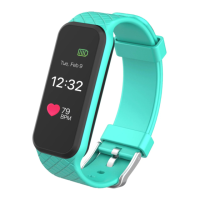
The Vibe+ continuously trackers your heart rate while you’re exercising and throughout the day. If the
Vibe+ doesn’t detect a heart rate, make sure your wearing the watch correctly, either by moving it
higher or lower on your wrist or by tightening or loosening the wristband. The Vibe+ should be in
contact with your skin. After holding your arm still and straight for a short time, you should see a heart
rate reading.
Why is my GPS not connecting when I start a workout?
Environmental factors, including tall buildings, dense forests, steep hills or even thick cloud cover can
interfere with your watch’s ability to connect to GPS satellites. For best results, wait for the watch to
find your signal before you start your workout.
How do I set my fitness goals on the Vibe+?
To set your activity goals, open the 3+ app and tap on the edit icon on the dashboard. To begin, your
goal is 10,000 steps per day. Choose to increase or decrease the number of steps or change your goal
for active minutes, distance travelled, or calories burned. You can also set your weight goal and water
consumption goal in the same section.
How many notifications can be stored on the Vibe+?
The Vibe+ can store up to 10 notifications, after the oldest are replaced as you receive new ones.



 To Next Page
 Loading...