14
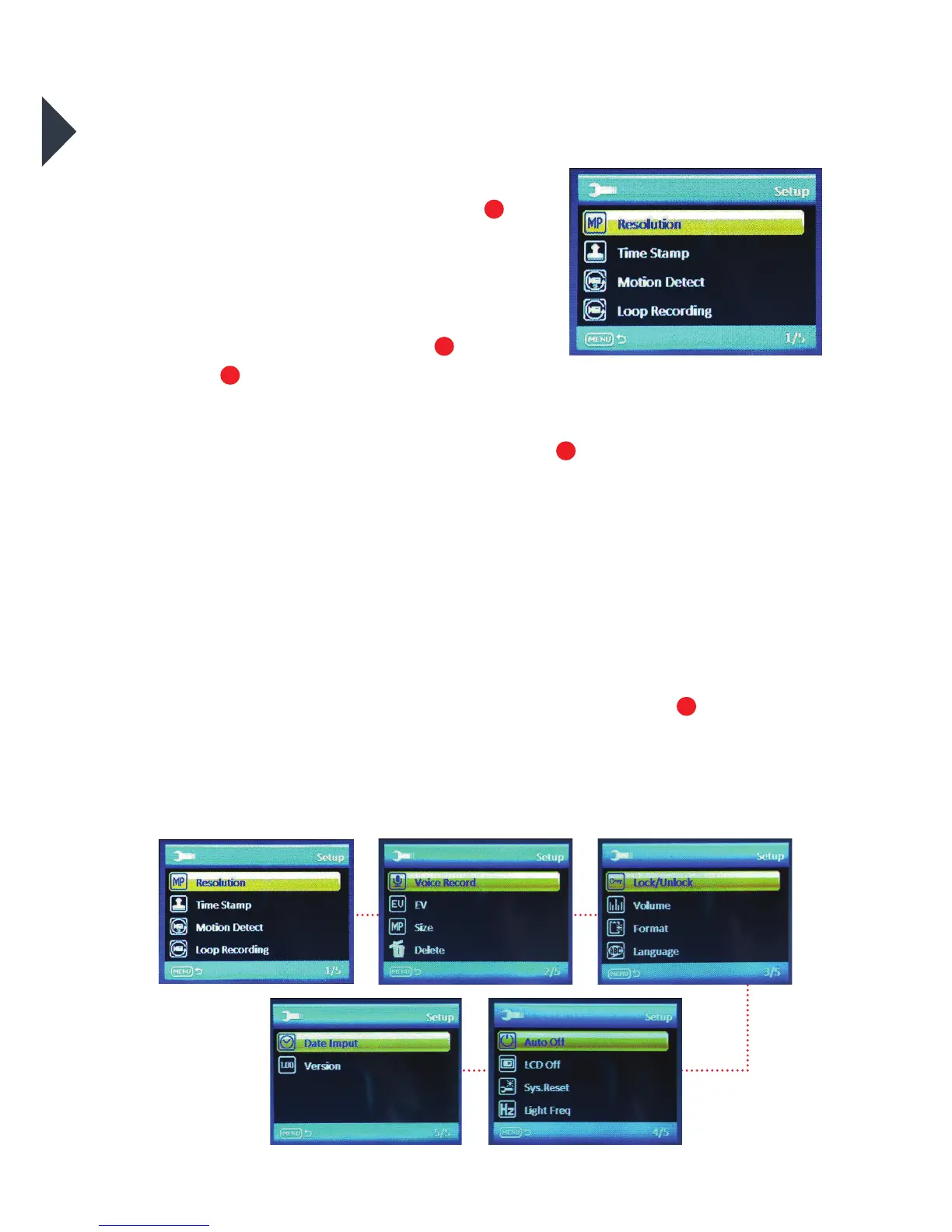
CAMERA SETTINGS
Turn camera ON and repeatedly
press the Power/Mode Buon
to cycle through camera modes
and stop at the Seings screen.
•
To scroll through the main
seings menu, press the Up
/
Down
Buons.
•
To select one of the main menu
seings, press the Shuer/Select Buon
.
•
To select or change one of the seings, use the Up/Down Buons to
choose an option and press the Shuer/Select Buon to change
the seing.
•
Once a menu option has been changed you will be returned to the
main seings menu.
•
To exit the sub-menu seings options menu without changing any
of the seings options press the Power/Mode Buon
. You will be
returned to the main seings menu.
•
To exit the main seings menu and return to camera mode, press
the Power/Mode Buon.
LCD Screen when ‘Seings’
is selected
1
1
7
11
8



 To Next Page