7
CHARGING THE BATTERY
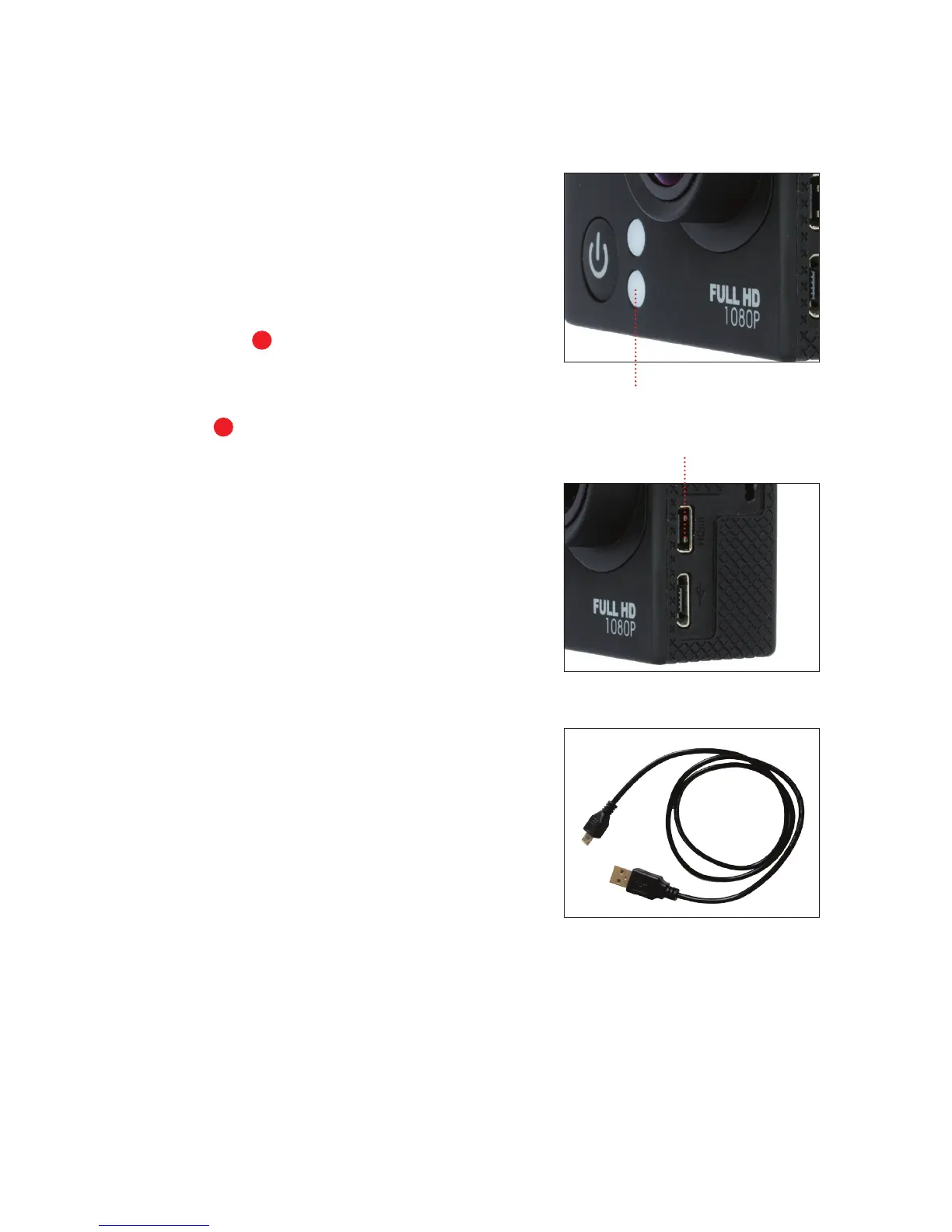
1. Make sure that the camera is
switched OFF.
2. To start charging the baery,
connect the supplied micro USB
cable into the camera’s micro
USB port
into a PC, MAC or
wall adaptor’s USB 2.0 port
(1A only). The Charging Status
Light
will be lit blue while
charging and will disappear when
charging is completed.
WARNING: Using a wall/car
charger other than a 5V 1A
Charger can damage the camera
baery and could result in fire
or leakage. Only use chargers
marked: Output 5V 1A.
Charging Status Light
Micro USB Port
Micro USB cable
8
3



 To Next Page