16
Menu Select Settings Remark
Delete Delete Current /
Delete All
Allows you to delete either the selected
or all photos and video stored on the
inserted Micro SD Card.
Protection Lock Current /
Unlock Current
/ All Lock /
Unlock All
Allows you to lock or unlock the
selected, or all videos and photos stored
on the inserted Micro SD Card.
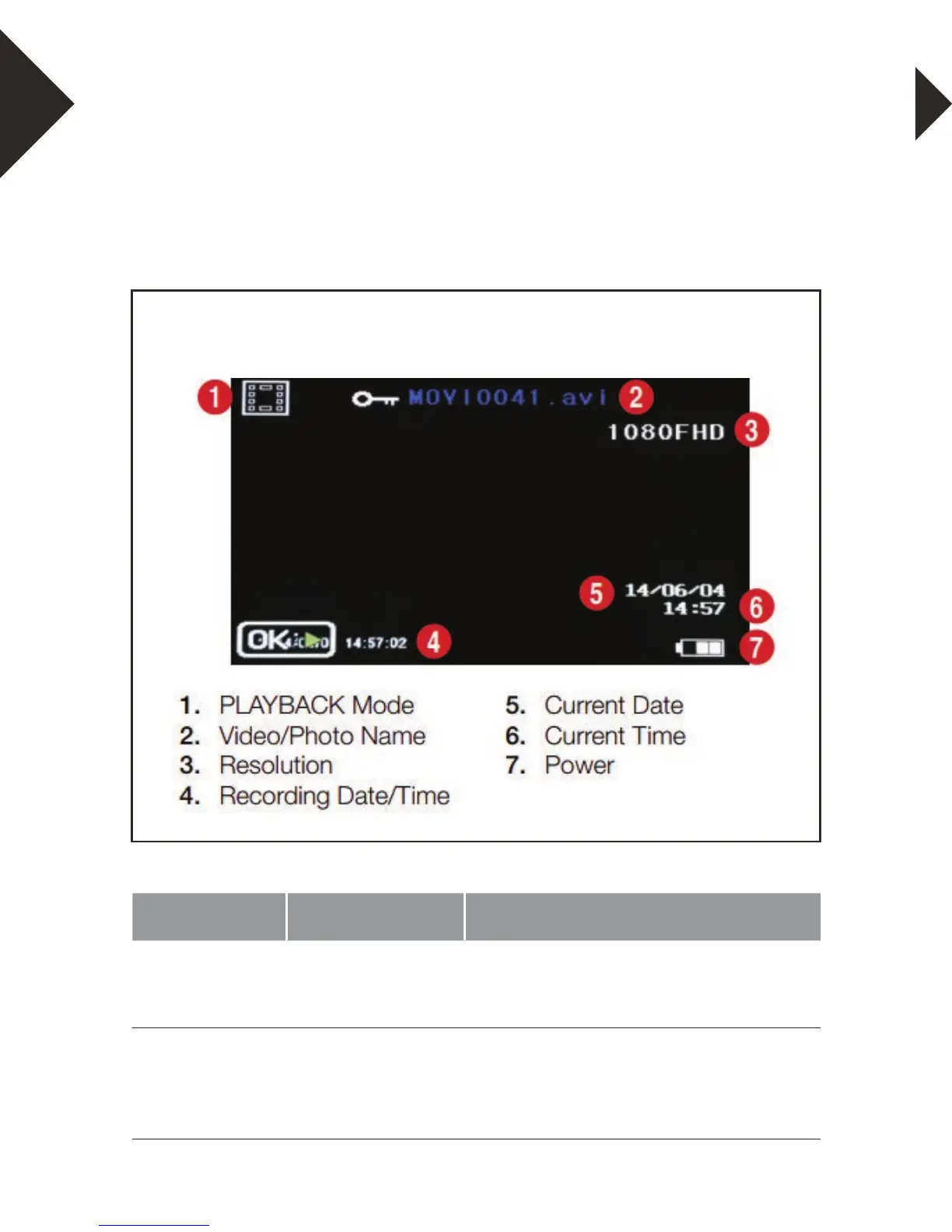
PLAYBACK / REVIEW MODE
To view your videos and photos make sure the camera is in Video
or Photo Playback mode which should be displayed on the LCD
Screen by short pressing the Mode button(4).
PLAYBACK / REVIEW SCREEN DIAGRAM


 To Next Page