4, CONFIGURE
4.2
Power meter factory reset
9
1.
2.
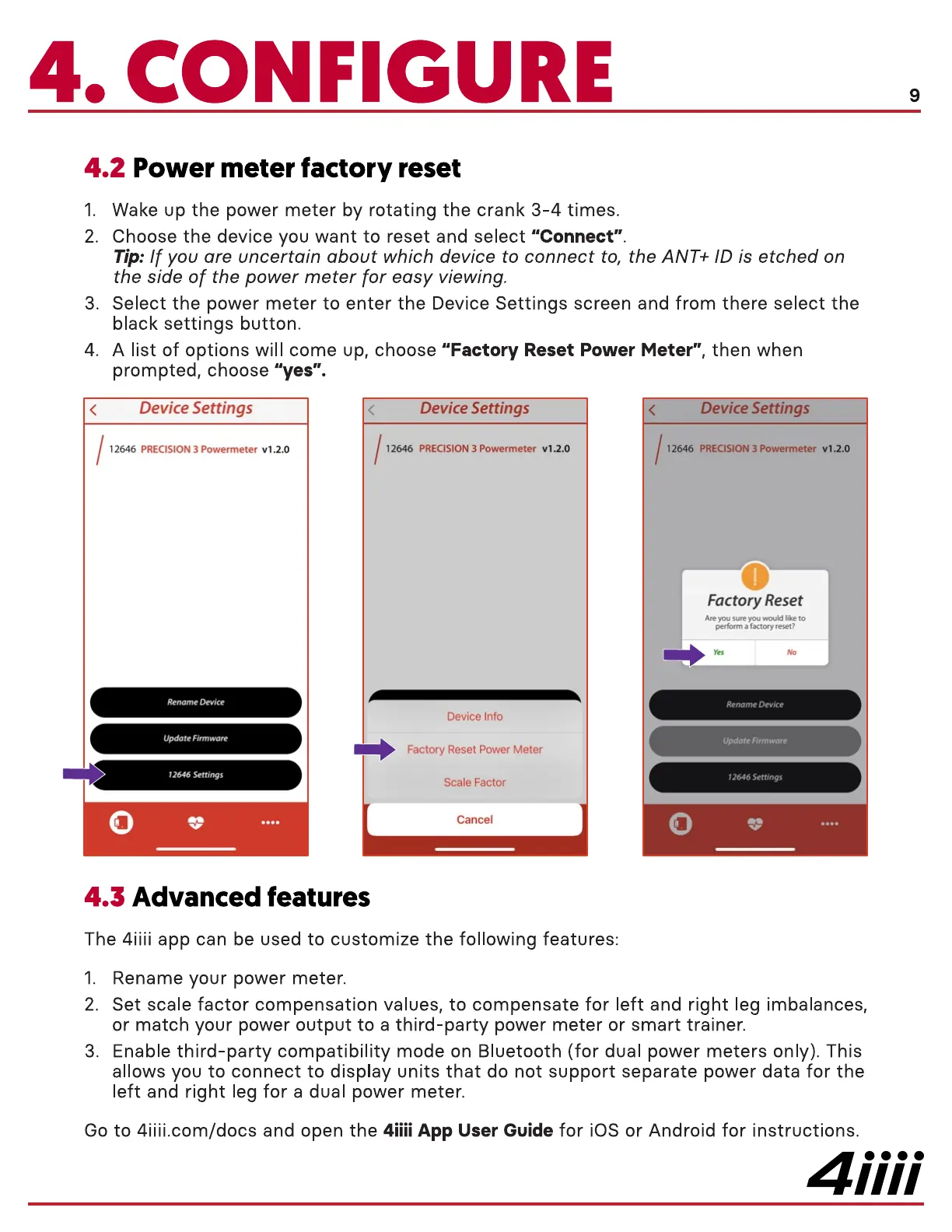
3.
4.
Wake up the power meter by rotating the crank 3-4 times.
Choose the device you want to reset and select "Connect".
Tip: If you are uncertain about which device to connect to, the ANT+ ID is etched on
the side of the power meter for easy viewing.
Select the power meter to enter the Device Settings screen and from there select the
black settings button.
A list of options will come up, choose "Factory Reset Power Meter", then when
prompted, choose "yes".
Device Settings
12646 PRECISION 3 Powermeter vl .2.0
Rename Device
Update Firmware
12646 Settings
Advanced features4.3
Device Settings
12646 PRECISION 3 Powermeter vl.2.o
Device Info
Factory Reset Power Meter
Scale Factor
Cancel
Device Settings
12646 PRECISION 3 Powermeter vl.2.o
Factory Reset
Are you sure you wouki like to
perform a factory reset?
Rename Device
Update Firmware
12646Settings
The 4iiii app can be used to customize the following features:
1. Rename your power meter.
2. Set scale factor compensation values, to compensate for left and right leg imbalances,
or match your power OUtPUt to a third-party power meter or smart trainer.
3. Enable third-party compatibility mode on Bluetooth (for dual power meters only). This
allows you to connect to display units that do not support separate power data for the
left and right leg for a dual power meter.
Go to 4iiii.com/docs and open the 4iiii App User Guide for iOS or Android for instructions.
4iiii


 To Next Page
 Loading...
