5, APPLE FIND MY
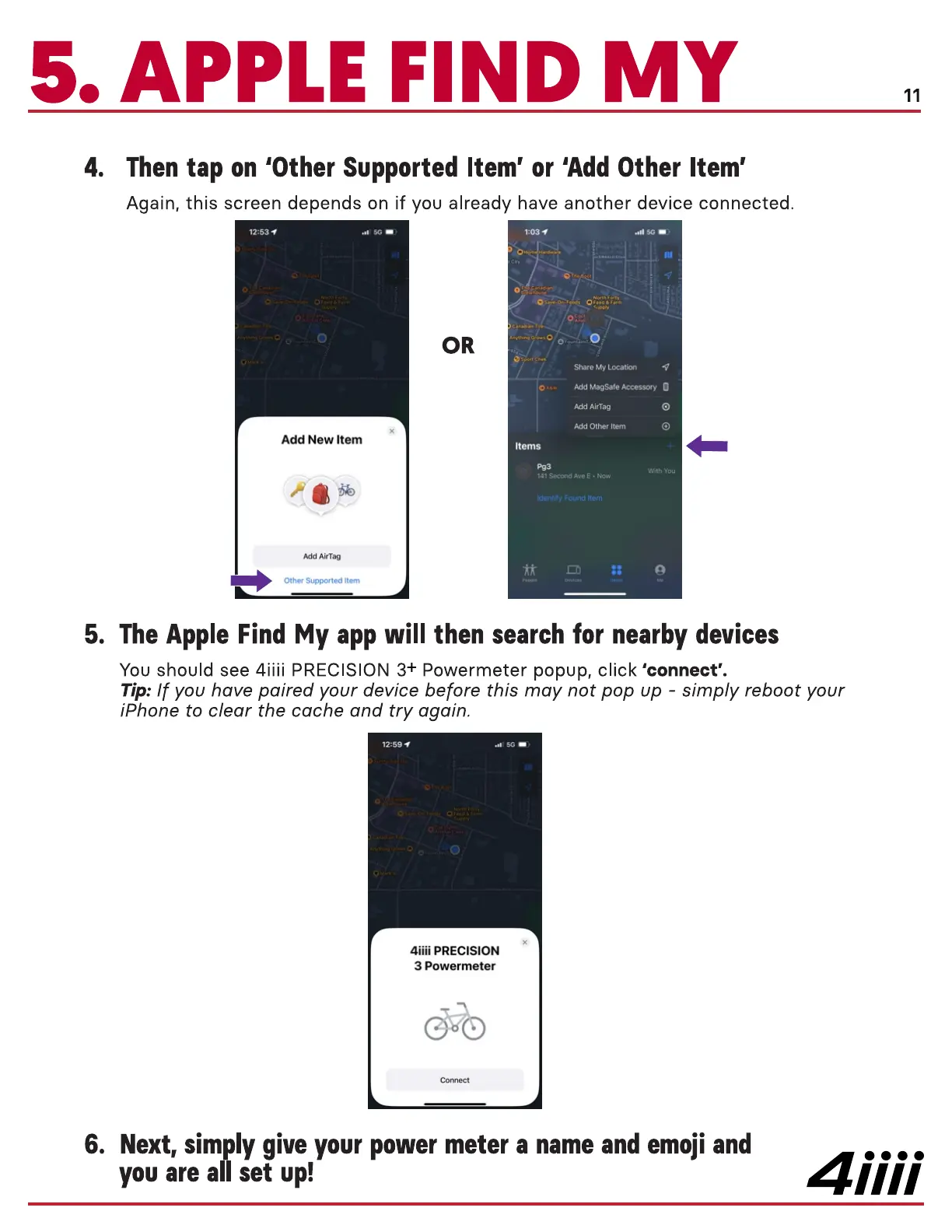
Thentap on 'Other Supported Item' or 'Add Other Item'
Again, this screen depends on if you already have another device connected.
11
4.
5.
6.
1263
Add New Item
Add AirTag
Other Supported Item
1:03 4
Share My Locatic*1
AddMagSafeAccessory O
Add AirTag
Add Item
Items
With You
ld I Second Ave E • Now
Identity Found Item
The Apple Find My app will then search for nearby devices
You should see 4iiii PRECISION 3+ Powermeter popup, click 'connect'.
Tip: If you have paired your device before this may not pop up - simply reboot your
iPhone to clear the cache and try again.
12.59
4iiii PRECISION
3 Powermeter
Next, simply give your power meter a nameand emoji and
you are all set up!
4iiii



 To Next Page