EasyManua.ls Logo

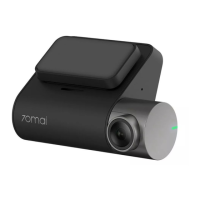
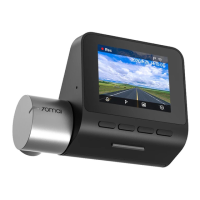
70mai A400-1 - User Manual

70mai A400-1
47 pages
Print Icon
To Next Page IconTo Next Page
Loading...
Dash Cam A400-1
User Manual • Uživatelský manuál •
Užívateľský manuál • Használati utasítás •
Benutzerhandbuch
Question and Answer IconNeed help?

Do you have a question about the 70mai A400-1 and is the answer not in the manual?

Summary

Installation

Installing the Electrostatic Sticker

Apply the electrostatic sticker to the windshield for dash cam mounting.

Installing the Memory Card

Insert the MicroSD card into the designated slot until it clicks.

Pasting the Dash Cam

Attach the dash cam to the electrostatic sticker after peeling off the protective film.

Connecting the Power Supply

Route the power cord and connect it to the car charger and cigarette lighter socket.

Adjusting the Dash Cam Angle

Position the camera angle using the preview screen to face the front of the vehicle.

70 mai App

Memory Card Usage

Precautions

Safety Information

Product Specifications

Warranty Conditions

EU Declaration of Conformity

WEEE Disposal Information

Summary

Installation

Installing the Electrostatic Sticker

Apply the electrostatic sticker to the windshield for dash cam mounting.

Installing the Memory Card

Insert the MicroSD card into the designated slot until it clicks.

Pasting the Dash Cam

Attach the dash cam to the electrostatic sticker after peeling off the protective film.

Connecting the Power Supply

Route the power cord and connect it to the car charger and cigarette lighter socket.

Adjusting the Dash Cam Angle

Position the camera angle using the preview screen to face the front of the vehicle.

70 mai App

Memory Card Usage

Precautions

Safety Information

Product Specifications

Warranty Conditions

EU Declaration of Conformity

WEEE Disposal Information

70mai A400-1 Specifications

General IconGeneral
ConnectivityWi-Fi
StorageMicroSD card (up to 128GB)
Parking ModeYes
G-SensorYes
Loop RecordingYes
App ControlYes (70mai App)
Optional Rear CameraYes
Video Resolution2560x1440 (2K)
Field of View140°
Display2.0-inch LCD
GPSOptional

Related product manuals