02
• Interfaces for 8BitDo Super Buttons are for 8BitDo Super Accessories only.
• System requirements for devices with built-in Bluetooth Low Energy or USB port:
• Windows 10(1903) or above
• Android 9.0 or above
• Factory Reset: Hold the Pair button + Fast key mapping button + Profile button for 5 seconds, LED indicators will start to blink.
(All profiles, Bluetooth pairing, key mappings and swapped keys will be reset)
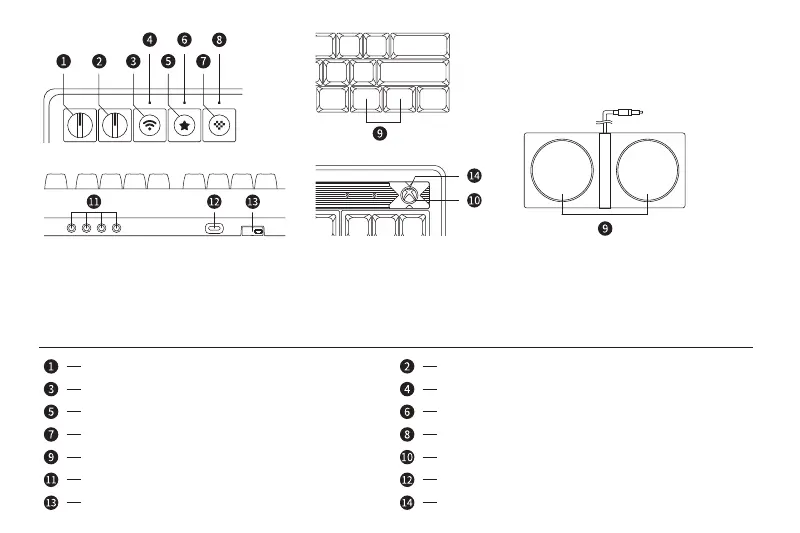
Game bar (Win+G, for Windows only)
Shift
CtrlAlt
Super buttons
USB Type-C port
Pair button
Mode switch
Profile button
Power indicator
Connection indicator
Profile indicator
3.5mm interfaces for Super Buttons and other extensions
2.4G Adapter / Adapter compartment
Volume knob
Fast key mapping button
Key mapping indicator



 To Next Page