EasyManua.ls Logo

A.J.Antunes VCT-200 Series - User Manual

A.J.Antunes VCT-200 Series
28 pages
Print Icon
To Next Page IconTo Next Page
Loading...
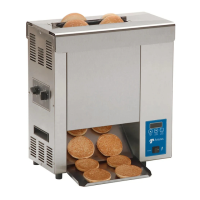
RAPID TOASTER VCT-200
1
P/N 1010710 Rev. N 02/13
McDonald’s
RAPID TOASTER
MODEL VCT-200
Manufacturing Numbers 9200500/502/504/512
POWER
TEMP
DOWN
TEMP
UP
TEMP
SCALE
˚C
˚F
CAUTION
Place this manual in the Toaster section
of your Equipment Manual.
Manufactured exclusively for
McDONALD’S
®
BY
A.J. ANTUNES & CO.
180 KEHOE BLVD.
CAROL STREAM, ILLINOIS 60188, U.S.A.
PHONE: 1-630-784-1000
TOLL FREE: 1-877-392-7854
FAX: 1-630-784-1650
www.ajantunes.com
®
US
C
TABLE OF CONTENTS
Owner Information .....................................................2
General ......................................................................2
Warranty Information .................................................2
Service/Technical Assistance ....................................2
Specifications .............................................................3
Model Designation .....................................................3
Supplied Votages: ......................................................3
Electrical Cord & Plug Configurations .......................3
Toasting Time Change ...............................................3
Dimensions ................................................................4
Weights ......................................................................4
Important Safety Information ....................................5
Installation ...................................................................6
Unpacking ..................................................................6
Assembling the Unit ..................................................6
Location .....................................................................6
Operating Instructions ...............................................7
Toaster Operation ......................................................7
Fault Codes .............................................................10
Maintenance .............................................................. 11
Daily cleaning ..........................................................11
Monthly: Bun Temperature Test ...............................12
Every Month: Replace Release Sheet Every Three
Months: Replace Groovy Belt Wraps, Clean and
Measure Conveyor Belts/Chains, Check Roller
Tensioners and Check Temperature of Bun Landing
Area. ........................................................................12
Measure the Conveyor Chains for Stretch .............13
Replacing Groovy Belt Wraps ................................14
Maintenance (continued) .........................................15
Adjusting, Measuring and/or Replacing Roller
Tensioner Assemblies ..............................................15
Troubleshooting .......................................................16
Replacement Parts ..................................................20
Wiring Diagrams .......................................................25
NOTES .......................................................................27
This manual is for the exclusive use of licensees and employees of McDonald’s Systems, Inc..
© McDonald’s Corporation All Rights Reserved
LIMITED WARRANTY
The Antunes Food Service Equipment Division of A.J. Antunes & Co. provides the following limited warranty to the original purchaser of all McDonald’s Equipment.
All components are warranted against Manufacturer’s defects in the material and workmanship for a period of two (2) years from date of original installation not to
exceed 30 months from the date of shipment from our factory.
If any part becomes defective during the period of this Warranty, Antunes Food Service will pay negotiated straight time labor costs to an Authorized Service Agent to
replace the part, plus travel expenses up to 100 miles/160 km, 2 hours round trip.
Antunes Food Service reserves the right to make changes in design or add improvements on any products. The right is always reserved to modify Equipment
because of factors beyond our control and government regulation. Changes to Equipment do not constitute a warranty charge.
This warranty is exclusive and is in lieu of all other warranties, expressed or implied, including any implied warranty of merchantability or fitness for a particular pur-
pose, each of which is expressly disclaimed. The remedies described above are exclusive, and in no event shall A.J. Antunes & Co. or any of its Divisions be liable
for special consequential or incidental damages for the breach or delay in the performance of this warranty.
WARRANTY EXCLUSIONS
• ThecostofInstallation.
• Equipmentthathasbeendamagedduetoshipment.Purchasershould
make damage claim directly upon carrier.
• Alteration,misuse,abuse.
• Improperstorageorhandling.
• Impropermaintenance.
• FailuretofollowproperInstallationinstructions,includingelectrical
connection.
• Improperorunauthorizedrepairs.
• ScheduledMaintenanceproceduresasoutlinedinyourMRCCard.
• ThisWarrantydoesnotcoverConsumableitems.
• Waterpressureproblemsorcontaminationproblemssuchasforeignmaterial
in water lines or inside solenoid valves due to an incoming water source.
• OvertimeorHolidaycharges.
• Mileageover100miles/160kmround-trip,ortraveltimeovertwo(2)hours.
• Freight,foreign,excise,municipalorothersalesorusetaxes.
• Consequentialdamagessuchaslossofprofit,lossoftime,thecostof
repairing or replacing other property which is damaged, or any other
incidental damage of any kind.

A.J. Antunes & Co.

Questions and Answers

  • B
    burtontiffanyAug 16, 2025
    What to do if my A.J.Antunes VCT-200 Toaster has no display?
    • M
      michael54Aug 16, 2025
      If your A.J.Antunes Toaster has no display and the power switch light is off, here's what you can check: * Ensure the toaster is properly plugged into a working power outlet. * Reset the Hi-Limit switch. * Reset the circuit breaker. For damaged power cords or inoperable on/off switch, contact your maintenance person or an Authorized Service Agency for service.
  • J
    Jeffrey RobertsAug 19, 2025
    Why are my buns not toasting properly in my A.J.Antunes VCT-200 Toaster?
    • P
      petersonsethAug 19, 2025
      If the buns are not toasting properly in your A.J.Antunes Toaster, consider the following: * Verify that the Bun Thickness Compression Controls are set to “D & 5” for 17-second toasters or “B & 3” for 10-second toasters. * Ensure the toaster is set at SP-P 560° F (293° C) for the Platen and SP-A 400° F (204° C) for the auxiliary. * Check if the Release Sheet is dirty or worn, and follow the cleaning or replacement procedure on the current MRC, TS 019. * Contact your bun supplier if the buns are cut improperly.
  • S
    Samantha EscobarAug 25, 2025
    Why are buns sticking in my A.J.Antunes Toaster?
    • M
      Megan HallAug 25, 2025
      If buns are sticking in your A.J.Antunes Toaster, try these solutions: * Ensure the Bun Thickness Compression Controls are set to “D & 5” for 17-second toasters or “B & 3” for 10-second toasters. * Follow the cleaning and/or replacement instructions on the current MRC Card for the Release Sheet and Groovy Belt Wrap. Immediately clean the “APSC” off with a clean, dry towel dampened with sanitizer solution. * Adjust or replace the Roller Tensioner according to the Maintenance section of this manual. Replace a damaged Roller Tensioner.
  • S
    shawnhaysAug 27, 2025
    How to fix over-toasted product from my A.J.Antunes VCT-200 Toaster?
    • B
      brittanycooperAug 27, 2025
      If the product from your A.J.Antunes Toaster is over-toasted, the platen heat is too high, or the drop time is too slow, consider the following: * Reset the platen temperature to 560°F (293°C). * Set the bun adjustment controls correctly. Refer to the Operation section of this manual. * Clean or replace the Groovy Belt Wrap. * Clean or replace the Release Sheet.
  • T
    Thomas WhiteAug 30, 2025
    How to fix under-toasted product from my A.J.Antunes VCT-200?
    • T
      thollandAug 30, 2025
      If the product from your A.J.Antunes Toaster is under-toasted, the platen heat is too low, or the drop time is too fast, here are some things to check: * Reset the platen temperature to 560°F (293°C). * Set the Bun Thickness Compression Controls to “D & 5” for 17-second toasters or “B & 3” for 10-second toasters. * Clean and adjust the Conveyor Belt/Chain. Refer to the Maintenance section of this manual.
  • C
    Christopher OlsonSep 2, 2025
    What does 'LO' mean on my A.J.Antunes VCT-200 Toaster display?
    • D
      Derrick OsborneSep 2, 2025
      If the temperature display on your A.J.Antunes Toaster reads “LO,” it means the platen temperature is below 420° F (216° C). Allow thirty minutes for warmup and recheck the display. If the issue persists, contact your maintenance person or Authorized Service Agency for service.
  • J
    Jacob GomezSep 4, 2025
    What does 'HI' mean on my A.J.Antunes VCT-200 Toaster display?
    • E
      Eric WallaceSep 4, 2025
      If the temperature display on your A.J.Antunes Toaster flashes “HI” at a cold start: * Check if the Platen Thermocouple is disconnected or open, and reattach or replace it. If the issue persists, it might be an inoperable control board, and you should contact your maintenance person or an Authorized Service Agency for service.
  • W
    wreyesSep 7, 2025
    Why is my A.J.Antunes VCT-200 Toaster making a squealing noise?
    • K
      Kristen BraySep 7, 2025
      If your A.J.Antunes Toaster is making a high-pitched squeal or whining noise: * If the noise comes from the motor, replace it. * Consider replacing the bearings or ball bearings.
  • C
    Cody WintersSep 10, 2025
    What to do if Groovy Belt Wraps stop turning on A.J.Antunes VCT-200?
    • M
      maria21Sep 12, 2025
      If the Groovy Belt Wrap(s) stop turning, but the Conveyor Chain continues to turn on your A.J.Antunes Toaster, it is likely due to excessive caramelizing buildup on the underside of the Groovy Belt Wrap(s) and Conveyor Chain. Clean the Belt Wrap and Chain as per current MRC, TS 019.
  • K
    Kathryn DiazSep 13, 2025
    What does 'CHEC' mean on my A.J.Antunes Toaster display?
    • I
      ileeSep 13, 2025
      If the display on your A.J.Antunes Toaster reads “CHEC,” it indicates that the ambient temperature in the control compartment is too high. Turn the toaster off and allow the control compartment to cool down to 140°F (60°C), then restart the toaster. Ensure the cooling fan is operating and nothing is blocking the flow of cooling air to the bottom of the toaster.

Summary

Owner Information

General

General information about the Rapid Toaster VCT-200 unit.

Warranty Information

Details the warranty terms and conditions for the equipment.

Service;Technical Assistance

Contact information and procedures for obtaining service or technical help.

Specifications

Model Designation

Information on the specific model number and its variations.

Electrical Cord & Plug Configurations

Details about the electrical cord types and plug configurations available.

Toasting Time Change

Explanation of changes in toasting time and bun thickness settings.

Supplied Voltages

List of available voltage and related electrical specifications.

Dimensions

Physical measurements and size specifications of the toaster unit.

Weights

Information regarding the net and shipping weight of the equipment.

Important Safety Information

Installation

Unpacking

Instructions for safely removing the unit and accessories from its packaging.

Assembling the Unit

Steps involved in putting together the toaster components.

Location

Guidelines for selecting an appropriate and safe place for the toaster.

Operation

Operating Instructions

Step-by-step guide for the standard operation of the toaster.

Toaster Operation

Description of how the toaster functions and its heating elements.

TEMPERATURE CONTROL

Information on setting and adjusting the operating temperatures of the unit.

Platen Setpoint Temperature Adjustment

Procedure for adjusting the main platen heating element's temperature.

Auxiliary Heater Temperature Adjustment

Procedure for adjusting the auxiliary heating elements' temperatures.

Hi-Limit Reset Button

Instructions on how to reset the unit's high-limit safety control.

Fault Codes

Maintenance

Daily cleaning

Routine cleaning procedures to maintain the toaster's daily performance.

Monthly: Bun Temperature Test

Procedure for testing the bun temperature to ensure optimal toasting.

Every Month: Replace Release Sheet

Instructions for replacing the release sheet on a monthly basis.

Replace Groovy Belt Wraps

Procedure for replacing the conveyor belt wraps.

Clean the Conveyor Chain

Instructions for cleaning the internal conveyor chains.

Measure the Conveyor Chains for Stretch

Guidance on measuring and adjusting conveyor chains for wear.

Replacing Groovy Belt Wraps

Detailed steps for the process of replacing groovy belt wraps.

Install New Release Sheet (monthly)

Procedure for installing a new release sheet as part of monthly maintenance.

Check the Temperature of the Bun Landing Shelf

Method for measuring the temperature of the bun landing area.

Adjusting, Measuring and;or Replacing Roller Tensioner Assemblies

Guide to adjusting, measuring, or replacing the roller tensioner components.

Troubleshooting

Replacement Parts

Parts Identification

Diagrams and labels identifying various replacement parts of the unit.

Wiring Diagrams

Pictorial Wiring Diagram

Diagram showing the physical layout of wiring components.

Ladder Wiring Diagram

Schematic diagram illustrating the electrical logic and connections.

A.J.Antunes VCT-200 Series Specifications

General IconGeneral
ManufacturerA.J.Antunes
CategoryToaster
ModelVCT-200 Series
CapacityUp to 200 slices per hour
MaterialStainless Steel

Related product manuals