EasyManua.ls Logo

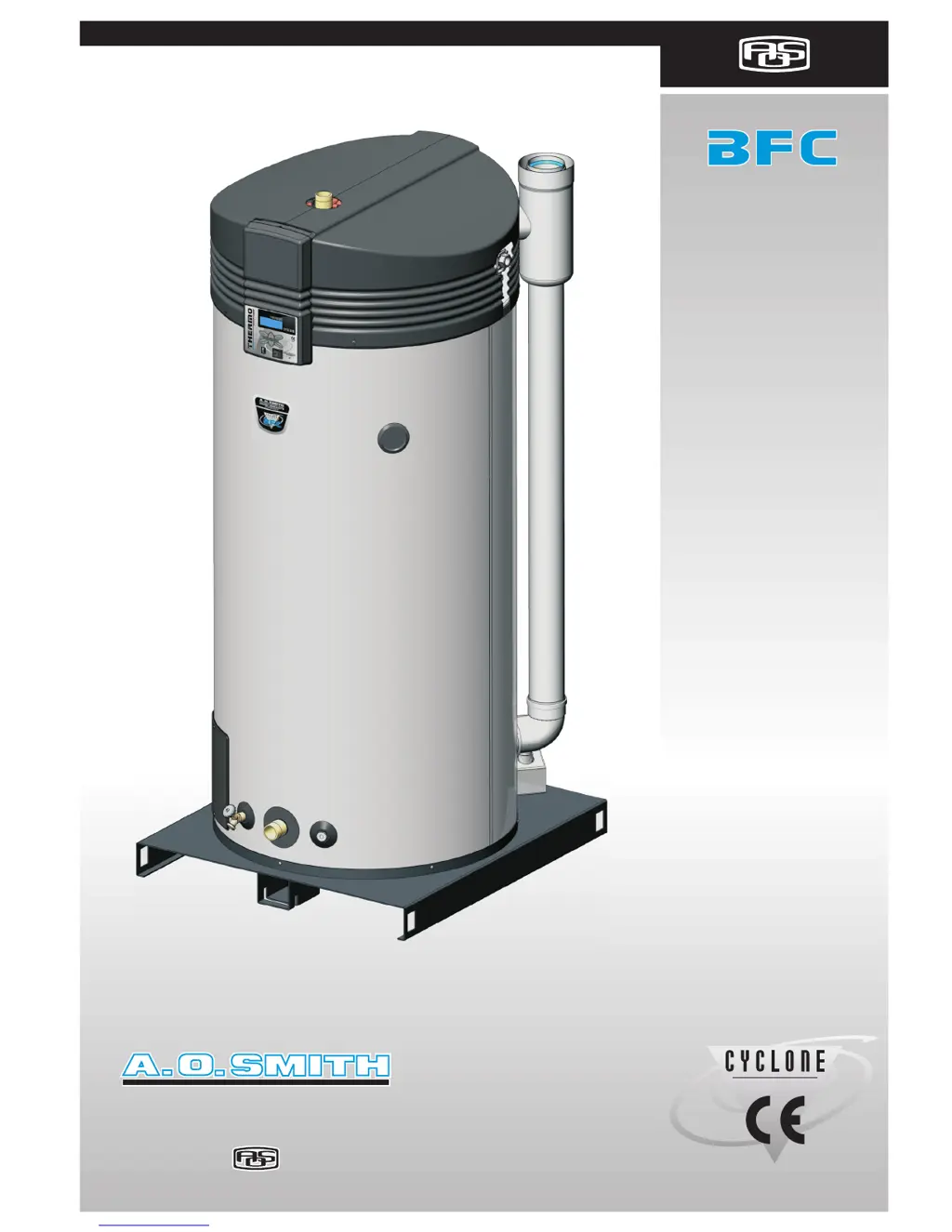
A.O. Smith cyclone BFC - 80 - User Manual

A.O. Smith cyclone BFC - 80
96 pages
Print Icon
To Next Page IconTo Next Page
Loading...
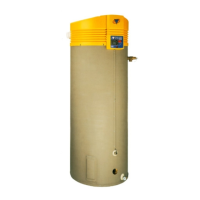
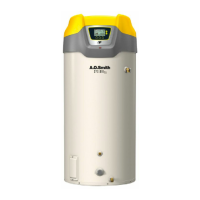
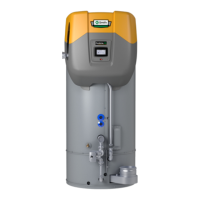
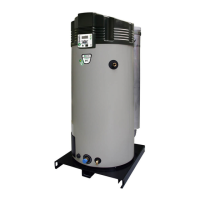
XTRA HIGH EFFICIENCYXTRA HIGH EFFICIENCY
80
100
80
100
WATER PRODUCTS
COMPANY
WATER PRODUCTS
COMPANY
A DIVISION OF A. O. SMITH CORPORATIONA DIVISION OF A. O. SMITH CORPORATION
WATER PRODUCTS
COMPANY
A DIVISION OF A. O. SMITH CORPORATION
Installation
User and
Service Manual
Installation
User and
Service Manual
Installation
User and
Service Manual

Table of Contents

Questions and Answers

  • H
    hernandezcarolynAug 14, 2025
    Why is there no hot water coming from my A.O. Smith Water Heater?
    • S
      sandra95Aug 14, 2025
      If you have insufficient or no hot water supply from your A.O. Smith Water Heater, it could be due to several reasons: * The appliance might be turned off. In this case, start the appliance. * There may be no supply voltage. Check if the isolator is ON, if there is power to the isolator, if the ON/OFF switch of the electronic controller is ON, and if there is power to the electrical connector block. The measured voltage must be 230 VAC (-15%, +10%). * The hot water supply might be used up. Reduce hot water consumption and allow the appliance time to heat up. * The controller may be in OFF mode. Switch the controller to the ON mode. * The temperature (Tset) may be set too low. Adjust the temperature (Tset) to a higher value.
  • G
    Gina WarnerAug 17, 2025
    What to do if my A.O. Smith Water Heater is leaking?
    • P
      Patrick WernerAug 17, 2025
      If your A.O. Smith Water Heater is leaking water, check for these potential causes: * Leakage from a water connection (threaded): Tighten the threaded connection. * Condensate leakage: Ensure the condensation water discharge is working properly, and rectify if necessary. * Leakage from another nearby water appliance or pipe segment: Trace the leak to identify its source. * Leakage from the appliance's tank: Consult the supplier and/or manufacturer.
  • S
    shaungrahamAug 21, 2025
    What to do if I smell gas near my A.O. Smith Water Heater?
    • C
      Claudia NorrisAug 21, 2025
      If you smell gas, immediately close the main gas valve. Do not operate any switches, use open flames, or ignite any object. Ventilate the boiler room and contact your installation engineer or local gas company immediately, as the cause is a gas leak.
  • D
    David MckinneyAug 25, 2025
    Why is the display off on my A.O. Smith cyclone BFC - 80 Water Heater?
    • M
      Michael KingAug 25, 2025
      If the display of your A.O. Smith Water Heater is off, it could be due to the following reasons: * The appliance is turned off. Start the appliance. * There is no supply voltage present. Check if the isolator is ON, ensure there is power to the isolator, verify the ON/OFF switch of the electronic controller is in the ON position (I), and confirm there is power to the electrical connector block. The measured voltage must be 230 VAC (-15%, +10%). * Defective fuse(s). In this case, the fuses should be replaced.
  • D
    David GriffinAug 28, 2025
    Why does my A.O. Smith cyclone BFC - 80 have explosive ignition?
    • D
      Daniel LewisAug 28, 2025
      If your A.O. Smith Water Heater experiences explosive ignition, it could be due to: * Incorrect supply pressure and/or burner pressure: Set the correct supply pressure and/or burner pressure. * Contaminated burner: Clean the burner(s). * Contaminated orifice: Clean the orifice(s).
  • J
    Jacob MendozaSep 3, 2025
    How do I troubleshoot the F01 error on my A.O. Smith cyclone BFC - 80?
    • D
      danielle84Sep 3, 2025
      The F01 error on your A.O. Smith Water Heater, indicating a defect in the power supply circuit, can occur due to: * Live and neutral connected the wrong way round: Connect live and neutral correctly, as the appliance is phase-sensitive. * Condensation on the flame probe: Disconnect the lead at the flame probe, ignite the appliance three times with an interrupted ionization circuit, reconnect the ionization lead to the flame probe, and ignite the appliance again to evaporate the condensation. * Floating neutral: Install an isolating transformer.
  • T
    Tina WheelerSep 7, 2025
    How to fix C02 error on A.O. Smith Water Heater?
    • K
      Karen EspinozaSep 7, 2025
      The C02 error on your A.O. Smith Water Heater, an error message from the appliance controller, is caused by an incorrect reference voltage from the AD converter. To resolve this: * Reset the electronic controller. * Check that the frequency of the power supply is compliant.
  • T
    Thomas MoranSep 10, 2025
    What does C03 error mean on A.O. Smith cyclone BFC - 80?
    • K
      Katherine SmithSep 12, 2025
      The C03 error (blocking error) on your A.O. Smith Water Heater, indicating a reset error, occurs when there are too many resets in too short a period. To resolve this, wait for the error to disappear (maximum 1 hour). If the error does not disappear, replace the appliance controller.
  • S
    shanebarrettDec 1, 2025
    How to fix F04 error on A.O. Smith Water Heater?
    • L
      Lindsey Harris MDDec 1, 2025
      The error F04 on your A.O. Smith Water Heater, indicating three unsuccessful ignition attempts, can be resolved by: * Ensuring there is gas supply by opening the main gas valve and/or the manual gas valve supplying the water heater and checking the supply pressure to the gas control. If necessary, repair the gas supply. * Bleeding the air out of the gas pipes. * Checking the burner pressure to the gas control and ensuring that the gas valve(s) open and shut correctly. If necessary, replace the gas control. * Checking that the hot surface igniter is correctly connected (JP2), checking the wiring of the hot surface igniter, measuring the resistance across the hot surface igniter (it must lie between 2 and 5 ohms), and checking that the hot surface igniter lights up during ignition. ...

Summary

Introduction

About the Appliance

Describes the BFC appliance, its type, and compliance with European standards.

Gas Smell Safety

Provides safety instructions in case of a gas smell, including immediate actions.

Installation Regulations

Lists local and national regulations that must be followed for installation.

Target User Groups

Identifies the intended users of the manual and explains symbols.

Manual Notation Forms

Explains the meaning of notes, cautions, and warnings used in the manual.

Document Overview

Provides a summary of the manual's chapters and their content.

Working Principle of the Appliance

Chapter Introduction

Lists topics covered in this chapter about the appliance's function.

General Working Principle

Explains the overall operation and shows a cut-away view with a component legend.

Appliance Heating Cycle

Describes the sequence of operations during the heating cycle.

Appliance Protection Features

Details the safety features and monitoring mechanisms of the appliance.

Water Temperature Protection

Explains how temperature sensors monitor safety limits for overheating.

Gas Valve Function

Describes the function of the gas valve, including its safety features.

Fan Operation

Explains the fan's role in air supply and safety during combustion.

Pressure Switch Function

Details the function of the pressure switch for flue gas and air supply safety.

Flame Probe Function

Explains how the flame probe detects flame presence for gas control.

Installation Safety

Outlines essential safety components and installation types for safe operation.

Installation

Installation Introduction

Lists the installation activities covered in this chapter.

Appliance Packaging

Advises on careful handling and unpacking of the appliance.

Environmental Conditions

Discusses suitability for open/sealed combustion and chemical substance risks.

Air Humidity and Ambient Temperature

Specifies environmental conditions for correct functioning and electronics.

Maximum Floor Load

Details appliance weight considerations for floor load capacity.

Water Composition Requirements

Lists water quality specifications required for appliance operation and warranty.

Working Clearances

Recommends clearances around the appliance for access and maintenance.

Technical Specifications Overview

Refers to checking dimensions, gas data, and accessory specifications.

Appliance Dimensions

Provides diagrams and refers to a table for appliance dimensions.

General and Electrical Specifications

Lists general, electrical, and performance specifications for the appliance.

Gas Data Details

Provides gas consumption, pressure, and orifice diameter data for different gas types.

Installation Diagram

Shows schematic diagrams for unvented and vented installation types.

Water Connections (Vented)

Details connections for vented systems: cold, hot, circulation, and drainage.

Water Connections (Unvented)

Details connections for unvented systems: cold, hot, circulation, and drainage.

Gas Connection Procedure

Describes connecting the gas supply to the appliance, including safety checks.

Air Supply and Flue Requirements

Covers requirements for flue gas discharge materials and connection types.

Flue Gas Discharge Introduction

Lists topics covered regarding air supply and flue gas discharge.

Flue Gas Discharge Materials

Discusses different appliance types and flue gas discharge requirements.

Concentric Flue Connections

Details flue gas discharge requirements for concentric systems (lengths, bends).

Concentric Wall Flue Terminal Specs C13

Lists specifications for C13 concentric wall flue terminals.

Concentric Roof Flue Terminal Specs C33

Lists specifications for C33 concentric roof flue terminals.

Parallel Flue Connections

States maximum pipe lengths for parallel flue systems based on diameter.

Electrical Connection Overview

Introduces the topic of electrical connections and preparation.

Electrical Connection Preparation

Details preparation steps for electrical connection, emphasizing phase sensitivity.

Connecting Mains Voltage

Explains how to connect the appliance to the mains power supply.

Isolating Transformer Usage

Describes when and how to use an isolating transformer for 'floating neutral'.

Connecting Program-Controlled Pump

Details connecting a program-controlled pump to the appliance.

Connecting Extra ON Mode Switch

Explains how to connect an external ON/OFF switch for override.

Connecting Extra Error Signal

Describes connecting an external signal for error reporting.

Checking Gas Pressures

Outlines the procedure for checking gas supply and burner pressures.

Gas Pressure Check Preparation

Steps to prepare for checking gas supply and burner pressure.

Gas Pressure Check Procedure

Details the step-by-step process for checking gas pressures.

Adjusting Gas Pressure

Instructions for adjusting gas supply and burner pressure.

Finalizing Installation Checks

Steps to finalize gas pressure checks and secure the appliance.

Conversion to a Different Gas Category

Gas Category Conversion Process

Explains the process and precautions for converting the appliance to a different gas category.

Filling the Appliance

Filling Unvented Installations

Step-by-step guide for filling unvented installations.

Filling Vented Installations

Step-by-step guide for filling vented installations.

Draining the Appliance

Draining Unvented Installations

Step-by-step guide for draining unvented installations.

Draining Vented Installations

Step-by-step guide for draining vented installations.

The Control Panel

Control Panel Introduction

Lists topics covered in this chapter about the control panel.

Control Panel Components

Describes the electronic controller and the components of the control panel.

Meaning of Control Panel Icons

Explains the meaning of the icons displayed on the control panel.

Electronic Controller ON;OFF Switch

Details the function of the ON/OFF switch for the electronic controller.

Navigation Button Usage

Explains the use of the navigation buttons for menu operation.

PC Connection Purpose

Describes the purpose of the PC connection for technicians.

Status of the Appliance

Status Introduction

Lists topics covered in this chapter about appliance status.

Appliance Operating Modes

Describes the four basic operating modes of the appliance.

OFF Mode Description

Explains the OFF mode, including frost protection activation.

ON Mode Description

Explains the ON mode, where the appliance responds to hot water demand.

EXTRA Mode Description

Describes the EXTRA mode for fulfilling a single period of demand.

PROG Mode Description

Explains the PROG mode where a preset week program is active.

Appliance Error Conditions

Details error codes, descriptions, and resolution actions for errors.

Service Condition Message

Explains the SERVICE REQUIRED message and its implications.

Starting and Running the Appliance

Starting and Running Introduction

Lists topics covered in this chapter regarding starting and running.

Appliance Startup Procedure

Step-by-step guide to start the appliance and activate ON mode.

Appliance Heating Cycle Explained

Explains the sequence of operations during the appliance's heating cycle.

Shutting Down the Appliance

Shutting Down Introduction

Describes brief shutdown, electrical isolation, and long-term shutdown.

Brief Shutdown (OFF Mode)

How to activate frost protection for short-term shutdown.

Electrical Isolation Procedure

Correct procedure for safely disconnecting the appliance from mains power.

Long Term Shutdown Procedure

Steps for shutting down the appliance for an extended period, including draining.

Main Menu Navigation

Menu Notation Convention

Explains the notation used for navigating menus in the manual.

Switching to ON Mode

How to switch the appliance to the ON mode from any operational mode.

Setting Water Temperature

Details how to set the desired water temperature via the menu.

Setting Water Temp via SET POINT MENU

Specific steps to set water temperature in the SET POINT MENU.

Setting Water Temp During ON Mode

How to adjust water temperature directly when in ON mode.

Week Program Introduction

Introduces the week program feature for setting temperature by day/time.

Starting and Stopping Week Program

How to start and stop the week program feature.

Changing Standard Week Program

Guides on modifying the default week program settings.

Setting Week Program Switch-on Time

Detailed steps to set the switch-on time for a week program period.

Setting Week Program Switch-off Time

Detailed steps to set the switch-off time for a week program period.

Setting Week Program Water Temperature

Detailed steps to set the water temperature for a week program period.

Setting Program-Controlled Pump

Details how to configure pump control within a week program.

Adding Times to Week Program

Instructions on how to insert new time periods into a week program.

Deleting Times from Week Program

Instructions on how to remove existing time periods from a week program.

Extra Period Functionality

How to use an extra period without altering the main week program.

Programming an Extra Period

Step-by-step guide to program an additional time period.

Settings Menu Overview

Overview of adjustable settings and appliance data.

Setting Menu Language

Instructions for changing the language of the control panel menu.

Setting Day and Time

How to set the current day and time on the appliance.

Displaying Appliance Specifications

How to view appliance specifications like fan speeds and regulation intervals.

Service Program

Service Program Introduction

Lists topics covered in this chapter for service engineers.

Setting the Hysteresis

Explains hysteresis and how to adjust the heating cycle margin.

Displaying Error History

How to view recorded "Blocking" and "Lock out" errors.

Displaying Appliance History

How to view appliance history like burning hours and ignitions.

Displaying Selected Appliance

How to display the selected appliance number.

Switching Pump On or Off

How to switch a program-controlled pump ON or OFF.

Setting Service Interval

How to set the service interval based on burning hours.

Setting Display Contrast

How to adjust the contrast of the appliance display.

Setting Display Backlight Time

How to set the duration the display backlight remains lit.

Setting Display Scroll Speed

How to adjust the speed at which text scrolls on the display.

Troubleshooting

Troubleshooting Introduction

Distinguishes between general errors and displayed errors.

Troubleshooting Table for General Errors

A table listing general error symptoms, causes, solutions, and remarks.

Displayed Errors Details

Details error codes, causes, solutions, and remarks for displayed errors.

Maintenance Frequency

Maintenance Frequency Introduction

Emphasizes annual service for water and gas sides.

Determining Service Interval

Guides on setting the service interval based on burning hours.

Performing Maintenance

Maintenance Introduction

Outlines the sequence for water and gas side maintenance.

Preparation for Maintenance

Steps to prepare the appliance for maintenance procedures.

Water-Side Maintenance Overview

Outlines steps for water-side maintenance, including anodes and tank cleaning.

Water-Side Maintenance Introduction

Lists steps for water-side maintenance: anodes, tank cleaning, discharge.

Checking the Anodes

Explains the importance and procedure for checking and replacing anodes.

Descaling and Cleaning the Tank

Details the process of descaling and cleaning the appliance's tank.

Cleaning Condensation Water Discharge

Emphasizes regular cleaning of the condensation drain and siphon.

Gas-Side Maintenance Overview

Lists steps for gas-side maintenance: cleaning burners, orifices, and heat exchanger.

Gas-Side Maintenance Introduction

Lists steps for gas-side maintenance: burners, orifices, heat exchanger, finalising.

Cleaning the Burner(s)

Steps for detaching, cleaning, and refitting the burner(s).

Cleaning the Orifice(s)

Steps for detaching, cleaning, and refitting the orifice(s).

Cleaning the Heat Exchanger

Details cleaning the heat exchanger, combustion chamber, and flue discharge.

Finalizing Maintenance Steps

Steps to finalize maintenance: filling, starting, and clearing messages.

Warranty Certificate

General Warranty Terms

Outlines the general warranty terms for appliance parts.

Tank Warranty Terms

Details the warranty terms specifically for the water heater tank.

Conditions for Installation and Use

Lists crucial conditions for installation and usage to maintain warranty.

Warranty Exclusions

Lists circumstances and conditions under which the warranty does not apply.

Scope of the Warranty

Defines the extent of A.O. Smith's warranty obligations.

Warranty Claims Procedure

Procedure for submitting a warranty claim.

A.O. Smiths Warranty Obligations

Describes A.O. Smith's commitments and liabilities regarding warranty.

Appendices

Appendices Introduction

States that this appendix contains electrical diagrams and program cards.

BFC Electrical Diagram

Provides the main electrical diagram for the BFC appliance.

Week Program Card

A printable card for recording week program settings.

A.O. Smith cyclone BFC - 80 Specifications

General IconGeneral
BrandA.O. Smith
Modelcyclone BFC - 80
CategoryWater Heater
LanguageEnglish

Related product manuals