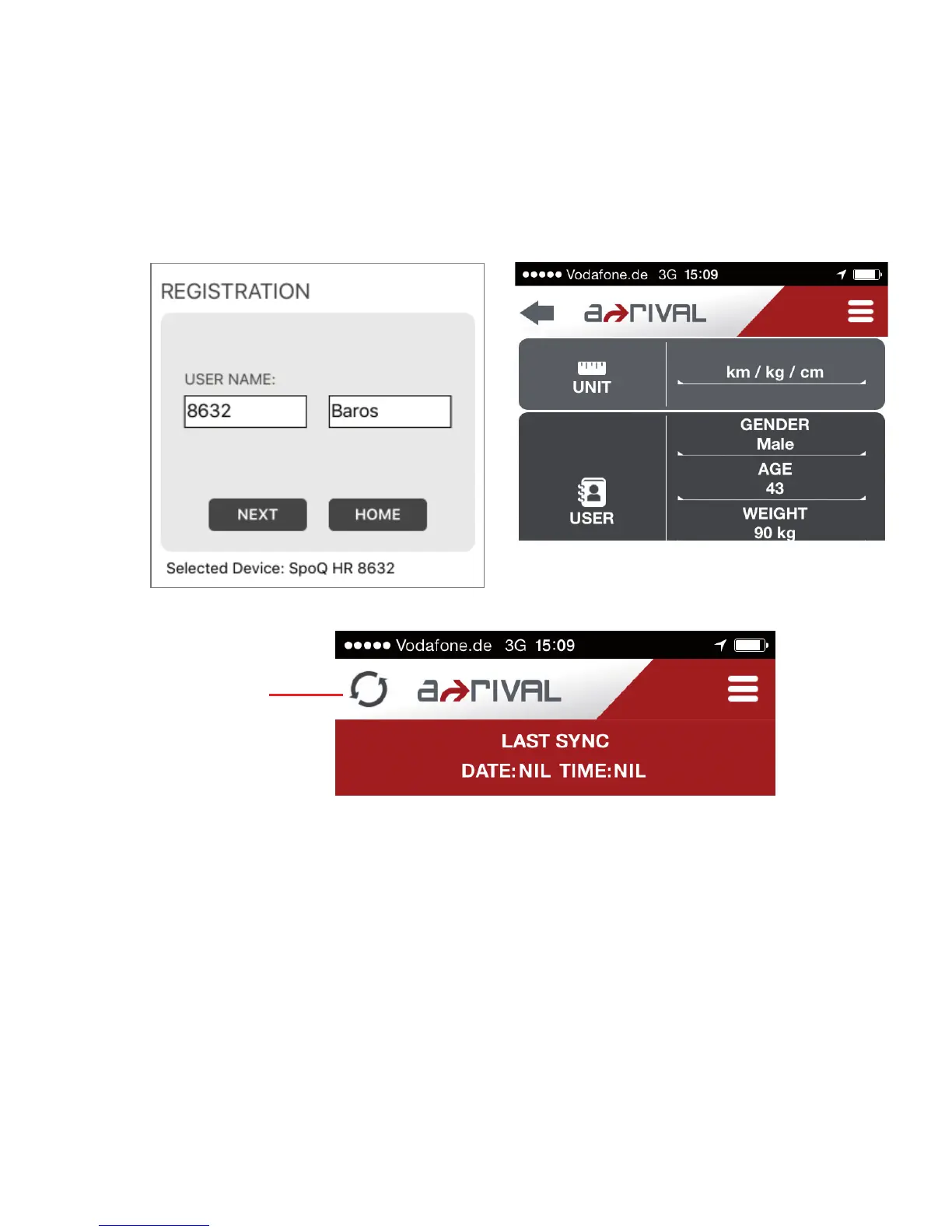
6) Fill-in the User Name. Then tap “NEXT”. The APP will then display the SETTINGS
screen. In this setting screen you can set your UNIT, USER details, SLEEP mode,
GOALS, HEART RATE, Phone Alerts, and Display FORMAT of the watch, Hourly
CHIME, AUTO LAP, LANGUAGE, and Devise Orientation. Scroll down to see also
the parameters to set. Tap the Sync icon after you finished setting to sync the APP
with the watch.
NOTE: When you tap the SYNC icon, the APP will start the SYNC operation and
all the settings in the APP will be in sync with the
watch including the time.
Likewise, the data in the watch will be in sync with the APP.
SYNC icon


 To Next Page