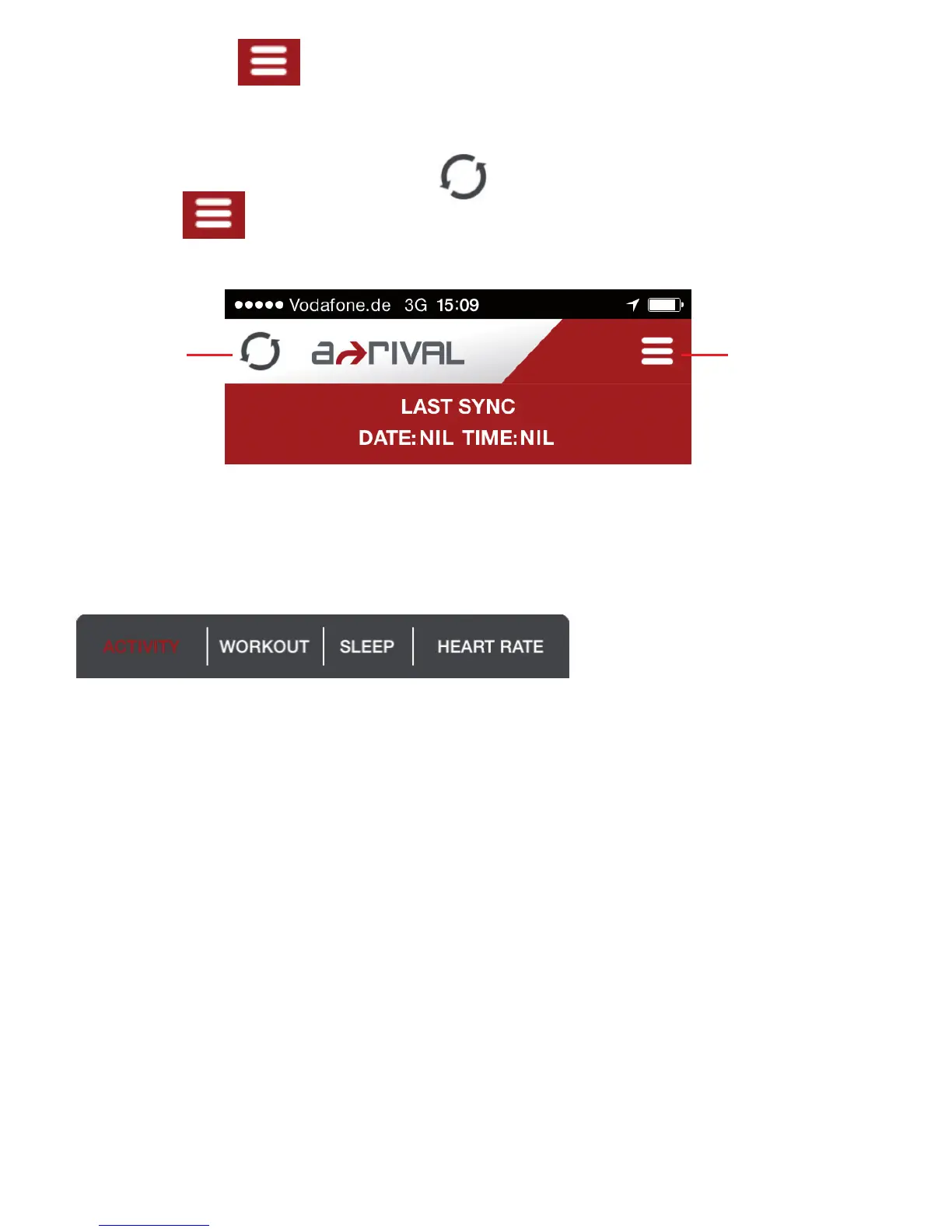
7) Tap the MENU icon on the upper right side of the Setting MENU screen
Tap HOME to go to the HOME screen.
8) The HOME screen has the SYNC icon on the top left portion. It also has the
MENU icon on the TOP right portion.
9) On the bottom of the Home screen, you have 4 TABS, namely ACTIVITY,
WORKOUT, SLEEP, and HEART RATE. You can tap on any of these tabs to go
directly to that screen.
SYNC icon
MENU icon


 To Next Page